> ## Documentation Index
> Fetch the complete documentation index at: https://www.ayrshare.com/docs/llms.txt
> Use this file to discover all available pages before exploring further.
# Messages API Overview
> Send and receive direct messages on Facebook, Instagram, and X/Twitter
export const PlansAvailable = ({plans = [], maxPackRequired}) => {
let displayPlans = plans;
if (plans && plans.length === 1) {
const lowerCasePlan = plans[0].toLowerCase();
if (lowerCasePlan === "business") {
displayPlans = ["Launch", "Business", "Enterprise"];
} else if (lowerCasePlan === "premium") {
displayPlans = ["Premium", "Launch", "Business", "Enterprise"];
}
}
return
Available on {displayPlans.length === 1 ? "the " : ""}
{displayPlans.join(", ").replace(/\b\w/g, l => l.toUpperCase())}{" "}
{displayPlans.length > 1 ? "plans" : "plan"}.
{maxPackRequired && window.open('https://www.ayrshare.com/docs/additional/maxpack', '_self')} className="flex items-center mt-2 cursor-pointer">
Max Pack required
}
;
};
The Messaging API allows you to manage direct messages (DM) to correspondents who contact your User Profiles.
A correspondent is the person with whom your user (User Profile) is communicating with.
A conversation is a series of messages between your user (User Profile) and their correspondent.
-
The Messaging API is included with all Ayrshare Business Plans and as a paid
add-on for Premium plans.
-
For both Business and Premium plans, you must activate Messaging in the
Account page of the Ayrshare dashboard.
-
Messaging is available for Facebook Messenger, Instagram Direct Messenger,
and X Direct Messages.
## Key Messaging Features
- Manage your users' conversations with correspondents.
-
Sending text, image, video, and emoji messages on behalf of your users.
- Retrieving complete conversation histories.
- Setting up automated message responses.
-
Receiving real-time updates via webhooks for messages received, message
reactions, read receipts.
## Enable Messaging
### Enable Your Ayrshare Account and User Profiles
You must first enable messaging for your overall Ayrshare account to manage DMs. In the Ayrshare dashboard go to the [Account page](https://app.ayrshare.com/account) and click to "Learn More" button and then "Enable". At this point you have enabled messaging for your overall account, *but have not activated messaging for individual User Profiles*.
You can activate messaging for individual User Profiles either in the [User Profiles page](https://app.ayrshare.com/manage-profiles) by clicking "Messaging Active" checkbox for each profile or using the create or update [profiles endpoint](/apis/profiles/overview).
After enabling messaging for a User Profile, you must relink the social account (Facebook and Instagram) in the Social Accounts/Social Linking page.
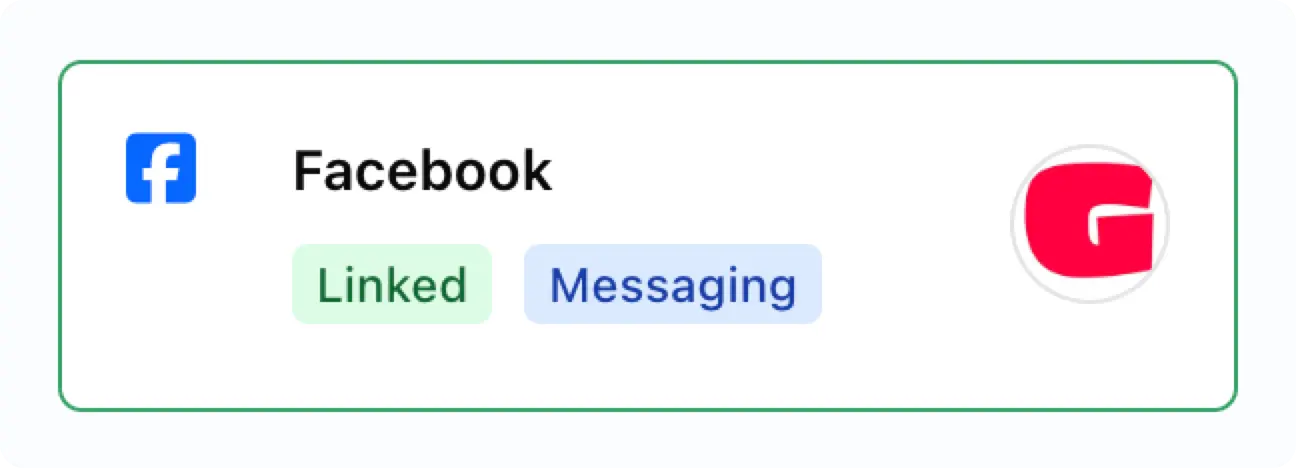
Once enabled you will see the "Messaging" badge on the linked social account.
 ### Enable Messaging in the Instagram App
You may need to enable messaging for your Instagram account:
### Enable Messaging in the Instagram App
You may need to enable messaging for your Instagram account:
-
Go to your profile in the Instagram mobile app and tap the menu icon ≡ in
the upper right corner to go to the **Settings and activity** page.
- Scroll down to the **How others can interact with you** section.
- Click **Messages and story replies**.
- Tap **Message requests**.
-
Under **Connected tool** toggle on the **Allow access to messages** switch.
## Important Information on Messaging
**A conversation must be initiated by the correspondent.** Once a conversation
is established, you may then freely send messages, receive messages, get
reactions (e.g. thumbs ups), or get read receipts on behalf of your users.
**Your user must respond to an Instagram conversation within 7 days of the last
message the correspondent sent.** If the correspondent has not sent a message in
7 days the conversation is considered inactive and cannot be responded to.
### Message History Retrieval for Facebook and Instagram
When you first enable messaging for a user profile with a linked Facebook or
Instagram, there are important limitations on accessing conversation history:
#### Initial Connection Limitations
-
Facebook and Instagram only allow retrieval of the **last 20 messages** from
existing conversations when you first link an account for messaging
-
If a conversation has more than 20 messages, only the most recent 20 will be
accessible initially
#### After Initial Setup
-
Once messaging is enabled, **all new messages** sent and received will be
fully accessible
-
Ayrshare maintains complete conversation history going forward
-
For example: If you initially retrieve 20 messages, then 100 new messages
are exchanged, you'll be able to access all 120 messages total
This limitation only applies to historical messages that existed before enabling
messaging - all future conversation activity for Facebook and Instagram will be
fully preserved and accessible.
### Conversation Limit & Pricing
-
Each Ayrshare User Profile can have up to **1,000 active conversations per
billing cycle**. The active conversation count is the sum across all social
networks.
-
**Premium plan**: Messaging is a flat **\$49 per month** add-on per account.
-
**Launch and Business plans**: Messaging is billed at **\$0.09 per active
conversation** via Stripe metered billing. Volume-based discounts are
available; contact your Ayrshare account representative for details.
-
A conversation is counted as active for the billing cycle when you send a
message to a recipient. Inbound messages from a recipient do not, on their
own, mark a conversation as active.
-
If the 1,000 conversation limit has been reached, you can still receive
messages, but you will not be able to respond until the start of the next
billing cycle.
-
The number of messages, sent or received, in an active conversation is
unlimited.
-
If you need to increase the conversation limit, please contact your
Ayrshare account representative.
You can see the current conversation count with the [user endpoint](/apis/user/overview).
### Messaging Control Issues on Facebook and Instagram
Meta (Facebook and Instagram) uses a "thread control" system for messaging conversations. This means only one app can send messages in a conversation at a time, while other apps can only receive messages.
#### What Does This Mean?
If you see the error **"Message failed to send because another app is controlling this thread now"**, it means:
* A different third-party app currently controls that conversation
* Ayrshare can only receive messages in that conversation
* Ayrshare cannot send messages until it regains control
#### How to Fix This Issue
To allow Ayrshare to send messages again, you need to remove the third-party app that's controlling the conversation.
Please note that Meta (Facebook and Instagram) may update the process for removing third-party apps, so use the following steps as a general guideline.
**For Facebook Pages:**
1. Go to [Facebook.com](https://facebook.com) and log into your account
2. Click the menu (☰) in the top right → **Settings & Privacy** → **Settings**
3. In the left sidebar, click **Apps and Websites**
4. Find the third-party app that's controlling your messaging
5. Click **Remove** next to that app
6. Confirm the removal
**For Instagram Business Accounts:**
1. Open the Instagram app on your phone
2. Go to your **Profile** → tap the menu (☰) → **Settings and Privacy**
3. Tap **Apps and Websites**
4. Find and remove the third-party app
**Alternative for Instagram:**
1. Go to [business.facebook.com](https://business.facebook.com)
2. Navigate to **Business Settings**
3. Under **Accounts**, click **Instagram Accounts**
4. Select your Instagram account
5. Check for connected apps and remove the problematic one
#### After Removal
Once you've removed the third-party app:
- Thread control will automatically return to Ayrshare
- You should be able to send messages normally again
- No further action is required on your part
If you continue to experience issues after removing the app, please contact our support team.
## Message WebHooks
See [Messages Webhooks](/apis/webhooks/actions#messages-action) to automatically receive messages, read receipts, or reactions.