> ## Documentation Index
> Fetch the complete documentation index at: https://www.ayrshare.com/docs/llms.txt
> Use this file to discover all available pages before exploring further.
# Generate JWT 概览
> 为一个 user profile 生成社交网络关联 URL。
export const PlansAvailable = ({plans = [], maxPackRequired}) => {
let displayPlans = plans;
if (plans && plans.length === 1) {
const lowerCasePlan = plans[0].toLowerCase();
if (lowerCasePlan === "business") {
displayPlans = ["Launch", "Business", "Enterprise"];
} else if (lowerCasePlan === "premium") {
displayPlans = ["Premium", "Launch", "Business", "Enterprise"];
}
}
return
Available on {displayPlans.length === 1 ? "the " : ""}
{displayPlans.join(", ").replace(/\b\w/g, l => l.toUpperCase())}{" "}
{displayPlans.length > 1 ? "plans" : "plan"}.
{maxPackRequired && window.open('https://www.ayrshare.com/docs/additional/maxpack', '_self')} className="flex items-center mt-2 cursor-pointer">
Max Pack required
}
;
};
[generateJWT 端点](/apis/profiles/generate-jwt)可为单个 User Profile 生成社交网络关联 URL。
更多细节请参阅 [Business Plan 与 Launch Plan API 集成](/multiple-users/api-integration-business)。
## 切换 Profile
要在不同的 profile 会话之间切换(例如在使用多个 profile 进行测试时),你需要先将当前 profile 登出。请参阅[自动登出 Profile 会话](/multiple-users/api-integration-business#automatic-logout-of-a-profile-session)以了解如何正确处理 profile 切换。
## Private Key 与 Profile Key
### 从哪里获取 Private Key
Private Key 文件(private.key)和示例 Postman JSON 文件包含在你在开通 (onboarding) 时收到的[集成包](/multiple-users/api-integration-business#integration-package)中。
集成包也可从 Ayrshare 开发者控制台的 API 页面 → Integration Package 中获取。
### 使用 Private Key
我们建议从文件中读取 Private Key(private.key),并作为字符串通过 `privateKey` 字段发送,这样可以完整保留包括换行符在内的所有字符。
Private Key 必须精确无误,即完整保留所有字符,包括换行符。
如果将该 key 粘贴到代码中,可能需要手动将换行符替换为 `\n` 字符,或对字符串进行 URL 编码。
将 key 直接粘贴到代码中通常会导致问题。
## 生成 JSON Web Token
一个 1 分钟的视频,讲解如何生成 JSON Web Token (JWT):
JWT URL 的有效期为 **5 分钟**。5 分钟后必须重新生成 JWT URL。
如需更多选项,请参阅 [Max Pack `expiresIn`](/apis/profiles/generate-jwt-overview#jwt-expires-in)。
## 打开 JWT URL
请在新的浏览器标签页、新的浏览器窗口或 iOS 上的 View Controller 中打开 JWT URL。
你可以控制新窗口或标签页的[关闭或重定向](/multiple-users/api-integration-business#opening-and-closing-the-social-linking-url)。
社交网络不允许在 iFrame 中打开该 URL,也不允许对已获批准的合作伙伴来源域名 profile.ayrshare.com 进行混淆处理。
## 校验 JWT URL
`generateJWT` 端点默认不会对返回的 JWT URL 进行校验。
例如,如果将一个损坏的 Private Key 传入 `generateJWT`,依然会返回一个 URL,但该 URL 在访问时会导致 401 错误。
你可以通过在 `generateJWT` 的 body 参数中加入 `verify: true` 来校验返回的 JWT URL。如果无法通过校验,将返回错误。例如,如果 Private Key 少了某个字符,则会返回:
```json JWT Error theme={"system"}
{
"action": "JWT",
"status": "error",
"code": 189,
"message": "Error generating JWT. Check the sent parameters, such as the privateKey has no extra tabs, spaces, or newlines. Also the entire private.key file including -----BEGIN RSA PRIVATE KEY----- and -----END RSA PRIVATE KEY-----. Error: secretOrPrivateKey must be an asymmetric key when using RS256"
}
```
我们建议仅在非生产环境中使用 `verify: true`,因为该校验会带来额外的处理开销。
## 在 Postman 中测试
**建议**首先在 [Postman](/testing/postman) 中测试 JWT URL 的生成。
在控制台 Primary Profile 的 API Key 页面中提供的集成包中,包含一个示例 Postman 配置 JSON 文件,其中已包含验证 JWT URL 生成所需的所有内容。
只需将该配置文件导入 Postman,在 `profileKey` *body* 字段中填入你的 Profile Key(可在 Ayrshare 开发者控制台中切换到你要测试的 profile 后获取),然后点击蓝色的 *Send* 按钮即可。
其他所有必填字段都已预先填好。
你也可以[从 Postman 中生成代码](/testing/postman#auto-generate-api-code-with-postman),或者从目录或数据库中读取 key 文件。
## Instagram 关联方式
Instagram 账户可以通过[两种方式](/dashboard/connect-social-accounts/instagram)进行关联:直接使用 **Instagram Login**,或通过一个**已关联的 Facebook Page**。
当用户在社交关联页面上点击 Instagram 按钮时,会启动哪种流程,通常由控制台中账户级别的 [Instagram Login](/multiple-users/manage-user-profiles#instagram-login) 设置决定。
[generateJWT 端点](/apis/profiles/generate-jwt)的 `instagramLinkMethod` body 参数允许你为单个关联 URL 覆盖该设置:
| 值 | Instagram 关联流程 |
| ----------- | -------------------------------------- |
| `instagram` | 直接使用 Instagram Login,无需 Facebook Page。 |
| `facebook` | 通过已关联的 Facebook Page 进行关联。 |
例如,如果你账户的默认设置为使用 Facebook Page 关联,以下示例将仅在本次关联会话中强制使用直接 Instagram Login:
```json Instagram Link Method theme={"system"}
{
"instagramLinkMethod": "instagram"
}
```
生成的 JWT URL 将包含该覆盖设置,当用户在关联页面上点击 Instagram 按钮时,将在该会话期间(包括跨越 Instagram/Facebook 授权跳转)按所请求的流程进行。
需要注意的几点:
* 该覆盖仅对由所返回 URL 打开的关联页面生效,并不会更改账户级别的 Instagram Login 设置,也不会影响其他关联会话。
* 如果省略 `instagramLinkMethod`,关联页面将使用账户级别的设置,与以往行为完全一致。
* 如果传入非法值,将返回 `400` 错误,并列出合法值(`instagram`、`facebook`)。
* 在选择覆盖之前,请查看两种流程之间的[功能差异](/multiple-users/manage-user-profiles#direct-instagram-login-vs-facebook-page-authentication)——某些 Instagram 功能(例如 hashtag 搜索和合作发布)仅在使用 Facebook Page 认证时可用。
## JWT Expires In
如果你希望 JWT 的超时时间比默认的 5 分钟更长,请加入 `expiresIn` 字段。
例如,发送以下 JSON 可将 JWT URL 的有效期设置为 30 分钟:
```json JWT Expires In theme={"system"}
{
"expiresIn": 30
}
```
这样你就可以直接将该链接[通过电子邮件发送](/apis/profiles/generate-jwt-overview#connect-accounts-email)给你的用户,而不必让他们打开你的应用或平台。
常见用例是:当你的用户需要重新连接某个社交账户时,你可以直接通过邮件将 JWT 链接发送给他们,直接完成重新关联,而无需让他们回到你的平台。
请务必与你的安全团队讨论,业务上希望 JWT 保持多长时间的有效期。
较长的过期时间会增加未授权方访问该链接的风险。
## 集成
### Bubble.io JWT
如果你是 Bubble 用户,请参阅 Bubble.io 章节中的 *Generate JWT Token*:
### 移动端 JWT
以下 Swift、Flutter 和 React Native [移动端代码示例](/apis/profiles/generate-jwt-overview#mobile-code-examples)展示了如何在 iOS 设备上启动社交关联页面。
请将 `jwtURL` 字符串变量替换为 [/generateJWT 端点](/apis/profiles/generate-jwt)返回的值。
#### Swift (iOS)
在 Swift 中,使用 `UIViewController` 和 `SFSafariViewControllerDelegate`。
不建议使用 `WebView`,因为某些社交网络(如 Facebook 和 Google)会阻止认证。
#### Flutter (Dart)
在 Flutter (Dart) 中没有直接等同于 `UIViewController` 或 `SFSafariViewController` 的组件。
不过,你可以使用 `url_launcher` 包打开 Web URL,以实现类似功能。
#### React Native
React Native 同样没有直接对应 `SFSafariViewController` 的组件,但你可以使用 `expo-web-browser` 提供的 `WebBrowser` API 达到类似效果,该 API 会在一个模态浏览器窗口中打开 URL,并与系统浏览器共享 cookies。此外,你也可以使用内置的 React Native `Linking` 函数打开 Safari:`await Linking.canOpenURL(jwtURL);`
#### 移动端代码示例
```swift Swift theme={"system"}
import UIKit
import SafariServices
class ViewController: UIViewController, SFSafariViewControllerDelegate {
var jwtURL = "https://profile.ayrshare.com?domain=acme&jwt=eyJhbGciOiJ"
override func viewDidLoad() {
super.viewDidLoad()
setupButton()
}
func setupButton() {
let button = UIButton(type: .system)
button.frame = CGRect(x: (view.bounds.width - 200) / 2, y: (view.bounds.height - 50) / 2, width: 200, height: 50)
button.setTitle("Open URL", for: .normal)
button.addTarget(self, action: #selector(buttonTapped), for: .touchUpInside)
view.addSubview(button)
}
@objc func buttonTapped() {
openURLInInAppBrowser()
}
func openURLInInAppBrowser() {
if let url = URL(string: jwtURL) {
let safariVC = SFSafariViewController(url: url)
safariVC.delegate = self
present(safariVC, animated: true, completion: nil)
}
}
// Optional: If you want to handle when the in-app browser is closed
func safariViewControllerDidFinish(_ controller: SFSafariViewController) {
controller.dismiss(animated: true, completion: nil)
}
}
```
```dart Flutter theme={"system"}
/** yaml dependencies
dependencies:
flutter:
sdk: flutter
url_launcher: ^6.2.1
*/
import 'package:flutter/material.dart';
import 'package:url_launcher/url_launcher.dart';
void main() {
runApp(MyApp());
}
class MyApp extends StatelessWidget {
@override
Widget build(BuildContext context) {
return MaterialApp(
title: 'URL Launcher Example',
theme: ThemeData(
primarySwatch: Colors.blue,
),
home: MyHomePage(),
);
}
}
class MyHomePage extends StatelessWidget {
final String jwtURL = "https://profile.ayrshare.com?domain=acme&jwt=eyJhbGciOiJ";
@override
Widget build(BuildContext context) {
return Scaffold(
appBar: AppBar(
title: Text('URL Launcher Example'),
),
body: Center(
child: ElevatedButton(
onPressed: () {
openURLInBrowser(context);
},
child: Text('Open URL'),
),
),
);
}
void openURLInBrowser(BuildContext context) async {
if (await canLaunch(jwtURL)) {
await launch(jwtURL);
} else {
ScaffoldMessenger.of(context).showSnackBar(
SnackBar(
content: Text('Could not launch $jwtURL'),
),
);
}
}
}
```
```jsx React Native theme={"system"}
/**
• Using the API provided by expo-web-browser,
• which opens a URL in a modal browser window that shares cookies
• with the system browser.
• Learn more about expo: https://reactnative.dev/docs/environment-setup?guide=quickstart
• and running the following command:
• expo install expo-web-browser
*/
import React from 'react';
import { StyleSheet, Button, View } from 'react-native';
import * as WebBrowser from 'expo-web-browser';
export default function App() {
const jwtURL = 'https://profile.ayrshare.com?domain=acme&jwt=eyJhbGciOiJ';
const openURLInBrowser = async () => {
try {
await WebBrowser.openBrowserAsync(jwtURL);
// Optional: WebBrowser.openBrowserAsync returns a promise that resolves with an object containing
// 'type' that can be 'cancelled' or 'dismissed'. You can use this to handle when the browser is closed.
} catch (error) {
console.error(error);
}
};
return (
);
}
const styles = StyleSheet.create({
container: {
flex: 1,
justifyContent: 'center',
alignItems: 'center',
},
});
```
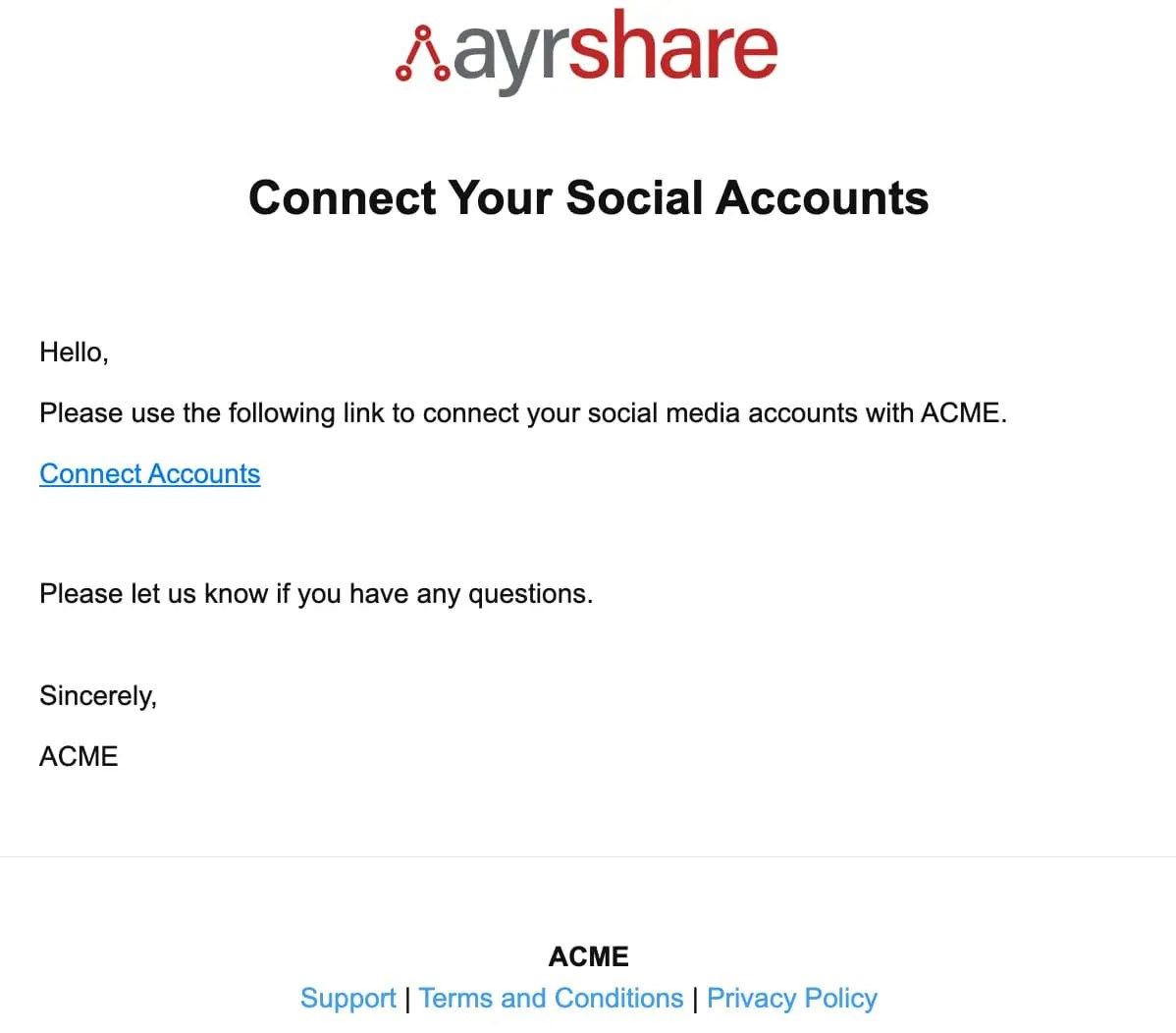
## Connect Accounts 邮件
与更长的过期时间选项配合使用时,你还可以让 Ayrshare 自动向你的用户发送一封包含社交关联页面链接的电子邮件。
### Connect Accounts JSON
例如,以下 JSON 会向 `john@user.com` 发送一封邮件,其中公司名称为 ACME,联系邮箱为 `support@mycompany.com`,并附带条款和隐私政策链接:
```json Example Contact Email Request theme={"system"}
/**
All fields are in the email object required.
Missing fields will cause the email to fail.
*/
{
"email": {
"to": "john@user.com",
"contactEmail": "support@mycompany.com",
"company": "ACME",
"termsUrl": "https://www.ayrshare.com/terms",
"privacyUrl": "https://www.ayrshare.com/privacy",
"expiresIn": 60
}
}
```
如果设置了 email 和过期时间,响应中将包含以下字段:
```json Example Contact Email Response theme={"system"}
{
"emailSent": true,
"expiresIn": "30m"
}
```
### JWT Connect Accounts 邮件示例
以下是一封带有 Connect Account 链接的邮件示例,点击后将打开社交关联页面:
 邮件将从以下地址发出:
`Social Connect Hub `
邮件将从以下地址发出:
`Social Connect Hub `