> ## Documentation Index
> Fetch the complete documentation index at: https://www.ayrshare.com/docs/llms.txt
> Use this file to discover all available pages before exploring further.

# Facebook 发帖问题排查 | Ayrshare 文档

> 解决 Ayrshare 中最常见的 Facebook 发帖问题，包括发布失败、权限、媒体错误等，提供清晰的分步排查方案。

如果你在发帖时收到与 Facebook 权限相关的错误，或看不到某个 Facebook Page，可能是某些访问权限未被授予。

## Facebook 商业管理员设置

<div class="video-container">
  <iframe width="560" height="315" src="https://www.youtube.com/embed/xQv2TakQSVw" title="Post a video to Facebook with an API" frameborder="0" allow="accelerometer; autoplay; clipboard-write; encrypted-media; gyroscope; picture-in-picture" allowfullscreen />
</div>

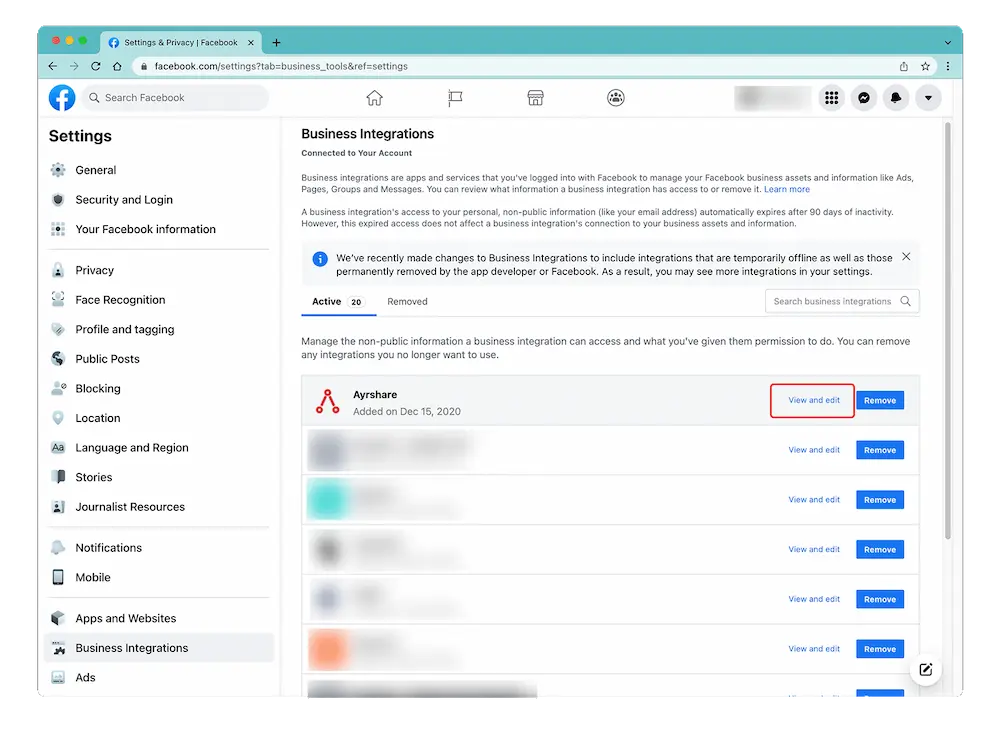
登录 Facebook 后前往 "Setting" -> "Settings & Privacy" -> "Security & Login" -> "Business Integration" 打开 Business Integration 页面。

<Card title="Facebook Settings & Privacy" icon="facebook" href="https://www.facebook.com/settings?tab=business_tools%5C&ref=settings" horizontal>
  点击此处直达 Facebook Setting & Privacy 页面。
</Card>

## 编辑 Facebook 权限

在 [Business Integration 页面](https://www.facebook.com/help/405094243235242/)，点击 Ayrshare App 并选择 "View and Edit"。

<img src="https://mintcdn.com/ayrshare-docs/Nmrhj2Gh7WSf62Bh/images/additional/fb%20permissions.webp?fit=max&auto=format&n=Nmrhj2Gh7WSf62Bh&q=85&s=a2ccb0beb288155744a7d5d63ca7bdb0" alt="Verify Facebook permissions" class="center" width="1000" height="746" data-path="images/additional/fb permissions.webp" />

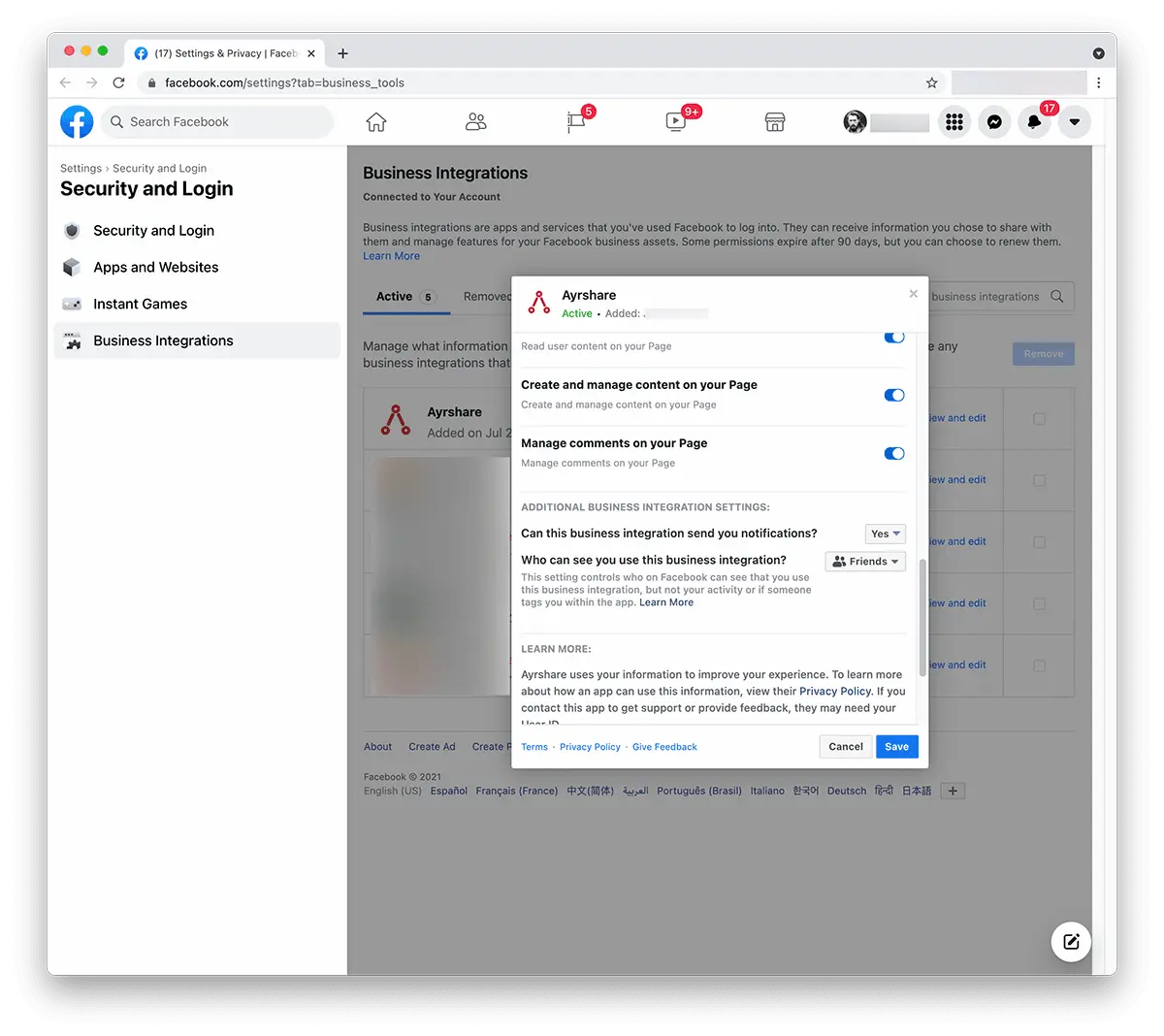
会弹出一个窗口。向下滚动至 "Create and Manage Content on Your Page"，确认已开启。如果看到带有 "Pages" 的复选框，请勾选以选择所有 Page。

<img src="https://mintcdn.com/ayrshare-docs/Nmrhj2Gh7WSf62Bh/images/additional/allow%20FB%20permissions.webp?fit=max&auto=format&n=Nmrhj2Gh7WSf62Bh&q=85&s=8d450d467fc1b866eab59aad0090fba5" alt="Review Ayrshare Facebook permissions" class="center" width="1200" height="1068" data-path="images/additional/allow FB permissions.webp" />

点击 "**Save**"。

回到 [Ayrshare Dashboard](https://app.ayrshare.com/social-accounts)，**解除关联** 并 **重新关联** Facebook。此时你应该已获得正确的权限。

## Facebook 权限仍有问题？

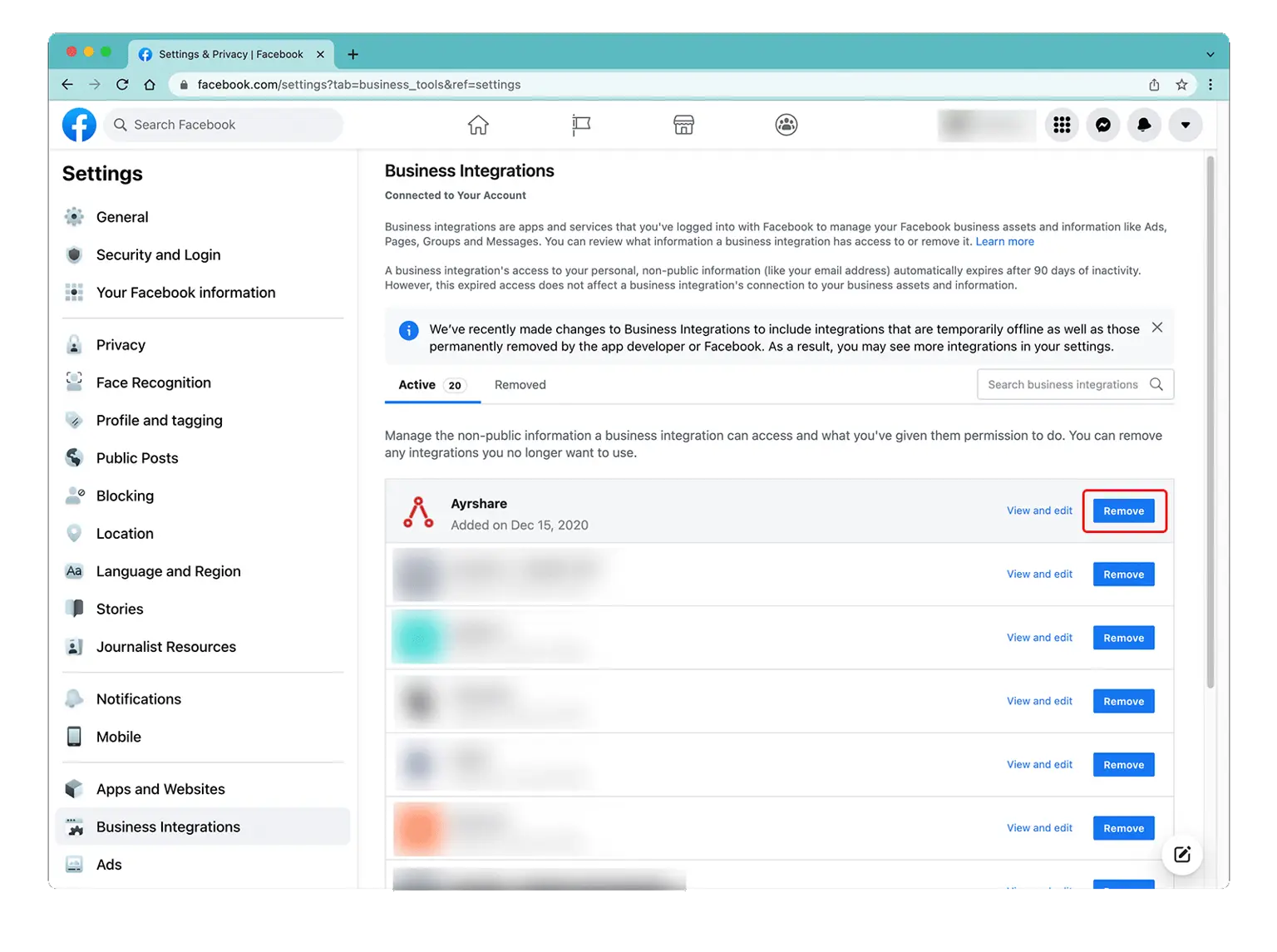
*如果问题依旧*，请回到 [Facebook 管理员设置](/help-center/technical-support/facebook_posting_issues#facebook-business-admin-settings) 的 Business Integration，"Remove" 掉 Ayrshare 应用。
再回到 [Ayrshare Dashboard](https://app.ayrshare.com/social-accounts)，**解除关联** 并 **重新关联** Facebook。

<img src="https://mintcdn.com/ayrshare-docs/dKBti0xVDJrOZ19f/images/help-center/remove-a.webp?fit=max&auto=format&n=dKBti0xVDJrOZ19f&q=85&s=de39550a66cbbdc0c67f9b9f327729e7" alt="Remove the Ayrshare app" class="center" width="1536" height="1145" data-path="images/help-center/remove-a.webp" />