> ## Documentation Index
> Fetch the complete documentation index at: https://www.ayrshare.com/docs/llms.txt
> Use this file to discover all available pages before exploring further.
# Instagram 发帖问题排查 | Ayrshare 文档
> 解决 Ayrshare 中常见的 Instagram 发帖问题,包括发布失败、媒体格式错误、账号权限等,并提供分步解决方案。
如果你在发帖时收到与 Instagram 权限有关的错误,或提示账号未关联(即使你已关联 Facebook 账号),可能是部分访问权限未被授予。
例如,若你收到以下错误:
-
*Unsupported post request. Object with ID \[id number] does not exist,
cannot be loaded due to missing permissions, or does not support this
operation. Please read the Graph API documentation*
或
- *There is an issue with your Instagram account type or permissions.*
请按以下步骤操作:
### 1. 确认你的 Instagram 商业账号仍然连接到某个 Facebook Page
如果你使用的是 Facebook Page 连接方式,请确保你的 Instagram 是 Business 账号,并且已连接到一个 Facebook Page。
1. 登录 Facebook 并进入你的 Facebook Page。在左侧菜单中点击 'Settings'。
2. 选择 "Instagram",确认你的 Instagram 账号已连接,或点击 "Connect Account"。
3. 在 Ayrshare 仪表盘的 "Social Accounts" 中解除关联并重新关联你的 Instagram 账号。
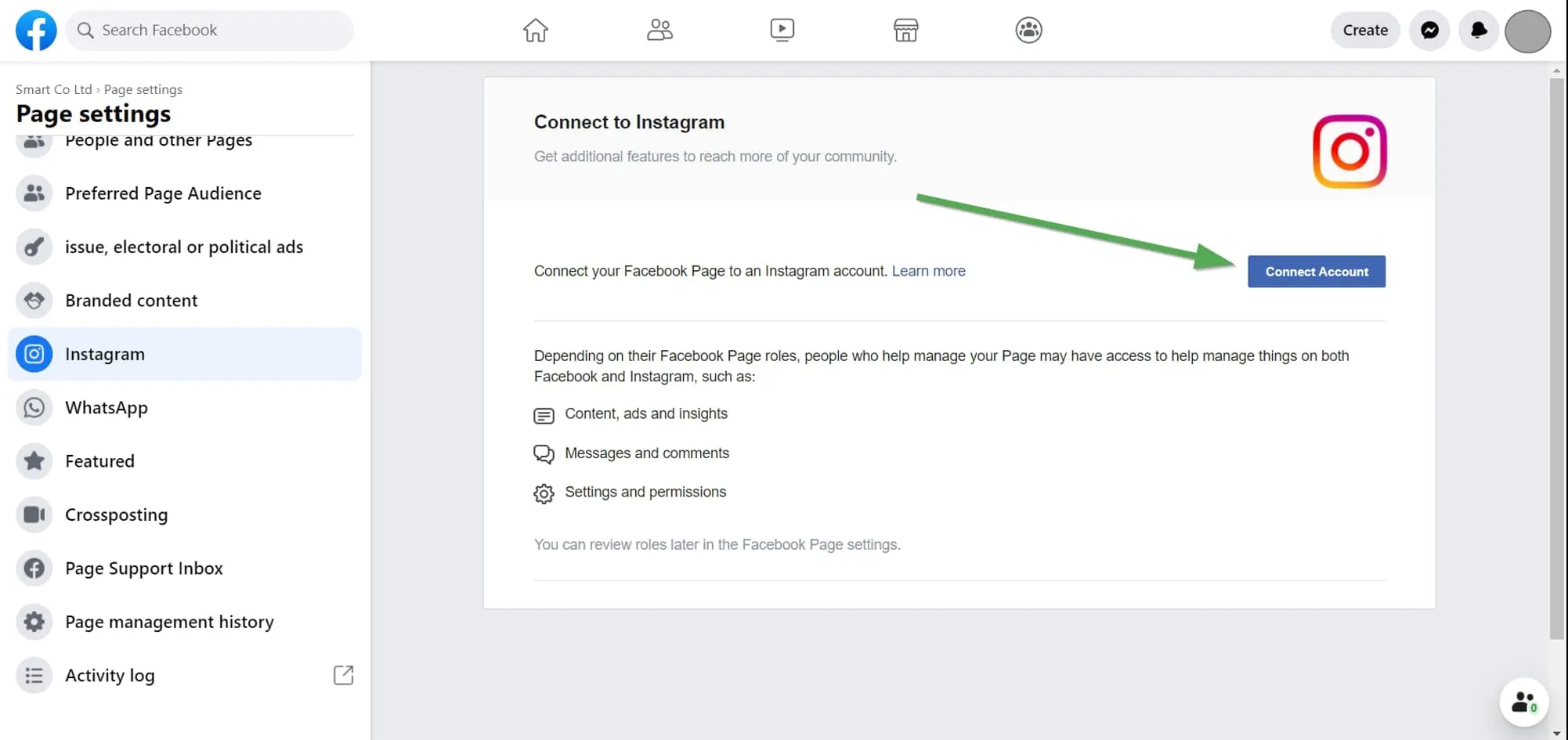 更多详情请参见:
### 2. 检查你的 Instagram 权限
如果问题依旧,请检查你授予 Ayrshare 的权限。
登录 Facebook 后前往 "Setting" -> "Settings & Privacy" -> "Security & Login" -> "Business Integration"。
点击这里直达
在 [Business Integration 页面](https://www.facebook.com/help/405094243235242/),点击 Ayrshare App。
更多详情请参见:
### 2. 检查你的 Instagram 权限
如果问题依旧,请检查你授予 Ayrshare 的权限。
登录 Facebook 后前往 "Setting" -> "Settings & Privacy" -> "Security & Login" -> "Business Integration"。
点击这里直达
在 [Business Integration 页面](https://www.facebook.com/help/405094243235242/),点击 Ayrshare App。
 会弹出一个窗口。向下滚动至 "Upload media and create post for Instagram" 和 "Access profile and posts for Instagram"。勾选两个 "Instagram Accounts" 复选框:
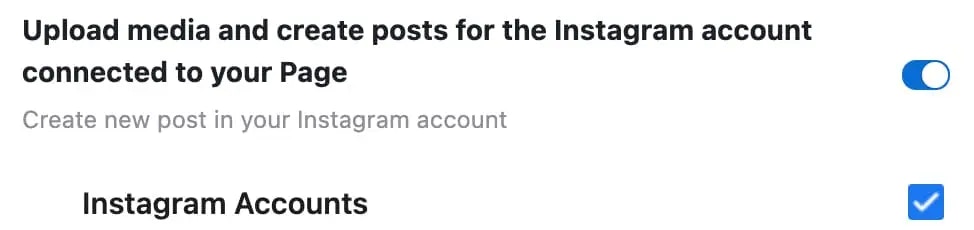
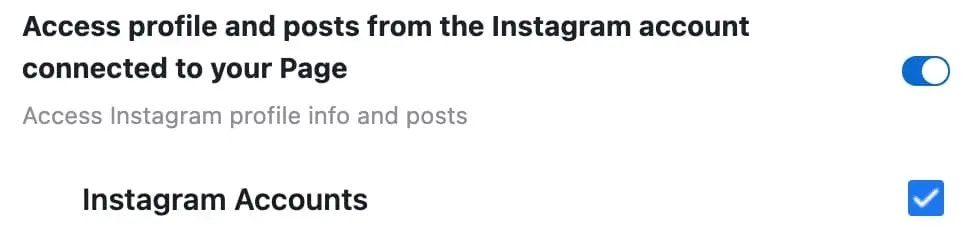 点击 "Save"。
回到 Ayrshare 仪表盘,解除关联并重新关联 Instagram。此时你应该已获得正确的权限。
点击 "Save"。
回到 Ayrshare 仪表盘,解除关联并重新关联 Instagram。此时你应该已获得正确的权限。