> ## Documentation Index
> Fetch the complete documentation index at: https://www.ayrshare.com/docs/llms.txt
> Use this file to discover all available pages before exploring further.

# 管理多个用户配置

> 你可以通过 Dashboard 或 API 两种方式，为你的组织、用户、客户或品牌创建并管理多个账户配置。

<Warning>
  **控制台仅供你的内部团队使用。** 在 Launch、Business 和
  Enterprise 方案中，控制台是*你的团队*用于创建和管理用户
  配置、进行测试以及代表客户发帖的地方。你的客户**绝不应**
  获得控制台访问权限——他们通过白标化的
  [JWT URL 关联页面](/multiple-users/api-integration-business#single-sign-on-with-jwt-authentication) 连接社交账户。
  在生产环境中，请通过 [API](#using-the-api) 以编程方式
  创建和管理配置。（单用户的 Premium 方案是例外：它没有
  多用户层，因此你可以直接自己使用控制台。）
</Warning>

## 使用 Dashboard

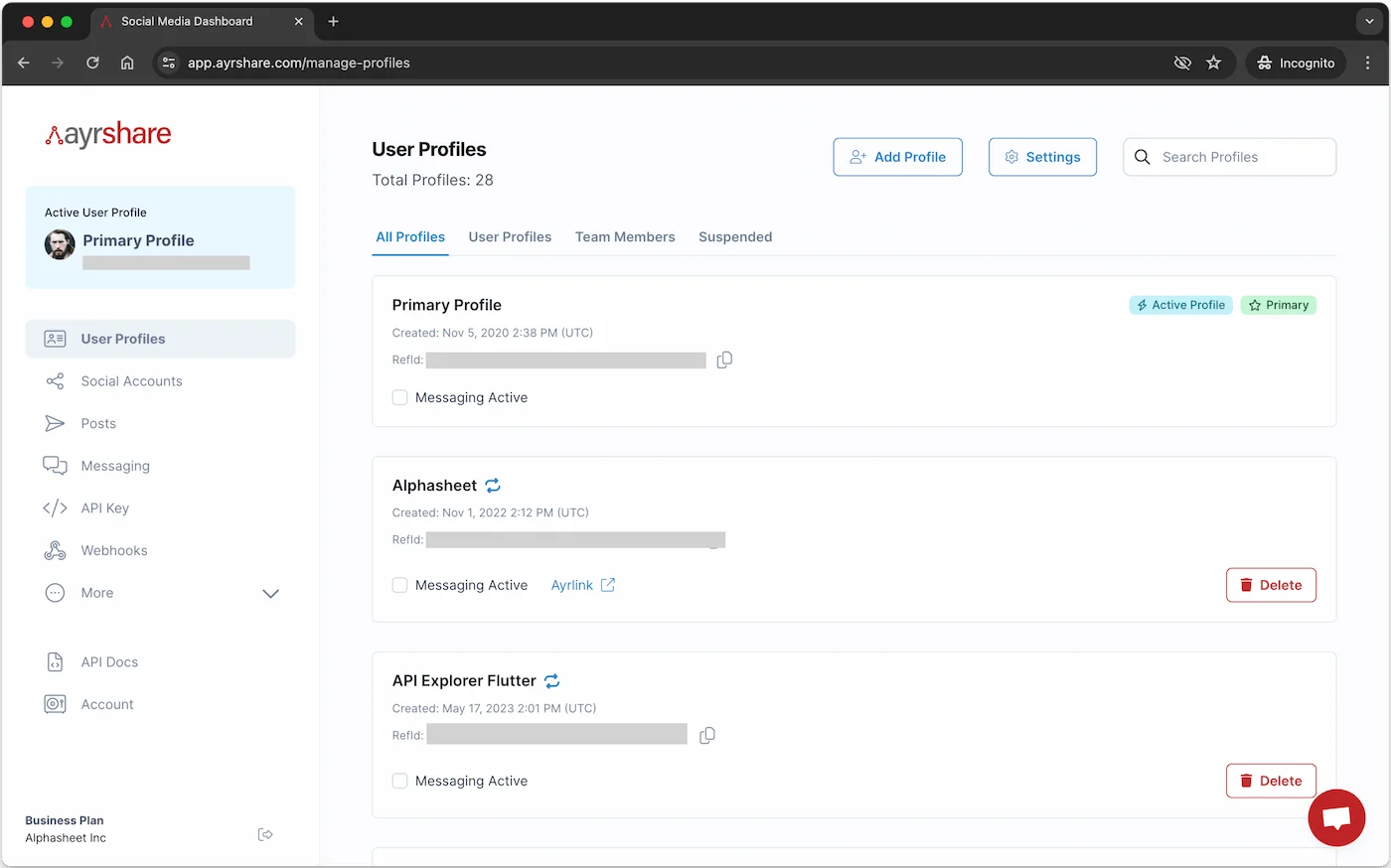
如果你的 Ayrshare 账户具备管理多配置的权限，你将在左侧导航中看到 **User Profiles** 选项。

<Info>
  如果你的账户没有管理配置的选项，请联系你的 Ayrshare
  代表或[联系我们](mailto:contact@ayrshare.com)进行升级。
</Info>

### 创建新的配置

点击 **Add Profile** 按钮，并输入你的用户配置标题。

<img src="https://mintcdn.com/ayrshare-docs/dKBti0xVDJrOZ19f/images/multiple-users/create-profile.webp?fit=max&auto=format&n=dKBti0xVDJrOZ19f&q=85&s=56ffca9d00547aa746c67769eee87759" alt="Create a User Profile" width="1400" height="874" data-path="images/multiple-users/create-profile.webp" />

### 切换到新配置

你会在 Active Profiles 区域看到新配置出现。
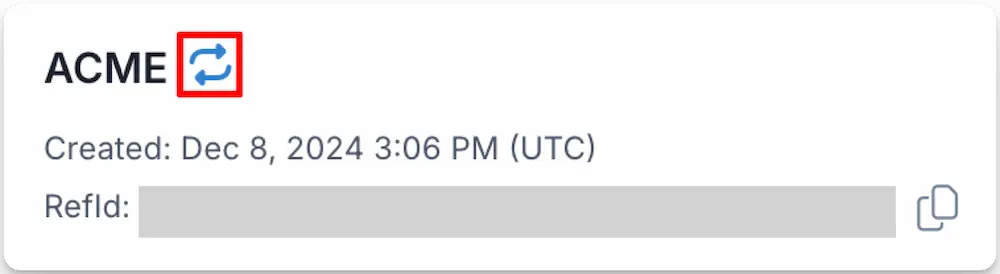
此时可以点击 **switch to this profile** <Icon icon="repeat" iconType="solid" /> 图标切换到该用户配置。
<img class="center" src="https://mintcdn.com/ayrshare-docs/6mPR4kmwNEz1kMbX/images/multiple-users/switch-profile.webp?fit=max&auto=format&n=6mPR4kmwNEz1kMbX&q=85&s=a3a47332f16b57377b879f37423e38f8" alt="Switch to a User Profile" width="1000" height="274" data-path="images/multiple-users/switch-profile.webp" />

当你切换到另一个用户配置时，屏幕左上角的配置图标下方会显示该配置的名称。

你可以随时通过点击 Primary Profile 旁的 **switch profile** 链接，或点击 User Profiles 页面顶部的 **Switch to Primary** 按钮，切换回你的主账户配置。

从这里开始，你便以客户/用户的身份操作，可前往 *Post* 页面代表他们发帖。

### 获取 Profile Key

Profile Key 用于通过 API 代表该配置发帖。切换到某个 [用户配置](/multiple-users/manage-user-profiles)，然后在 Dashboard 左侧导航中前往 *Profile Key* 页面，即可获得该配置的密钥。
在发起 API 调用时，请务必在请求头中包含你的 [API\_KEY](/apis/overview#authorization) 和 [PROFILE\_KEY](/apis/overview#profile-key-format)。

当你通过 [/profiles/profile 接口](/apis/profiles/create-profile) 创建新的用户配置时，也会收到 Profile Key。这是获取 Profile Key 的推荐方式。

### 邀请团队成员

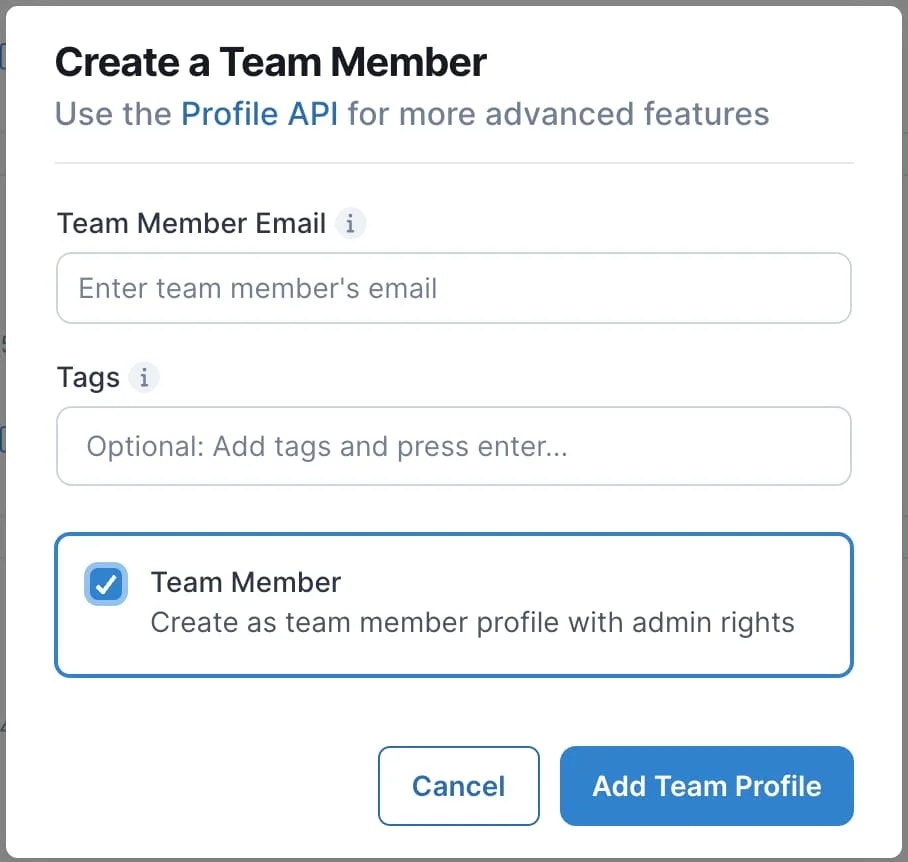
你可以为团队成员创建用户配置。默认情况下，团队成员拥有 Ayrshare 账户，对 Dashboard 拥有完整的访问权限/管理员权限，并占用一个新的用户配置。请注意，你可以通过[锁定 Primary Profile](/multiple-users/manage-user-profiles#primary-profile-lock)来限制访问。
<Tip>
  你只能邀请尚未在 Ayrshare 注册的团队成员。如果你想使用已经注册过的邮箱，
  请让该用户登录 Dashboard，前往 Account 页面并点击 **Delete** 按钮。
</Tip>

在 User Profiles 页面，切换到 Primary Profile，然后点击页面顶部的 *+ Add Profile* 按钮。

在弹出的对话框中，勾选 "Create a team member profiles with admin rights"，并输入你的团队成员邮箱。

<img width="50%" class="center" src="https://mintcdn.com/ayrshare-docs/6mPR4kmwNEz1kMbX/images/multiple-users/team-member.webp?fit=max&auto=format&n=6mPR4kmwNEz1kMbX&q=85&s=bd920b7ce2fa834579c7073639a8c8d0" alt="Invite team member" data-path="images/multiple-users/team-member.webp" />

点击 *Add Team Profile*，系统会向团队成员的邮箱发送一封激活账户的邮件。

#### 团队成员状态

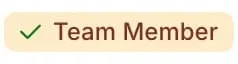
团队成员接受邀请后，Team Member 标签旁会出现绿色对勾。

<img class="center" src="https://mintcdn.com/ayrshare-docs/6mPR4kmwNEz1kMbX/images/multiple-users/team1.webp?fit=max&auto=format&n=6mPR4kmwNEz1kMbX&q=85&s=08a9aae96eeed3ce0bab912b1e5847f6" alt="team member accepted" width="238" height="64" data-path="images/multiple-users/team1.webp" />

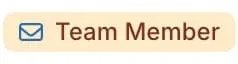
如果团队成员尚未接受邀请，你可以点击邮件图标重新发送。

<img class="center" src="https://mintcdn.com/ayrshare-docs/6mPR4kmwNEz1kMbX/images/multiple-users/team2.webp?fit=max&auto=format&n=6mPR4kmwNEz1kMbX&q=85&s=52b397f9a1fb6761ba77ea73a0222cd2" alt="team member resend" width="238" height="64" data-path="images/multiple-users/team2.webp" />

#### 团队成员联系支持

<Warning>
  出于安全考虑，只有已注册的团队成员才能代表企业联系支持团队。如果他们未在你的
  企业中注册并通过验证为团队成员，我们将无法为其提供协助。
</Warning>

### 重新启用被暂停的用户配置

#### 暂停原因

当用户配置因社交网络违规（例如 [Facebook 社区准则违规](/help-center/technical-support/facebook_or_instagram_account_restricted)）而被暂停时，你会收到一封详细的通知邮件。
该邮件包含关于本次暂停的重要信息，包括具体原因和受影响的用户配置。

要找到该通知邮件：

1. 使用被暂停用户配置的 RefId 搜索你的收件箱
2. 邮件主题会明确指出发生了暂停

或者，你也可以直接在 Dashboard 中点击对应用户配置旁的 "Suspended" 标签查看暂停详情。

被暂停的用户配置的所有 API 调用将返回 [403 HTTP 状态码](/errors/errors-http#403-access-denied)。

#### 重新启用被暂停的用户配置

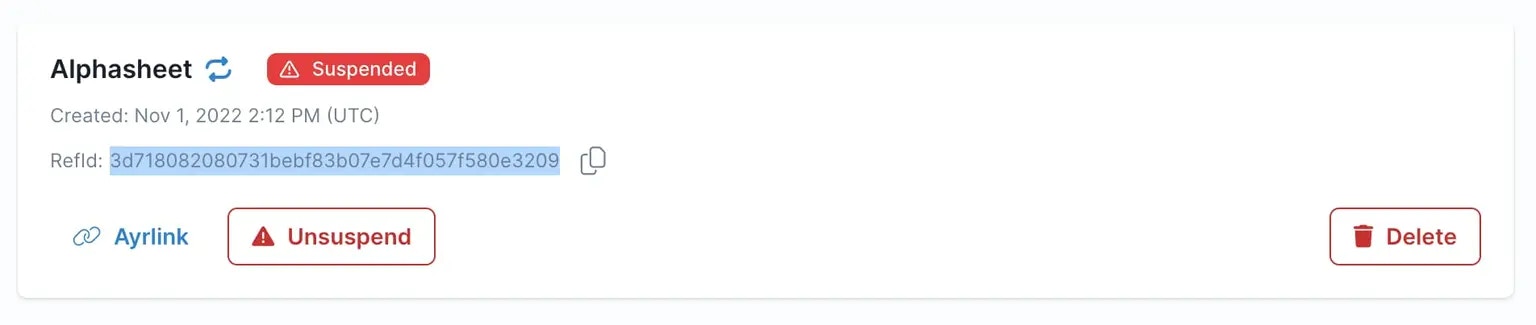
你可以通过以下步骤重新启用（解除暂停）用户配置：

1. 登录 Dashboard 并前往 User Profiles 页面。
2. 通过点击 "Suspended" 标签或使用邮件中的用户配置 RefId 进行搜索，找到被暂停的用户配置。
3. 点击 "Unsuspended" 按钮解除暂停。
4. 查看并接受合规声明。

<img class="center" src="https://mintcdn.com/ayrshare-docs/6mPR4kmwNEz1kMbX/images/multiple-users/suspended.webp?fit=max&auto=format&n=6mPR4kmwNEz1kMbX&q=85&s=3fcf79aeeeaae389525b1c041b0151dd" alt="Unsuspend a User Profile" width="1536" height="325" data-path="images/multiple-users/suspended.webp" />

对于用户配置的首次暂停，接受合规声明后即可立即解除暂停。
但对于后续暂停，用户配置将在接受合规声明后 <i>48 小时</i> 才会被恢复。

<Warning>
  我们建议你\_不要\_将 Primary Profile 当作普通用户配置使用。如果 Primary
  Profile 被暂停，所有用户配置也会一并被暂停。
</Warning>

### 管理活跃的用户配置

有效管理用户配置对于维持 Ayrshare 系统的高效运行至关重要。
建议你根据自身业务需求，制定一项策略来清理不活跃的用户配置。
例如，如果某个用户长期没有在你的平台上发布内容、请求分析，或者没有连接任何社交网络，
可以考虑删除其 Ayrshare 用户配置，从而保持用户基数的新鲜度并降低未来的成本。

你可以查看用户配置的[发帖历史](/apis/history/overview)以及 [API 使用与连接情况](/apis/user/overview)，判断其是否在本月内保持活跃。
如果判定其不活跃，就[删除该用户配置](/apis/profiles/delete-profile)。

## 白标化关联账户页面

关联账户（社交关联）页面是你的客户**唯一**会看到的 Ayrshare 界面，因此你可以将其白标化以匹配你的品牌。以下设置由你的团队在 Primary Profile 下配置一次，之后会应用到你的用户通过 [JWT URL](/multiple-users/api-integration-business#single-sign-on-with-jwt-authentication) 打开的页面上。

**Launch、Business 和 Enterprise 方案可用：**

<ul class="custom-bullets">
  <li>[添加或移除你的公司 logo](#update-logo-on-social-linking-page)，并设置其高度。</li>
  <li>[选择用户可以连接哪些社交网络](#set-social-networks-access)。</li>
  <li>[设置页面语言](#set-language-for-social-linking)。</li>
  <li>[显示你自己的帮助链接，或隐藏 Ayrshare 的帮助链接](#help-links-visible)。</li>
  <li>为每个用户配置[设置主标题和副标题](/apis/profiles/create-profile)（例如客户的姓名或业务名称）。</li>
  <li>[控制 Close 按钮跳转回你的应用](/multiple-users/api-integration-business#opening-and-closing-the-social-linking-url)。</li>
  <li>使用你自己的 HTML [自定义 Instagram 和 Telegram 弹窗](#custom-modals)。</li>
</ul>

**[Max Pack](/additional/maxpack) 可用（Enterprise 已包含）：**

<ul class="custom-bullets">
  <li>[应用自定义 CSS 文件](#customize-css)，控制颜色、字体以及展示哪些功能。</li>
  <li>[设置你自己的页面标题、Close 按钮文本和 favicon](#change-page-title-close-button-and-favicon)。</li>
  <li>[添加自定义页脚文本或 HTML](#footer-text)。</li>
</ul>

有关这些在用户视角下的效果，请参见 [用户集成](/multiple-users/user-integration#social-linking-page-customization) 页面。

## 设置

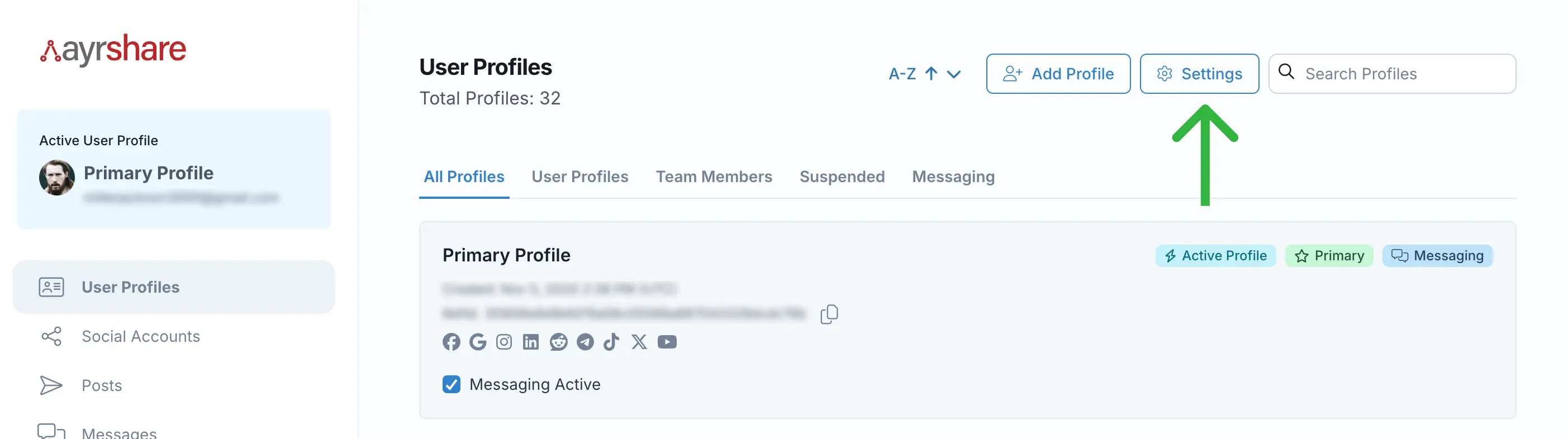
在 *User Profiles* 页面点击 "⚙️ Settings" 按钮，可访问你的配置的全局设置。
请务必先切换到 *Primary Profile* 才能访问这些设置。

<img class="center" src="https://mintcdn.com/ayrshare-docs/6mPR4kmwNEz1kMbX/images/multiple-users/settings%20button.webp?fit=max&auto=format&n=6mPR4kmwNEz1kMbX&q=85&s=b0d66d82edcd8753cc94987b6bbee520" alt="Permission Settings" width="2806" height="786" data-path="images/multiple-users/settings button.webp" />

### 关联页面自定义选项视频演示

<div class="video-container">
  <iframe
    width="560"
    height="315"
    src="https://www.youtube.com/embed/3RatEh09Qyg"
    title="Social Account Linking Page Customization Demo
"
    frameborder="0"
    allow="accelerometer; autoplay; clipboard-write; encrypted-media; gyroscsope; picture-in-picture"
  />
</div>

### 限制用户配置访问

#### 限制 Primary Profile 访问

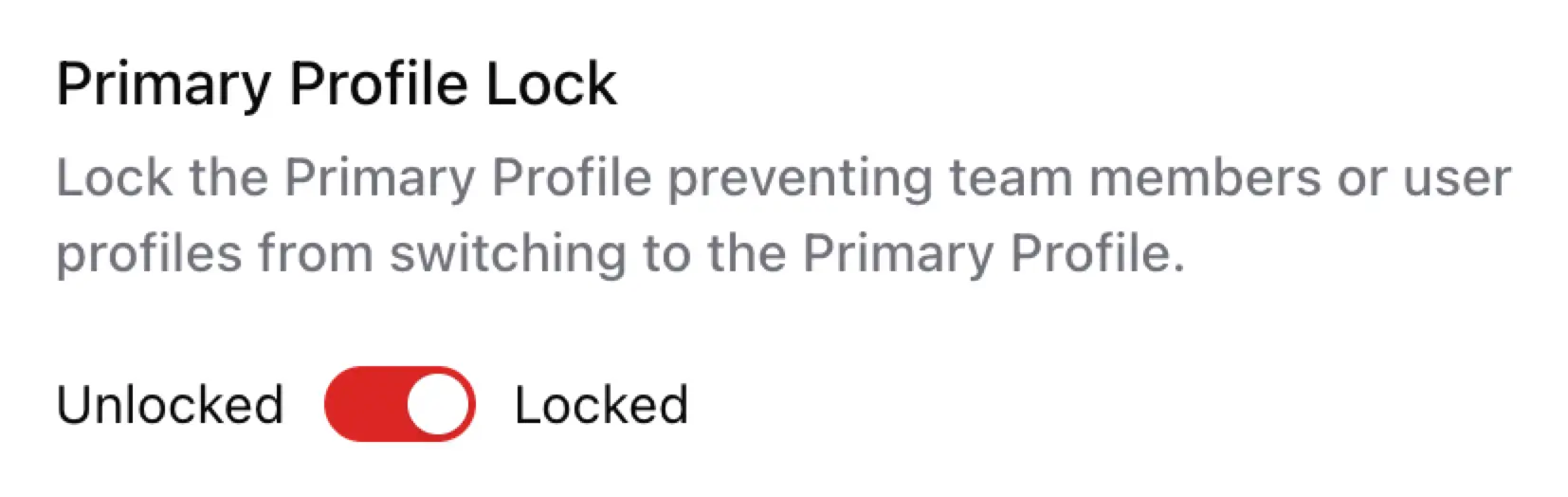
通过锁定 Primary Profile，可以限制用户配置和团队成员配置对 Primary Profile 的访问。
如果你希望阻止团队成员或用户配置访问 Profile Settings 或 Account/Billing 页面，请启用 Primary Profile 锁定。

<img class="center" src="https://mintcdn.com/ayrshare-docs/6mPR4kmwNEz1kMbX/images/multiple-users/primary-lock.webp?fit=max&auto=format&n=6mPR4kmwNEz1kMbX&q=85&s=0c376e9039d943e97042a85d5bc97d0e" alt="Primary Profile Lock" width="70%" data-path="images/multiple-users/primary-lock.webp" />

启用后，团队成员和用户配置将无法切换到 Primary Profile，但仍可以在其他团队成员或用户配置之间切换。

#### 限制团队成员访问

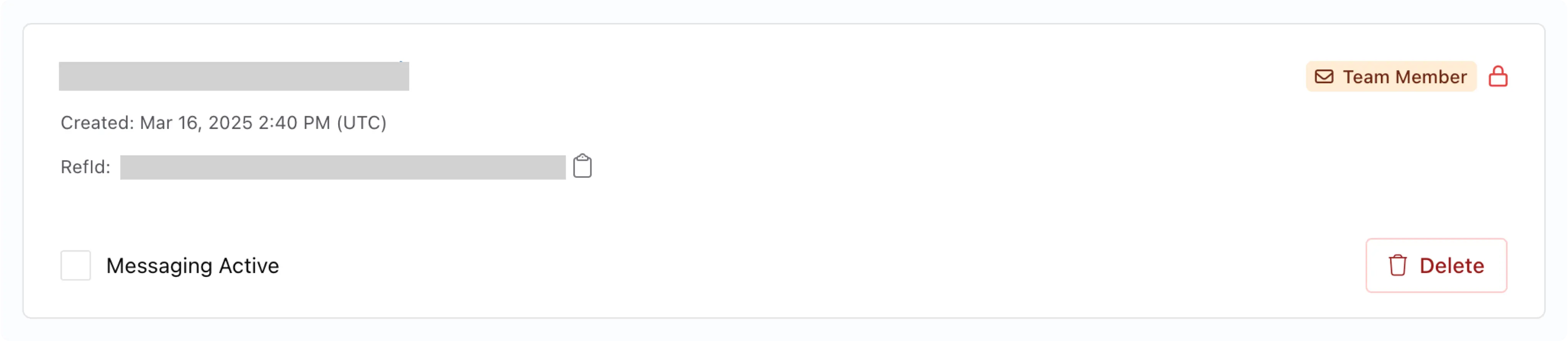
通过锁定团队成员账户来限制其访问。
这将阻止该团队成员切换到任何其他用户配置。

在团队成员配置的右上角点击 <Icon icon="lock" iconType="light" color="red" /> 或 <Icon icon="unlock" iconType="light" color="gray" /> 图标即可启用锁定。
<img class="center" src="https://mintcdn.com/ayrshare-docs/6mPR4kmwNEz1kMbX/images/multiple-users/team-member-lock.webp?fit=max&auto=format&n=6mPR4kmwNEz1kMbX&q=85&s=a64cfba8dbb8a88dd543be1cb834cb1d" alt="Team Member Lock" width="90%" data-path="images/multiple-users/team-member-lock.webp" />

你也可以在[创建配置](/multiple-users/manage-user-profiles#create-a-new-profile)时锁定团队成员。

### 更新社交关联页面上的 Logo

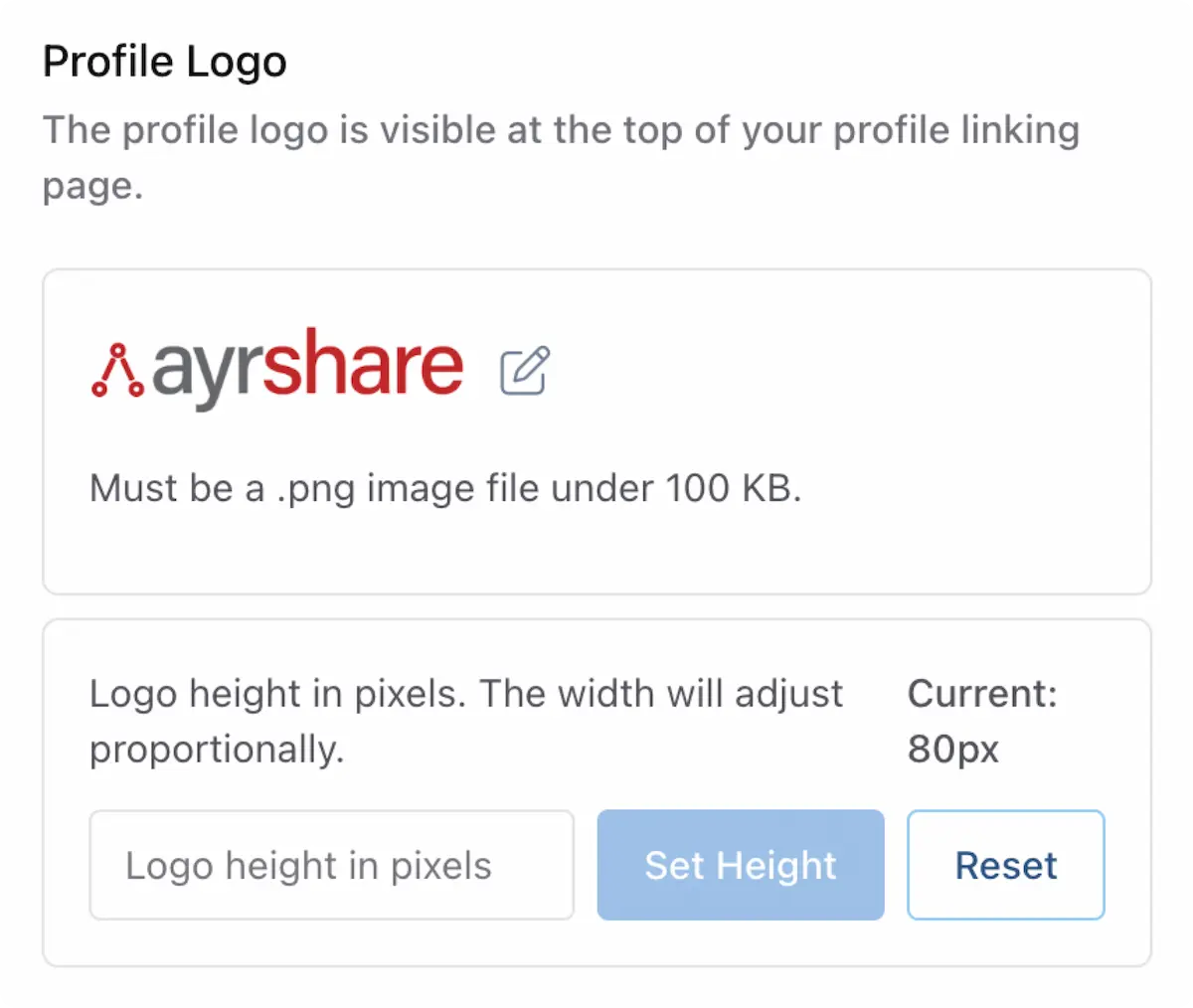
为[社交关联页面](/multiple-users/user-integration)添加你自己的 logo，并设置 logo 高度。

<img class="center" width="70%" src="https://mintcdn.com/ayrshare-docs/6mPR4kmwNEz1kMbX/images/multiple-users/profile-logo.webp?fit=max&auto=format&n=6mPR4kmwNEz1kMbX&q=85&s=41fe0dcae1b87e944c2207c129c31ea7" alt="Update Profile Logo" data-path="images/multiple-users/profile-logo.webp" />

单个用户配置可以通过 [Create Profile](/apis/profiles/create-profile) 和 [Update Profile](/apis/profiles/update-profile) 上的 `hideLogo` 参数，在其自己的关联页面上隐藏该 logo。其他配置上账户级别的 logo 不会受影响。这对代理机构在为某个合作方进行白标化，同时保留其他配置上的品牌展示时非常有用。

### 设置社交网络访问

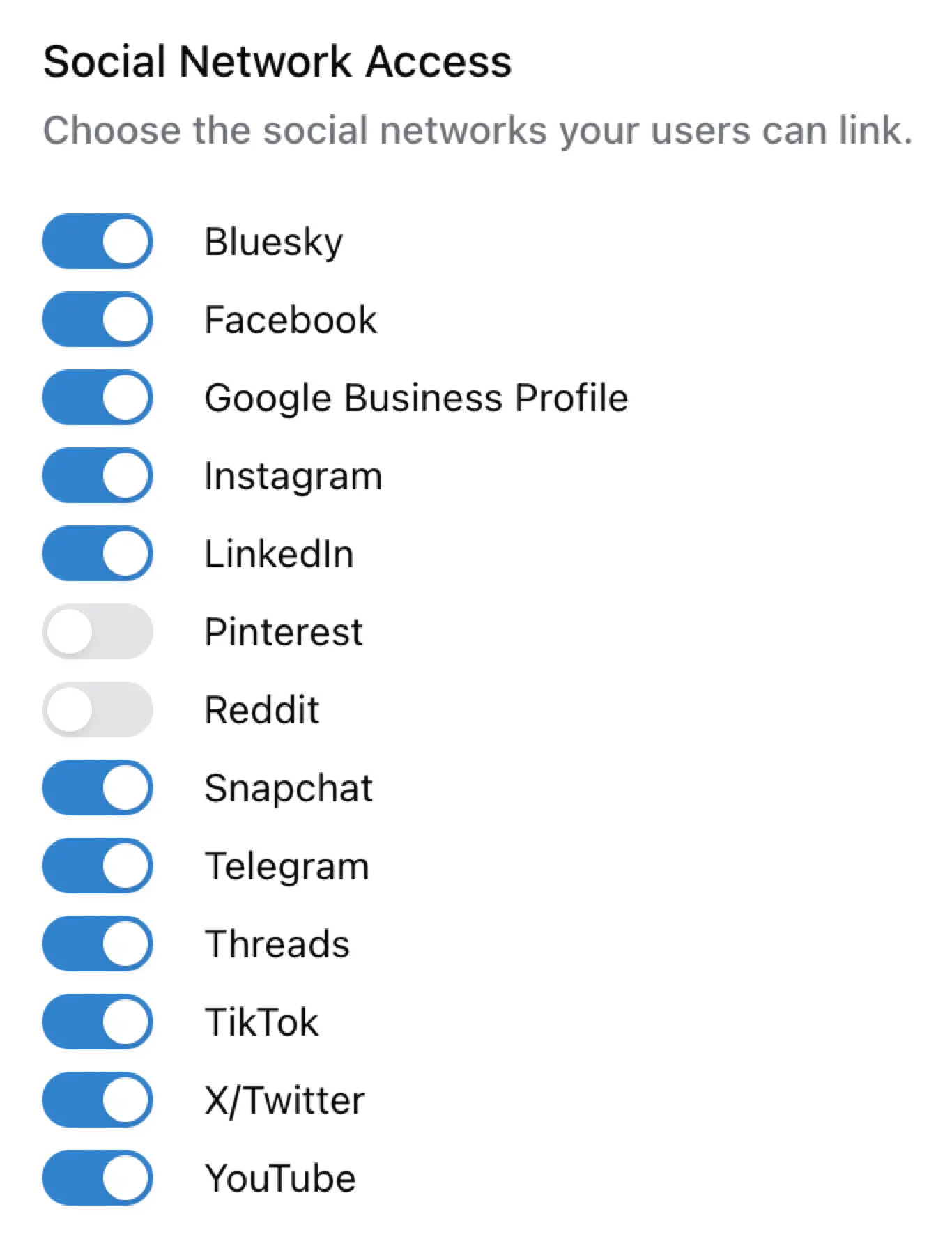
移除或授予你的用户/配置访问可用社交网络的权限。
默认情况下，所有社交网络都是启用可用的。

<Note>
  权限对所有用户配置全局生效。禁用只会将该网络从用户的 Social Accounts 视图中移除，
  并不会解除已建立的连接。
</Note>

<img class="center" width="50%" src="https://mintcdn.com/ayrshare-docs/6mPR4kmwNEz1kMbX/images/multiple-users/select-social-networks.webp?fit=max&auto=format&n=6mPR4kmwNEz1kMbX&q=85&s=c6ba6926628dd20ebf3c9e391d56b819" alt="Select Social Networks Access" data-path="images/multiple-users/select-social-networks.webp" />

有关如何在用户配置层面禁用社交网络的更多信息，请参见 [Create a Profile](/apis/profiles/overview#enable-or-disable-social-networks) 接口。

### 设置社交关联页面的语言

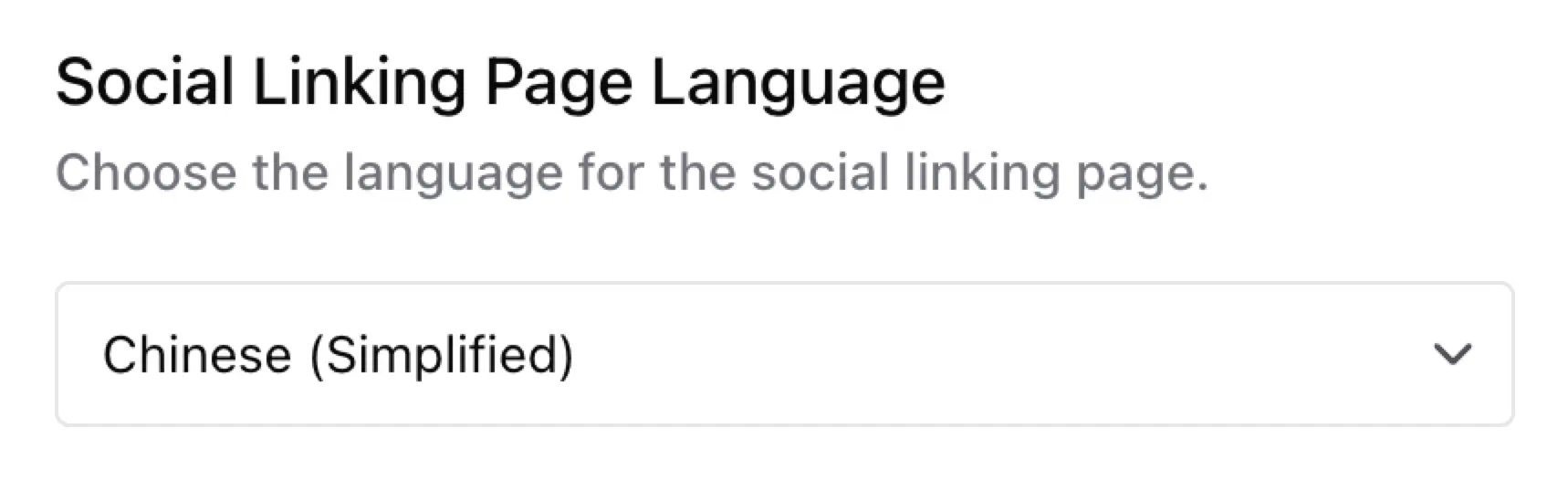
设置社交关联页面的语言。默认是英文。
<img class="center" width="60%" src="https://mintcdn.com/ayrshare-docs/6mPR4kmwNEz1kMbX/images/multiple-users/social-linking-language.webp?fit=max&auto=format&n=6mPR4kmwNEz1kMbX&q=85&s=af0e96e350e8ee8cc31f005a291b2f34" alt="Set Language for the Social Linking Page" data-path="images/multiple-users/social-linking-language.webp" />

可用语言包括：

<ul className="custom-bullets">
  <li>英语</li>
  <li>简体中文</li>
  <li>法语</li>
  <li>德语</li>
  <li>西班牙语</li>
</ul>

如需列表中未包含的语言，请联系我们。

其他可用的翻译选项：

<ul className="custom-bullets">
  <li>
    [翻译 API 错误信息响应](/errors/errors-ayrshare#error-message-translation)
  </li>

  <li>[翻译帖子](/apis/generate/translate-post#translate-post)</li>
</ul>

### 显示页面位置

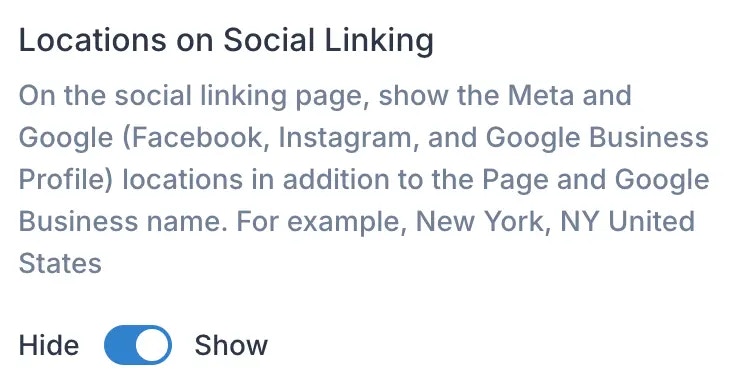
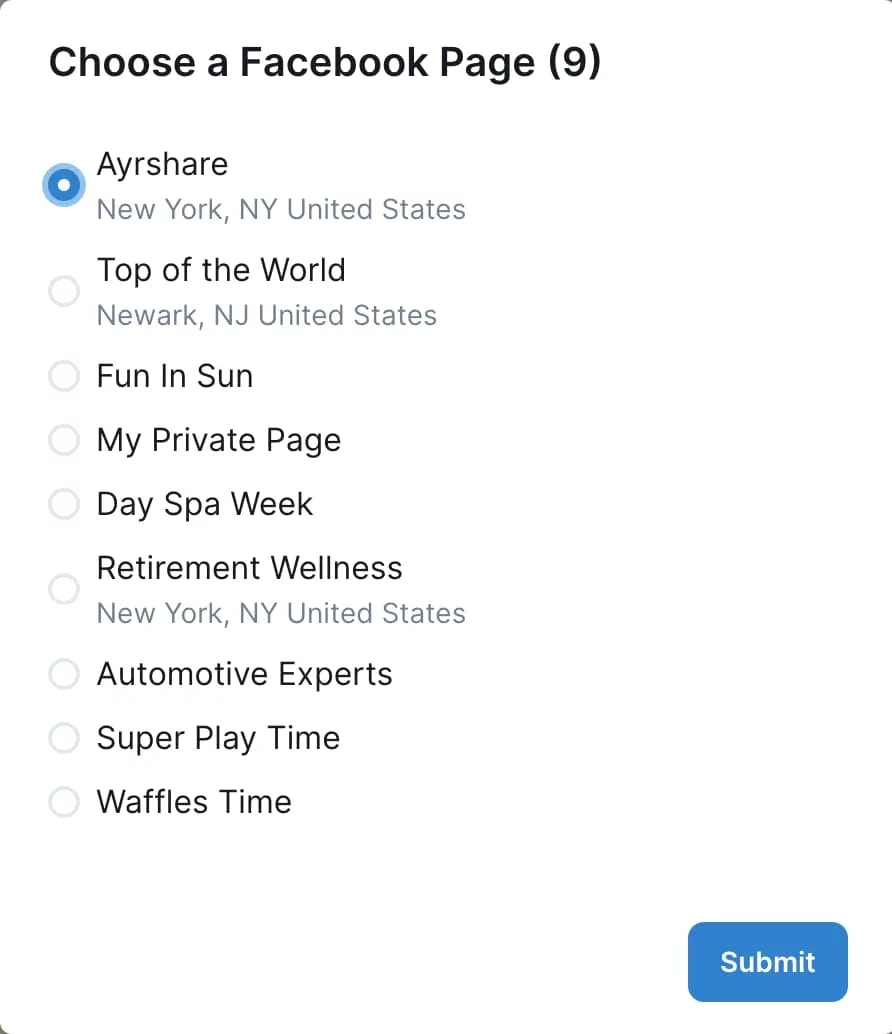
在社交关联页面上，如果 Meta（Facebook 或 Instagram）或 Google Business Profile 主页关联了位置信息，就会在 Page 名称旁一并显示该位置信息。这一额外的地点上下文在有多个同名 Page 的场景下非常有用，可以帮助用户更容易地区分它们。

<img class="center" width="60%" src="https://mintcdn.com/ayrshare-docs/6mPR4kmwNEz1kMbX/images/multiple-users/display-location.webp?fit=max&auto=format&n=6mPR4kmwNEz1kMbX&q=85&s=eeb7c04fd2df1c0d6b45a28a77d7e5bc" alt="Display Page Location" data-path="images/multiple-users/display-location.webp" />

Page 的位置信息（如可用）将在社交关联页面 Page 名称下方显示：

<img class="center" width="60%" src="https://mintcdn.com/ayrshare-docs/6mPR4kmwNEz1kMbX/images/multiple-users/fb%20pages%20with%20location.webp?fit=max&auto=format&n=6mPR4kmwNEz1kMbX&q=85&s=67e81b3e33683d144492781c09dad604" alt="FB Display Page Location" data-path="images/multiple-users/fb pages with location.webp" />

### 帮助链接可见性

在用户的社交关联页面上启用或禁用 Ayrshare 帮助文档链接的可见性。你也可以通过输入你自己的公开文档 URL 来使用你自己的帮助链接。
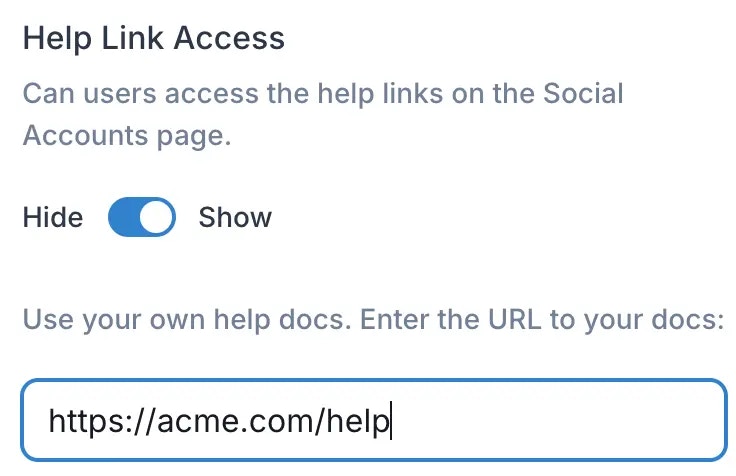
<img class="center" width="60%" src="https://mintcdn.com/ayrshare-docs/6mPR4kmwNEz1kMbX/images/multiple-users/help-links.webp?fit=max&auto=format&n=6mPR4kmwNEz1kMbX&q=85&s=d2887d2bff0d8a5b132dea6122c1766a" alt="Help Links Visible" data-path="images/multiple-users/help-links.webp" />

### 用于提醒的备用邮箱

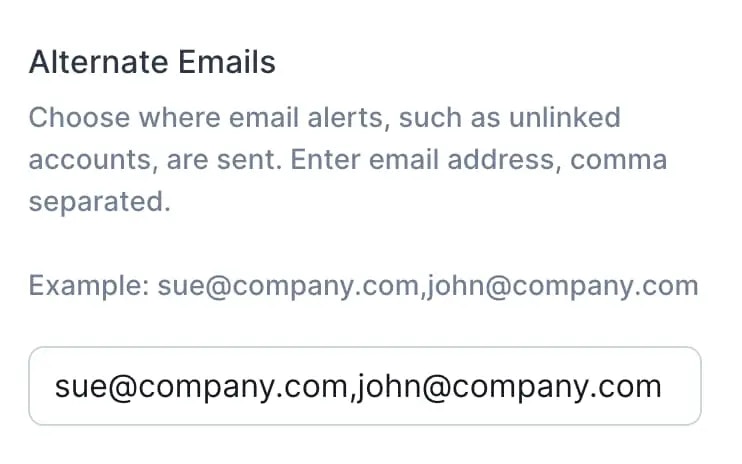
选择不同的邮箱地址来接收提醒，例如账户解绑通知。

<img class="center" width="60%" src="https://mintcdn.com/ayrshare-docs/6mPR4kmwNEz1kMbX/images/multiple-users/email%20alerts.webp?fit=max&auto=format&n=6mPR4kmwNEz1kMbX&q=85&s=9706511726429bdedc6928a5c10ff71d" alt="Emails for Alerts" data-path="images/multiple-users/email alerts.webp" />

更进一步的自定义（例如标题）可以通过 [/profiles 接口](/apis/profiles/create-profile) 完成。

### Instagram 登录

在社交关联页面启用或禁用 Instagram 登录。
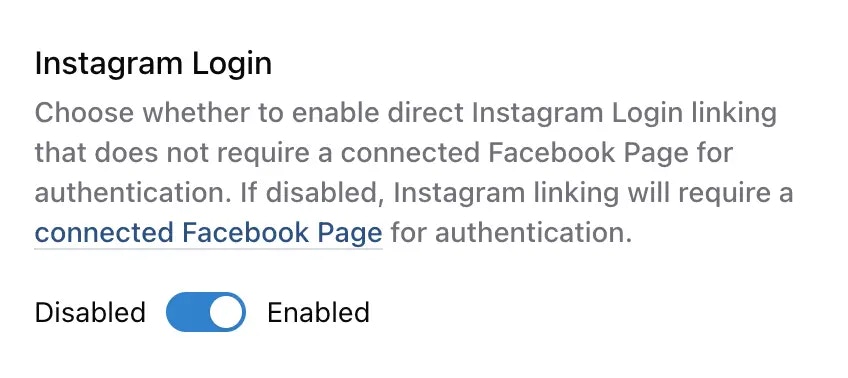
<img class="center" width="60%" src="https://mintcdn.com/ayrshare-docs/6mPR4kmwNEz1kMbX/images/multiple-users/instagram-login.webp?fit=max&auto=format&n=6mPR4kmwNEz1kMbX&q=85&s=7423d1ebb6929d4220a244b878fddaf7" alt="Instagram Login" data-path="images/multiple-users/instagram-login.webp" />

选择是否启用无需连接 Facebook Page 即可直接进行的 Instagram 登录关联。如果禁用，Instagram 关联将需要通过 [连接的 Facebook Page](/dashboard/connect-social-accounts/facebook) 进行认证。
<Warning>
  Instagram Login 默认**启用**。如果你需要使用下面列出的高级功能
  （话题标签搜索、协作、位置标注或品牌数据），必须手动禁用此
  选项，改为使用 Facebook Page 认证。
</Warning>

#### 直接 Instagram 登录 vs Facebook Page 认证

**直接 Instagram 登录** —— 采用 Instagram Login 的 Instagram API 允许 Instagram 专业账户（企业和创作者）直接关联其账户，而无需关联的 Facebook Page。这提供了更简化的认证流程。

**Facebook Page 认证**（传统方式）要求用户先关联一个与其 Instagram 专业账户绑定的 Facebook Page。

#### 直接 Instagram 登录下的功能限制

虽然直接 Instagram 登录带来了便利，但使用该方式时以下功能**不可用**：

* **[品牌/用户数据](/apis/listen/brand-user#param-instagram-user)** —— 无法通过 brand 接口检索 Instagram 账户信息。
* **[话题标签搜索](/apis/hashtags/search-hashtags)** —— 无法在 Instagram 上搜索话题标签。
* **[协作](/apis/post/social-networks/instagram#collaboration)** —— 无法邀请协作者到 Instagram 帖子。
* **[位置标签](/apis/post/social-networks/instagram#location)** —— 无法为 Instagram 帖子添加位置标签。
* **[`idId`- 旧版 Instagram User ID](/apis/analytics/social)** —— Instagram 社交分析中不再返回该字段。

#### 应该选择哪种方式？

* **启用直接 Instagram 登录** —— 如果你只需要基础的发帖功能，并且不需要上述高级功能。
* **禁用直接 Instagram 登录**（使用 Facebook Page 认证） —— 如果你需要使用 Instagram 的全部功能，包括话题标签搜索、协作、位置标注或品牌数据获取。

<Note>
  对大多数客户而言，推荐使用直接 Instagram 登录进行认证。
  如果你不确定选择哪种方式，我们建议先禁用直接 Instagram 登录，
  以确保能够访问全部功能。之后如果确认不需要那些高级功能，
  你随时可以再启用它。
</Note>

### 自定义弹窗

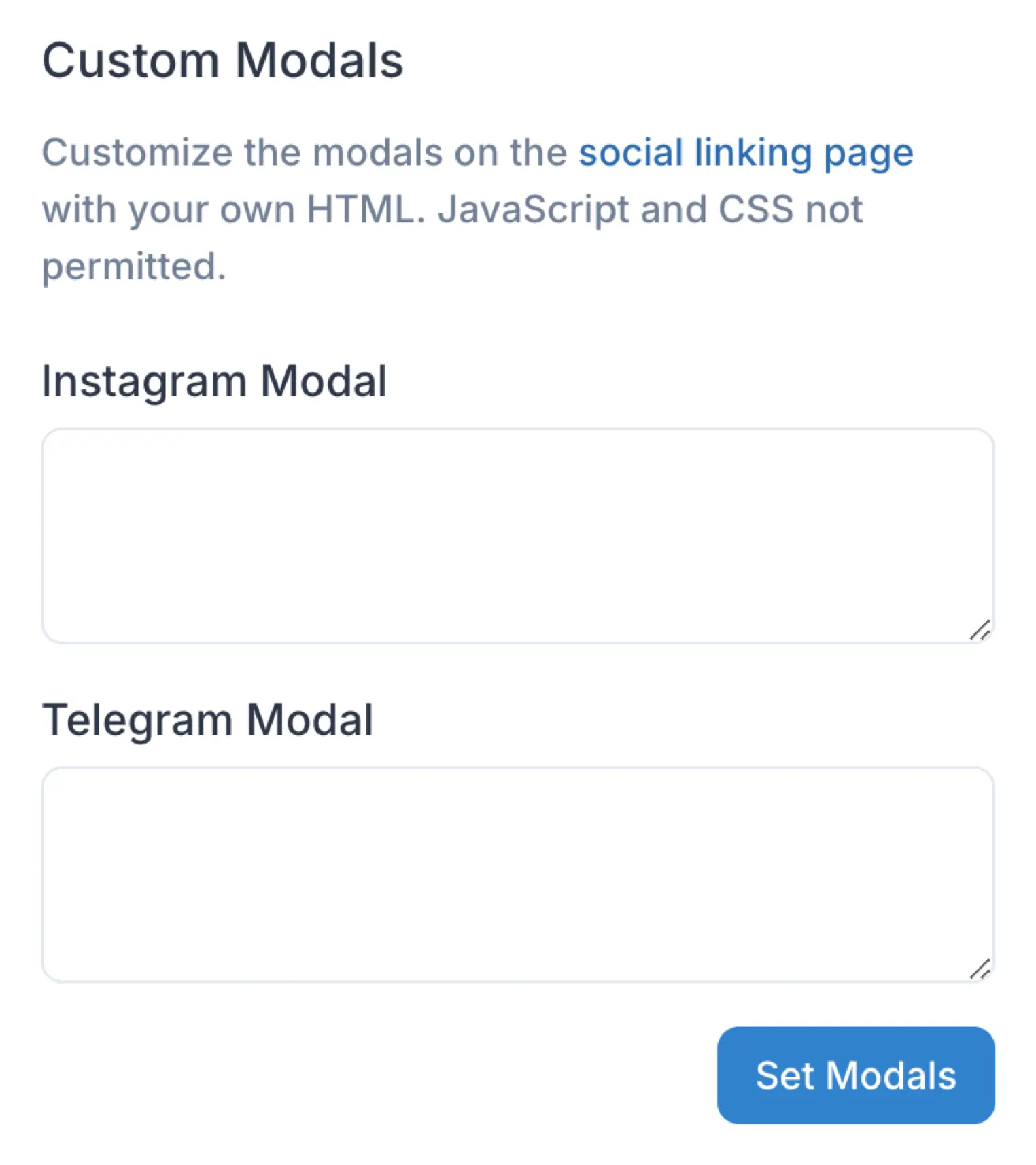
你可以自定义社交关联页面上弹窗的显示内容。
具体来说，你可以用自定义 HTML 内容替换 Instagram 和 Telegram 弹窗的正文内容，例如以不同的语言显示内容。
你的自定义内容可以包含格式化文本、图片，或两者的组合，以更好地满足你的需求。

<img class="center" width="50%" src="https://mintcdn.com/ayrshare-docs/dKBti0xVDJrOZ19f/images/multiple-users/custom-modals.webp?fit=max&auto=format&n=dKBti0xVDJrOZ19f&q=85&s=67e26724669b23fcc29b20fc9fec1c7c" alt="Custom Modals" data-path="images/multiple-users/custom-modals.webp" />

例如，添加你自己的文本及一个锚点链接：

```html Custom HTML Modal theme={"system"}
<div>
  <style>
    span.underline {
      color: blue;
      text-decoration: underline;
    }
    span.underline a {
      color: blue;
      text-decoration: none;
    }
  </style>

  <span class="underline">
    Everyone agrees that
    <a target="_blank" href="https://www.ayrshare.com">Ayrshare Rocks!</a>
  </span>
</div>
```

<Note>HTML 必须包裹在 `<div>` 标签中。可添加自定义 CSS 为锚点链接增加颜色和/或下划线。</Note>

## 使用 API

### 创建和管理配置

你可以通过 /profiles 接口使用 API 创建、删除和管理你的配置。详情请见下文。
<Card title="Profile" icon="code" href="/apis/profiles/overview" horizontal />

### 获取 Profile Key

通过 API 使用 [/profile](/apis/profiles/create-profile) 接口创建新配置时会返回 Profile Key。如果你需要再次获取 Profile Key，请前往 Dashboard。参见上文。

## 启用消息功能

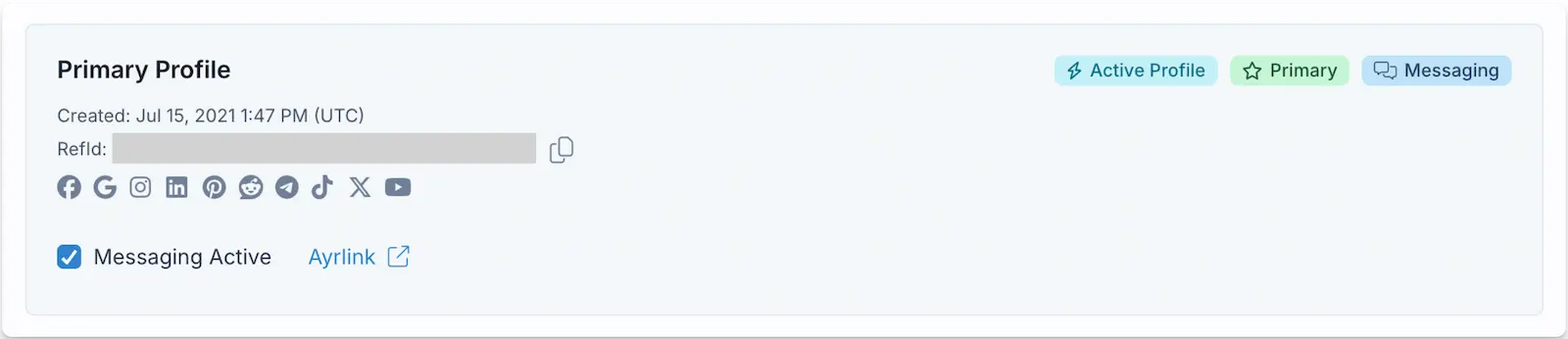
<img class="center" src="https://mintcdn.com/ayrshare-docs/6mPR4kmwNEz1kMbX/images/multiple-users/messaging-enable.webp?fit=max&auto=format&n=6mPR4kmwNEz1kMbX&q=85&s=3a413a9a937e7b38dddb82c062737b88" alt="Enable Messaging" width="1600" height="346" data-path="images/multiple-users/messaging-enable.webp" />

你可以在 Account 页面为你的 Ayrshare 账户启用消息功能。更多详情请见：

<Card title="Messages" icon="code" href="/apis/messages/overview" horizontal />

## Max Pack 自定义

在 Ayrshare Dashboard 的 *User Profile -> Setting* 页面中，你可以自定义社交关联页面的多个方面。有关能力与特性的详情，请参见 [Max Pack](/additional/maxpack)。

### 自定义 CSS

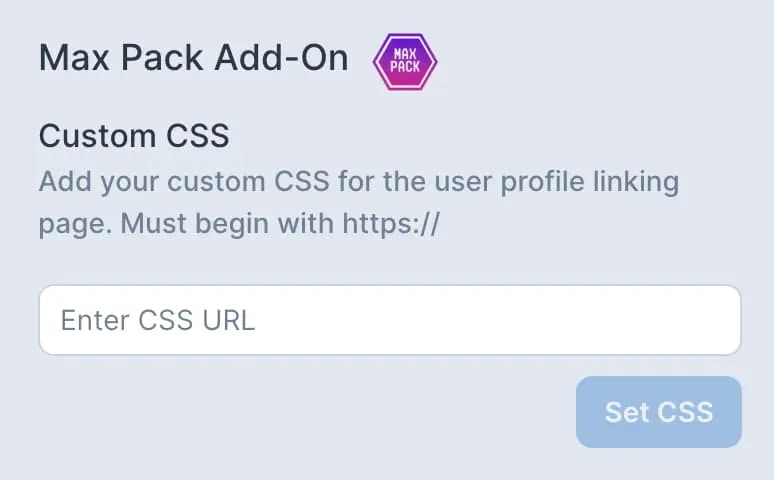
使用你自己的 CSS 文件来自定义社交账户页面的外观：颜色、字体、隐藏功能、修改按钮等。

<img class="center" width="60%" src="https://mintcdn.com/ayrshare-docs/dKBti0xVDJrOZ19f/images/multiple-users/custom%20css.webp?fit=max&auto=format&n=dKBti0xVDJrOZ19f&q=85&s=856e6f01c5730ead1dc69a3f9f89422a" alt="Customize CSS" data-path="images/multiple-users/custom css.webp" />

### 修改页面标题、Close 按钮和 Favicon

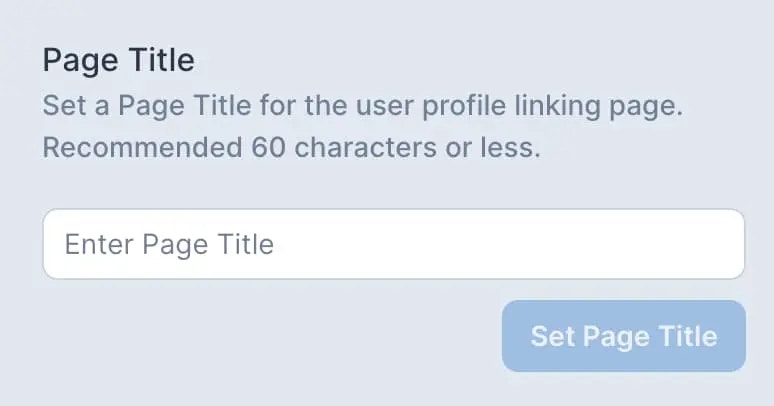
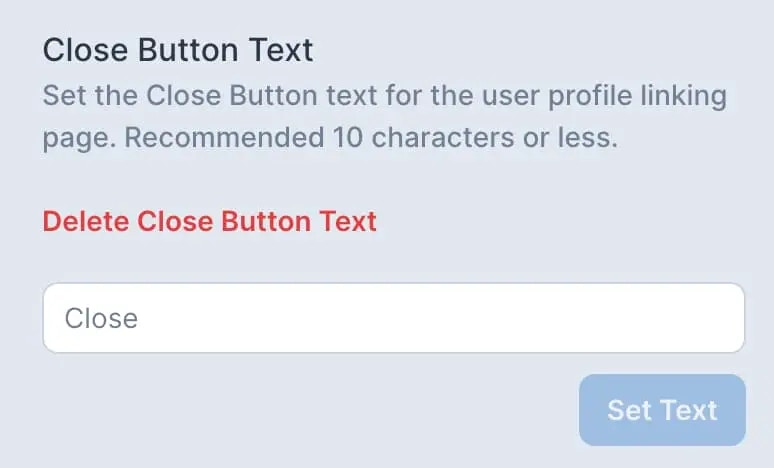
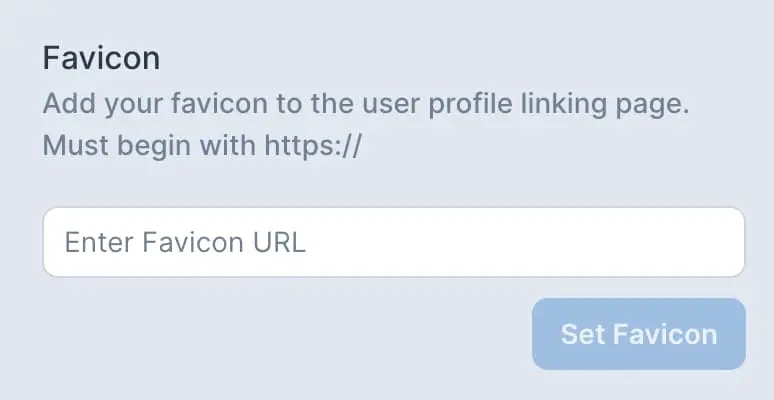
设置你自己的页面标题、Close 按钮和 favicon（.ico 文件）。

<img class="center" width="60%" src="https://mintcdn.com/ayrshare-docs/6mPR4kmwNEz1kMbX/images/multiple-users/page%20title.webp?fit=max&auto=format&n=6mPR4kmwNEz1kMbX&q=85&s=f8a9927bc786b752dbe1024ea8dac92e" alt="Page Title" data-path="images/multiple-users/page title.webp" />

<img class="center" width="60%" src="https://mintcdn.com/ayrshare-docs/dKBti0xVDJrOZ19f/images/multiple-users/close%20button%20text.webp?fit=max&auto=format&n=dKBti0xVDJrOZ19f&q=85&s=9b73e31a816fd80c6a617454244cb84e" alt="Close Button" data-path="images/multiple-users/close button text.webp" />

<img class="center" width="60%" src="https://mintcdn.com/ayrshare-docs/6mPR4kmwNEz1kMbX/images/multiple-users/favicon.webp?fit=max&auto=format&n=6mPR4kmwNEz1kMbX&q=85&s=b8a93f6075ab04d81aafa128ed09be3c" alt="Favicon" data-path="images/multiple-users/favicon.webp" />

### 页脚文本

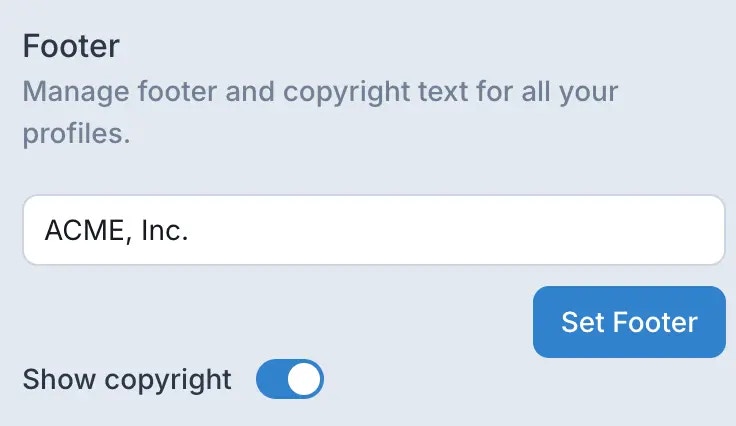
自定义页脚文本，并在社交关联页面上添加版权信息。你可以用不同语言展示页脚文本。

<img class="center" width="60%" src="https://mintcdn.com/ayrshare-docs/6mPR4kmwNEz1kMbX/images/multiple-users/footer-set.webp?fit=max&auto=format&n=6mPR4kmwNEz1kMbX&q=85&s=f94ae8c52a9836af9648335e29879a8d" alt="Set Footer Text" data-path="images/multiple-users/footer-set.webp" />

## 企业版功能

### Max Pack

Enterprise 已包含 [Max Pack](/additional/maxpack) 的全部特性。

### 自动重新同步 Facebook 和 Instagram Pages

在 Facebook 上发生安全事件（例如修改密码）时，与该用户账户关联的所有 Facebook Page（包括绑定的 Instagram 账户）都需要重新连接到 Ayrshare。对于管理大量 Page 的账户，此过程可能非常耗时。

<ul class="custom-bullets">
  <li>连接 Facebook 或 Instagram Page 时会出现 "Resync" 选项。</li>

  <li>
    启用该功能后，此前已连接的所有 Page 都会被自动重新关联到该用户配置。
  </li>

  <li>
    注意：仅会重新连接此前已关联的 Page；新的 Page 不会被自动添加。
  </li>

  <li>该功能支持最多 400 个 Page 的 Facebook 账户。</li>

  <li>
    对于超过 400 个 Page 的账户，建议将 Page 分散到多个 Facebook 账户中。
  </li>

  <li>
    **最佳实践：** 仅在确实需要重连所有 Page 时才使用 "Resync" 选项。日常操作中通常无需使用。
  </li>
</ul>

### IP 白名单

通过将特定 IP 地址加入白名单来增强账户安全性。此功能可将 API 访问限制在已批准的 IP 地址范围内，为你的 Ayrshare 集成增加额外一层保护。

### 技术与安全评审

与 Ayrshare 的项目团队直接合作，进行全面的技术与安全评审。此服务可确保你的集成符合最佳实践，并满足你组织特定的安全要求。

### 专属客户经理与优先支持

获得专属客户经理的个性化支持，他们了解你的独特需求，并能提供量身定制的解决方案。享受技术支持的优先接入权限，关键问题会有更快的响应时间和升级流程。

### 定制 API 接口

对于有特殊需求的企业，Ayrshare 可以开发定制的 API 接口，以便与你现有的系统和工作流无缝集成。