> ## Documentation Index
> Fetch the complete documentation index at: https://www.ayrshare.com/docs/llms.txt
> Use this file to discover all available pages before exploring further.
# Fehlerbehebung bei Instagram-Post-Problemen | Ayrshare Docs
> Beheben Sie häufige Instagram-Post-Probleme in Ayrshare – darunter fehlgeschlagene Veröffentlichungen, Medienformatfehler und Kontoberechtigungen – mit Schritt-für-Schritt-Lösungen.
Wenn Sie beim Posten einen Fehler zu Instagram-Berechtigungsproblemen erhalten oder dass Ihr Konto nicht verknüpft ist, obwohl Sie Ihr Facebook-Konto verknüpft haben, wurden möglicherweise einige Zugriffsberechtigungen nicht erteilt.
Wenn Sie beispielsweise folgende Fehler erhalten:
-
*Unsupported post request. Object with ID \[id number] does not exist,
cannot be loaded due to missing permissions, or does not support this
operation. Please read the Graph API documentation*
oder
- *There is an issue with your Instagram account type or permissions.*
Führen Sie die folgenden Schritte aus:
### 1. Überprüfen Sie, ob Ihr Instagram-Business-Konto noch mit einer Facebook-Seite verbunden ist
Wenn Sie die Facebook-Page-Verbindungen verwendet haben, stellen Sie sicher, dass Ihr Instagram ein Business-Konto ist und mit einer Facebook-Seite verbunden ist.
1. Melden Sie sich bei Facebook an und navigieren Sie zu Ihrer Facebook-Seite. Klicken Sie im Menü links auf dem Bildschirm auf „Einstellungen".
2. Wählen Sie „Instagram" aus und überprüfen Sie, ob Ihr Instagram-Konto verknüpft ist, oder klicken Sie auf „Konto verbinden".
3. Entkoppeln und verknüpfen Sie Ihr Instagram-Konto im Ayrshare-Dashboard unter „Social Accounts" erneut.
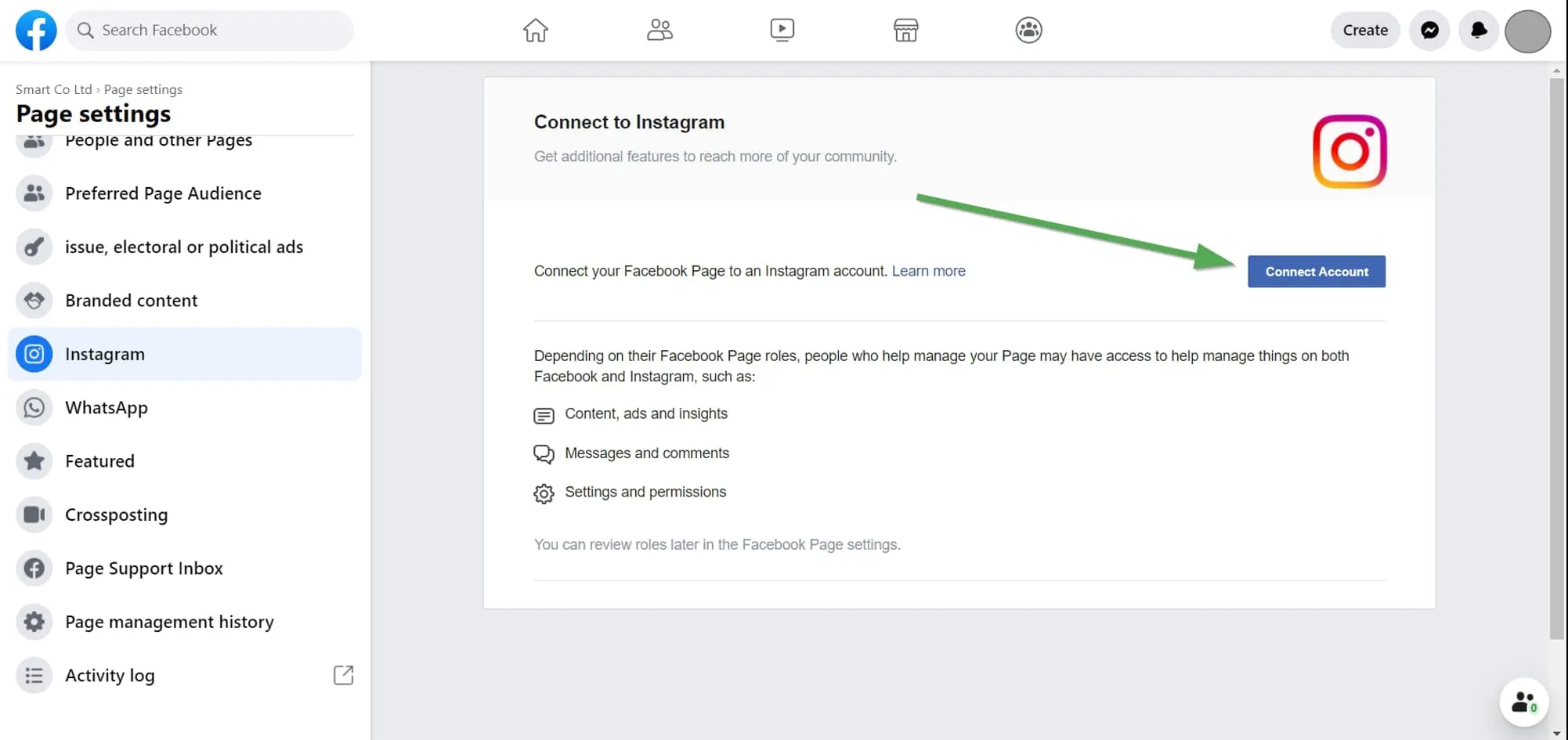 Weitere Details finden Sie hier:
### 2. Überprüfen Sie Ihre Instagram-Berechtigungen
Wenn das Problem weiterhin besteht, überprüfen Sie die Berechtigungen, die Sie Ayrshare erteilt haben.
Melden Sie sich bei Facebook an und gehen Sie zu „Setting" -> „Settings & Privacy" -> „Security & Login" -> „Business Integration".
Klicken Sie hier für einen Direktlink
Klicken Sie auf der [Business Integration-Seite](https://www.facebook.com/help/405094243235242/) auf die Ayrshare-App.
Weitere Details finden Sie hier:
### 2. Überprüfen Sie Ihre Instagram-Berechtigungen
Wenn das Problem weiterhin besteht, überprüfen Sie die Berechtigungen, die Sie Ayrshare erteilt haben.
Melden Sie sich bei Facebook an und gehen Sie zu „Setting" -> „Settings & Privacy" -> „Security & Login" -> „Business Integration".
Klicken Sie hier für einen Direktlink
Klicken Sie auf der [Business Integration-Seite](https://www.facebook.com/help/405094243235242/) auf die Ayrshare-App.
 Es erscheint ein Pop-up. Scrollen Sie nach unten zu „Upload media and create post for Instagram" und „Access profile and posts for Instagram". Aktivieren Sie beide Kontrollkästchen „Instagram Accounts":
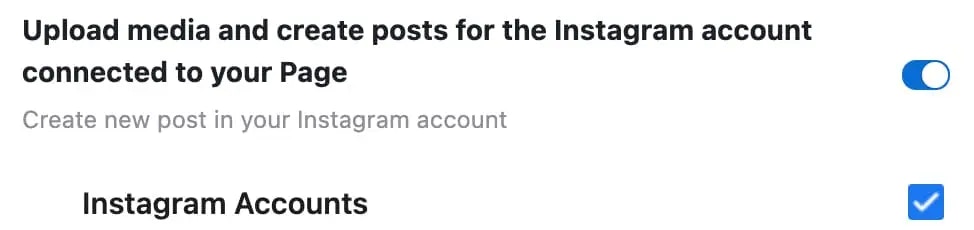
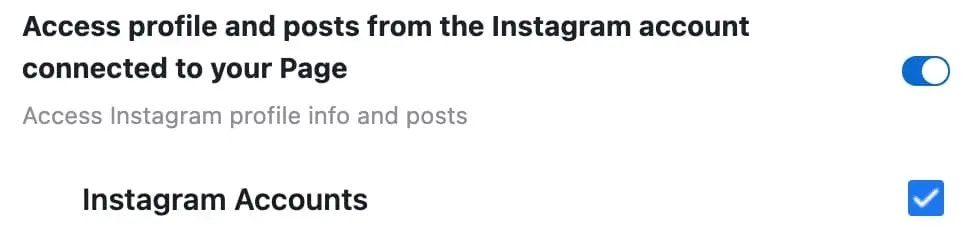 Klicken Sie auf „Save".
Kehren Sie zum Ayrshare-Dashboard zurück und entkoppeln und verknüpfen Sie Instagram erneut. Sie sollten nun über die richtigen Berechtigungen verfügen.
Klicken Sie auf „Save".
Kehren Sie zum Ayrshare-Dashboard zurück und entkoppeln und verknüpfen Sie Instagram erneut. Sie sollten nun über die richtigen Berechtigungen verfügen.