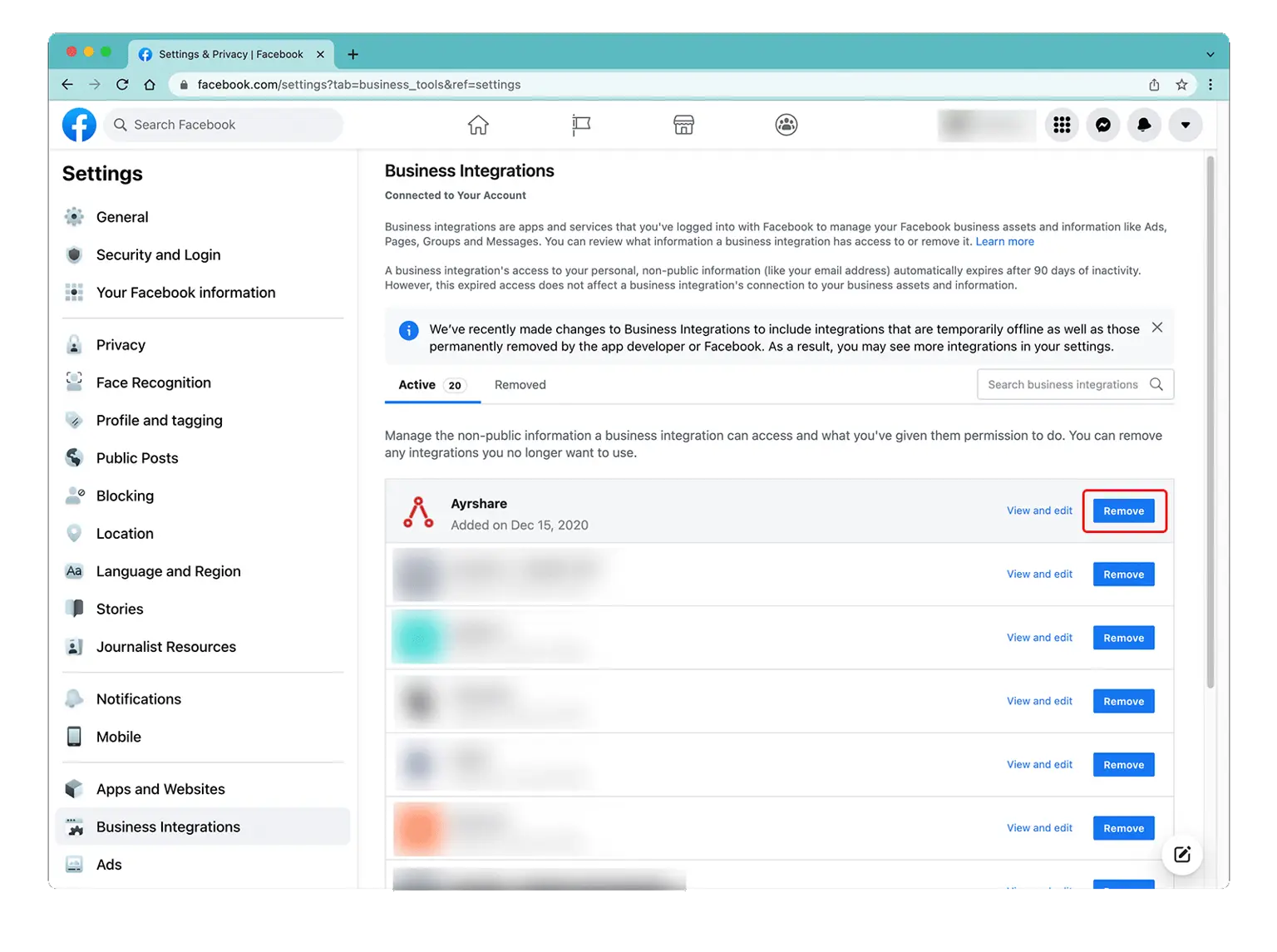
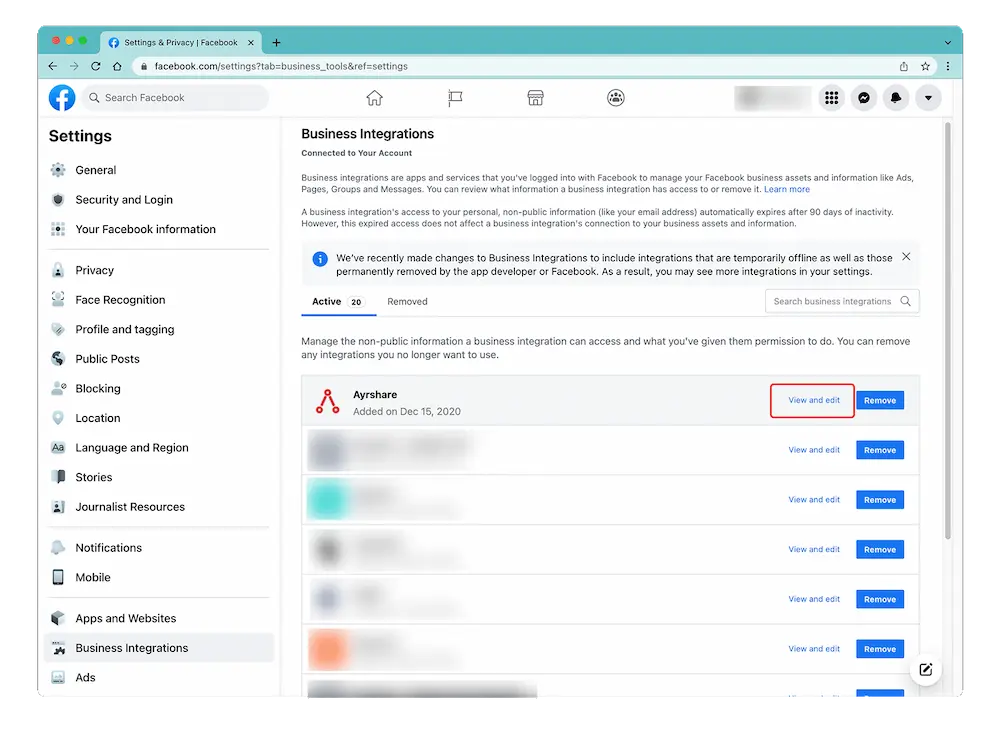
 A pop-up will show. Scroll down to "Create and Manage Content on Your Page" and ensure that it is enabled. If you see a checkbox with "Pages" then check it to select all pages.
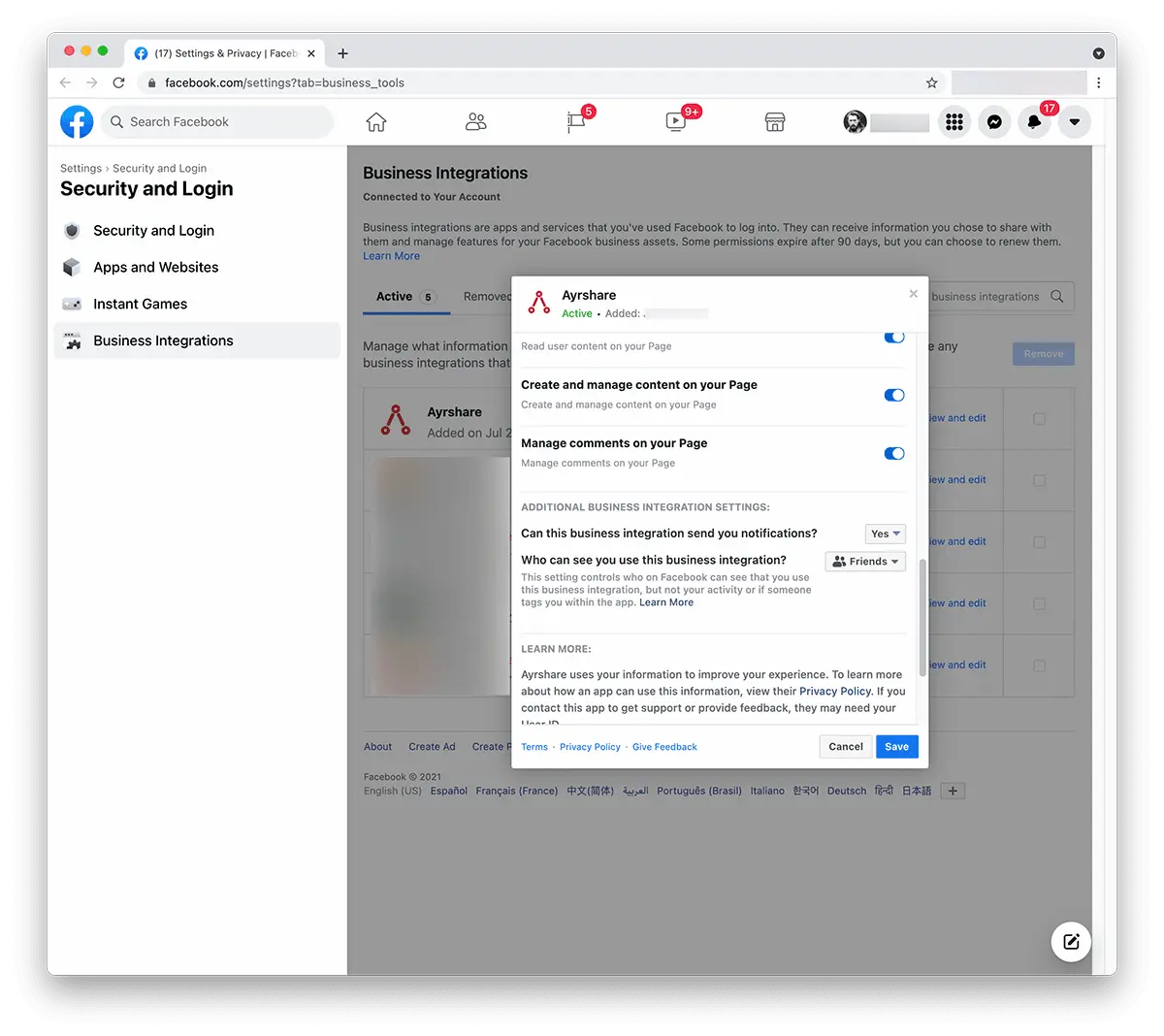 Click "**Save**".
Head back to the [Ayrshare Dashboard](https://app.ayrshare.com/social-accounts) and **unlink** and **relink** Facebook. You should now have the correct permissions.
## Still Having Issue with Facebook Permissions?
*If the issue still persists*, please go back into the [Facebook admin settings](/docs/help-center/technical-support/facebook_posting_issues#facebook-business-admin-settings) under Business Integration and "Remove" the Ayrshare app.
Go back into the [Ayrshare Dashboard](https://app.ayrshare.com/social-accounts) **unlink** and **relink** Facebook.
Click "**Save**".
Head back to the [Ayrshare Dashboard](https://app.ayrshare.com/social-accounts) and **unlink** and **relink** Facebook. You should now have the correct permissions.
## Still Having Issue with Facebook Permissions?
*If the issue still persists*, please go back into the [Facebook admin settings](/docs/help-center/technical-support/facebook_posting_issues#facebook-business-admin-settings) under Business Integration and "Remove" the Ayrshare app.
Go back into the [Ayrshare Dashboard](https://app.ayrshare.com/social-accounts) **unlink** and **relink** Facebook.