> ## Documentation Index
> Fetch the complete documentation index at: https://www.ayrshare.com/docs/llms.txt
> Use this file to discover all available pages before exploring further.
# Messages API अवलोकन
> Facebook, Instagram, और X/Twitter पर direct messages भेजें और प्राप्त करें
export const PlansAvailable = ({plans = [], maxPackRequired}) => {
let displayPlans = plans;
if (plans && plans.length === 1) {
const lowerCasePlan = plans[0].toLowerCase();
if (lowerCasePlan === "business") {
displayPlans = ["Launch", "Business", "Enterprise"];
} else if (lowerCasePlan === "premium") {
displayPlans = ["Premium", "Launch", "Business", "Enterprise"];
}
}
return
Available on {displayPlans.length === 1 ? "the " : ""}
{displayPlans.join(", ").replace(/\b\w/g, l => l.toUpperCase())}{" "}
{displayPlans.length > 1 ? "plans" : "plan"}.
{maxPackRequired && window.open('https://www.ayrshare.com/docs/additional/maxpack', '_self')} className="flex items-center mt-2 cursor-pointer">
Max Pack required
}
;
};
Messaging API आपको उन correspondents को direct messages (DM) प्रबंधित करने की अनुमति देता है जो आपके User Profiles से संपर्क करते हैं।
Correspondent वह व्यक्ति है जिसके साथ आपका user (User Profile) संवाद कर रहा है।
Conversation आपके user (User Profile) और उनके correspondent के बीच messages की एक श्रृंखला है।
-
Messaging API सभी Ayrshare Business Plans के साथ शामिल है और Premium plans के लिए एक भुगतान
add-on के रूप में उपलब्ध है।
-
Business और Premium plans दोनों के लिए, आपको Ayrshare dashboard के Account पेज में
Messaging को activate करना होगा।
-
Messaging Facebook Messenger, Instagram Direct Messenger, और X Direct Messages के लिए उपलब्ध है।
## प्रमुख Messaging विशेषताएँ
- अपने users के correspondents के साथ वार्तालाप प्रबंधित करें।
-
अपने users की ओर से text, image, video, और emoji संदेश भेजें।
- पूर्ण वार्तालाप इतिहास प्राप्त करें।
- स्वचालित संदेश प्रतिक्रियाएँ सेट करें।
-
प्राप्त संदेशों, संदेश प्रतिक्रियाओं, read receipts के लिए webhooks के माध्यम से वास्तविक-समय अद्यतन प्राप्त करें।
## Messaging सक्षम करें
### अपना Ayrshare Account और User Profiles सक्षम करें
DMs का प्रबंधन करने के लिए आपको पहले अपने समग्र Ayrshare account के लिए messaging सक्षम करना होगा। Ayrshare dashboard में [Account पेज](https://app.ayrshare.com/account) पर जाएँ और "Learn More" बटन पर क्लिक करें और फिर "Enable" पर क्लिक करें। इस बिंदु पर आपने अपने समग्र account के लिए messaging सक्षम कर दिया है, *लेकिन आपने व्यक्तिगत User Profiles के लिए messaging सक्रिय नहीं किया है*।
आप व्यक्तिगत User Profiles के लिए messaging सक्रिय कर सकते हैं या तो [User Profiles पेज](https://app.ayrshare.com/manage-profiles) में प्रत्येक profile के लिए "Messaging Active" checkbox पर क्लिक करके या create या update [profiles endpoint](/apis/profiles/overview) का उपयोग करके।
एक User Profile के लिए messaging सक्षम करने के बाद, आपको Social Accounts/Social Linking पेज में सोशल अकाउंट (Facebook और Instagram) को फिर से लिंक करना होगा।
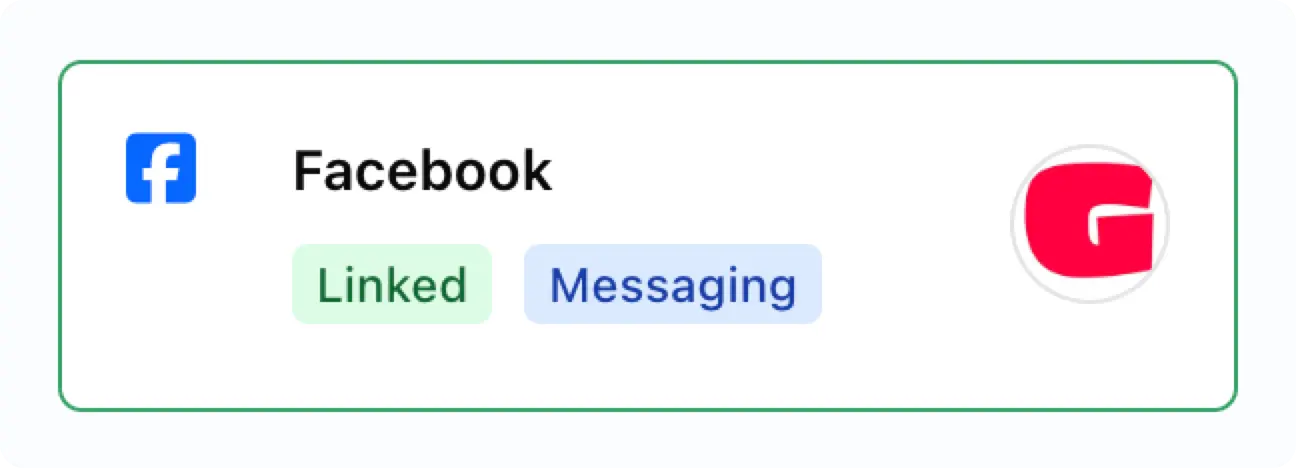
सक्षम होने के बाद आप linked social account पर "Messaging" badge देखेंगे।
 ### Instagram App में Messaging सक्षम करें
आपको अपने Instagram अकाउंट के लिए messaging सक्षम करने की आवश्यकता हो सकती है:
### Instagram App में Messaging सक्षम करें
आपको अपने Instagram अकाउंट के लिए messaging सक्षम करने की आवश्यकता हो सकती है:
-
Instagram mobile app में अपने profile पर जाएँ और **Settings and activity** पेज पर जाने के लिए
ऊपरी दाएँ कोने में menu icon ≡ पर टैप करें।
- **How others can interact with you** अनुभाग तक स्क्रॉल करें।
- **Messages and story replies** पर क्लिक करें।
- **Message requests** पर टैप करें।
-
**Connected tool** के अंतर्गत **Allow access to messages** स्विच को toggle on करें।
## Messaging पर महत्वपूर्ण जानकारी
**वार्तालाप correspondent द्वारा शुरू किया जाना चाहिए।** एक बार वार्तालाप स्थापित हो जाने के बाद,
आप अपने users की ओर से स्वतंत्र रूप से संदेश भेज सकते हैं, संदेश प्राप्त कर सकते हैं, reactions प्राप्त कर सकते हैं (जैसे thumbs ups),
या read receipts प्राप्त कर सकते हैं।
**आपके user को Instagram वार्तालाप का जवाब correspondent द्वारा भेजे गए अंतिम संदेश के 7 दिनों के भीतर देना होगा।**
यदि correspondent ने 7 दिनों में कोई संदेश नहीं भेजा है तो वार्तालाप को निष्क्रिय माना जाता है और उसका उत्तर नहीं दिया जा सकता।
### Facebook और Instagram के लिए Message History Retrieval
जब आप पहली बार एक linked Facebook या Instagram वाले user profile के लिए messaging सक्षम करते हैं,
तो वार्तालाप इतिहास तक पहुँचने पर महत्वपूर्ण सीमाएँ हैं:
#### प्रारंभिक Connection सीमाएँ
-
जब आप पहली बार messaging के लिए एक account लिंक करते हैं तो Facebook और Instagram मौजूदा वार्तालापों से
**केवल अंतिम 20 संदेशों** की पुनर्प्राप्ति की अनुमति देते हैं
-
यदि किसी वार्तालाप में 20 से अधिक संदेश हैं, तो प्रारंभ में केवल सबसे हाल के 20 ही सुलभ होंगे
#### प्रारंभिक Setup के बाद
-
Messaging सक्षम होने के बाद, भेजे गए और प्राप्त **सभी नए संदेश** पूरी तरह से सुलभ होंगे
-
Ayrshare आगे बढ़ते हुए पूर्ण वार्तालाप इतिहास बनाए रखता है
-
उदाहरण के लिए: यदि आप प्रारंभ में 20 संदेश पुनर्प्राप्त करते हैं, फिर 100 नए संदेश आदान-प्रदान किए जाते हैं,
तो आप कुल 120 संदेशों तक पहुँच सकेंगे
यह सीमा केवल messaging सक्षम करने से पहले मौजूद ऐतिहासिक संदेशों पर लागू होती है - Facebook और Instagram के लिए
सभी भविष्य की वार्तालाप गतिविधि पूरी तरह से संरक्षित और सुलभ होगी।
### Conversation सीमा और मूल्य निर्धारण
-
प्रत्येक Ayrshare User Profile में **प्रति billing cycle 1,000 सक्रिय वार्तालाप** तक हो सकते हैं।
सक्रिय वार्तालाप संख्या सभी सोशल नेटवर्क में योग है।
-
**Premium plan**: Messaging प्रति account एक flat **\$49 प्रति माह** add-on है।
-
**Launch और Business plans**: Messaging को Stripe metered billing के माध्यम से **\$0.09 प्रति सक्रिय
वार्तालाप** पर बिल किया जाता है। Volume-आधारित छूट उपलब्ध हैं; विवरण के लिए अपने Ayrshare account
प्रतिनिधि से संपर्क करें।
-
जब आप किसी recipient को संदेश भेजते हैं तो वार्तालाप को billing cycle के लिए सक्रिय के रूप में गिना जाता है।
Recipient से inbound संदेश, अपने आप में, वार्तालाप को सक्रिय के रूप में चिह्नित नहीं करते हैं।
-
यदि 1,000 वार्तालाप सीमा पूरी हो गई है, तो आप अभी भी संदेश प्राप्त कर सकते हैं, लेकिन आप अगले billing cycle
की शुरुआत तक उत्तर नहीं दे पाएँगे।
-
एक सक्रिय वार्तालाप में भेजे या प्राप्त संदेशों की संख्या असीमित है।
-
यदि आपको वार्तालाप सीमा बढ़ाने की आवश्यकता है, तो कृपया अपने Ayrshare account प्रतिनिधि से संपर्क करें।
आप [user endpoint](/apis/user/overview) के साथ वर्तमान वार्तालाप संख्या देख सकते हैं।
### Facebook और Instagram पर Messaging Control मुद्दे
Meta (Facebook और Instagram) messaging वार्तालापों के लिए एक "thread control" प्रणाली का उपयोग करता है। इसका मतलब है कि किसी वार्तालाप में एक बार में केवल एक ऐप संदेश भेज सकता है, जबकि अन्य ऐप्स केवल संदेश प्राप्त कर सकते हैं।
#### इसका क्या मतलब है?
यदि आप त्रुटि **"Message failed to send because another app is controlling this thread now"** देखते हैं, तो इसका मतलब है:
* एक अलग third-party ऐप वर्तमान में उस वार्तालाप को नियंत्रित करता है
* Ayrshare केवल उस वार्तालाप में संदेश प्राप्त कर सकता है
* Ayrshare तब तक संदेश नहीं भेज सकता जब तक कि यह नियंत्रण पुनः प्राप्त न कर ले
#### इस समस्या को कैसे ठीक करें
Ayrshare को फिर से संदेश भेजने की अनुमति देने के लिए, आपको उस third-party ऐप को हटाना होगा जो वार्तालाप को नियंत्रित कर रहा है।
कृपया ध्यान दें कि Meta (Facebook और Instagram) third-party ऐप्स को हटाने की प्रक्रिया को अद्यतन कर सकता है, इसलिए निम्नलिखित चरणों को एक सामान्य दिशानिर्देश के रूप में उपयोग करें।
**Facebook Pages के लिए:**
1. [Facebook.com](https://facebook.com) पर जाएँ और अपने account में लॉग इन करें
2. ऊपरी दाएँ में menu (☰) पर क्लिक करें → **Settings & Privacy** → **Settings**
3. बाएँ sidebar में, **Apps and Websites** पर क्लिक करें
4. वह third-party ऐप ढूँढें जो आपके messaging को नियंत्रित कर रहा है
5. उस ऐप के आगे **Remove** पर क्लिक करें
6. हटाने की पुष्टि करें
**Instagram Business Accounts के लिए:**
1. अपने फ़ोन पर Instagram ऐप खोलें
2. अपने **Profile** पर जाएँ → menu (☰) पर टैप करें → **Settings and Privacy**
3. **Apps and Websites** पर टैप करें
4. Third-party ऐप ढूँढें और हटाएँ
**Instagram के लिए वैकल्पिक:**
1. [business.facebook.com](https://business.facebook.com) पर जाएँ
2. **Business Settings** पर navigate करें
3. **Accounts** के अंतर्गत, **Instagram Accounts** पर क्लिक करें
4. अपना Instagram account चुनें
5. connected apps की जाँच करें और समस्याग्रस्त को हटा दें
#### हटाने के बाद
एक बार जब आपने third-party ऐप हटा दिया:
- Thread control स्वचालित रूप से Ayrshare पर वापस आ जाएगा
- आप सामान्य रूप से फिर से संदेश भेजने में सक्षम होने चाहिए
- आपकी ओर से कोई और कार्रवाई आवश्यक नहीं है
यदि ऐप हटाने के बाद भी आपको समस्याओं का अनुभव जारी रहता है, तो कृपया हमारी support टीम से संपर्क करें।
## Message WebHooks
संदेश, read receipts, या reactions स्वचालित रूप से प्राप्त करने के लिए [Messages Webhooks](/apis/webhooks/actions#messages-action) देखें।