> ## Documentation Index
> Fetch the complete documentation index at: https://www.ayrshare.com/docs/llms.txt
> Use this file to discover all available pages before exploring further.
# Instagram पोस्टिंग समस्याओं का निवारण | Ayrshare Docs
> Ayrshare में सामान्य Instagram पोस्टिंग समस्याओं को ठीक करें, जिसमें विफल प्रकाशन, मीडिया प्रारूप त्रुटियाँ और खाता अनुमतियाँ शामिल हैं, चरण-दर-चरण समाधानों के साथ।
यदि आपको Instagram अनुमति संबंधी समस्याओं के बारे में या यह कि आपका खाता लिंक नहीं है, इसके बारे में पोस्ट करते समय एक त्रुटि प्राप्त होती है, भले ही आपने अपना Facebook खाता लिंक किया हो, तो हो सकता है कि कुछ एक्सेस अनुमतियाँ प्रदान नहीं की गई हों।
उदाहरण के लिए, यदि आपको ये त्रुटियाँ प्राप्त होती हैं:
-
*Unsupported post request. Object with ID \[id number] does not exist,
cannot be loaded due to missing permissions, or does not support this
operation. Please read the Graph API documentation*
या
- *There is an issue with your Instagram account type or permissions.*
निम्नलिखित चरणों का पालन करें:
### 1. सत्यापित करें कि आपका Instagram व्यवसाय खाता अभी भी Facebook पेज से जुड़ा है
यदि आपने Facebook पेज कनेक्शन का उपयोग किया है, तो सुनिश्चित करें कि आपका Instagram एक व्यवसाय खाता है और यह Facebook पेज से जुड़ा हुआ है।
1. Facebook में लॉगिन करें और अपने Facebook पेज पर नेविगेट करें। अपनी स्क्रीन पर बाईं ओर के मेनू से 'Settings' पर क्लिक करें।
2. "Instagram" चुनें और सत्यापित करें कि आपका Instagram खाता लिंक है या "Connect Account" पर क्लिक करें।
3. Ayrshare डैशबोर्ड में "Social Accounts" के अंतर्गत अपने Instagram खाते को अनलिंक और पुनः लिंक करें।
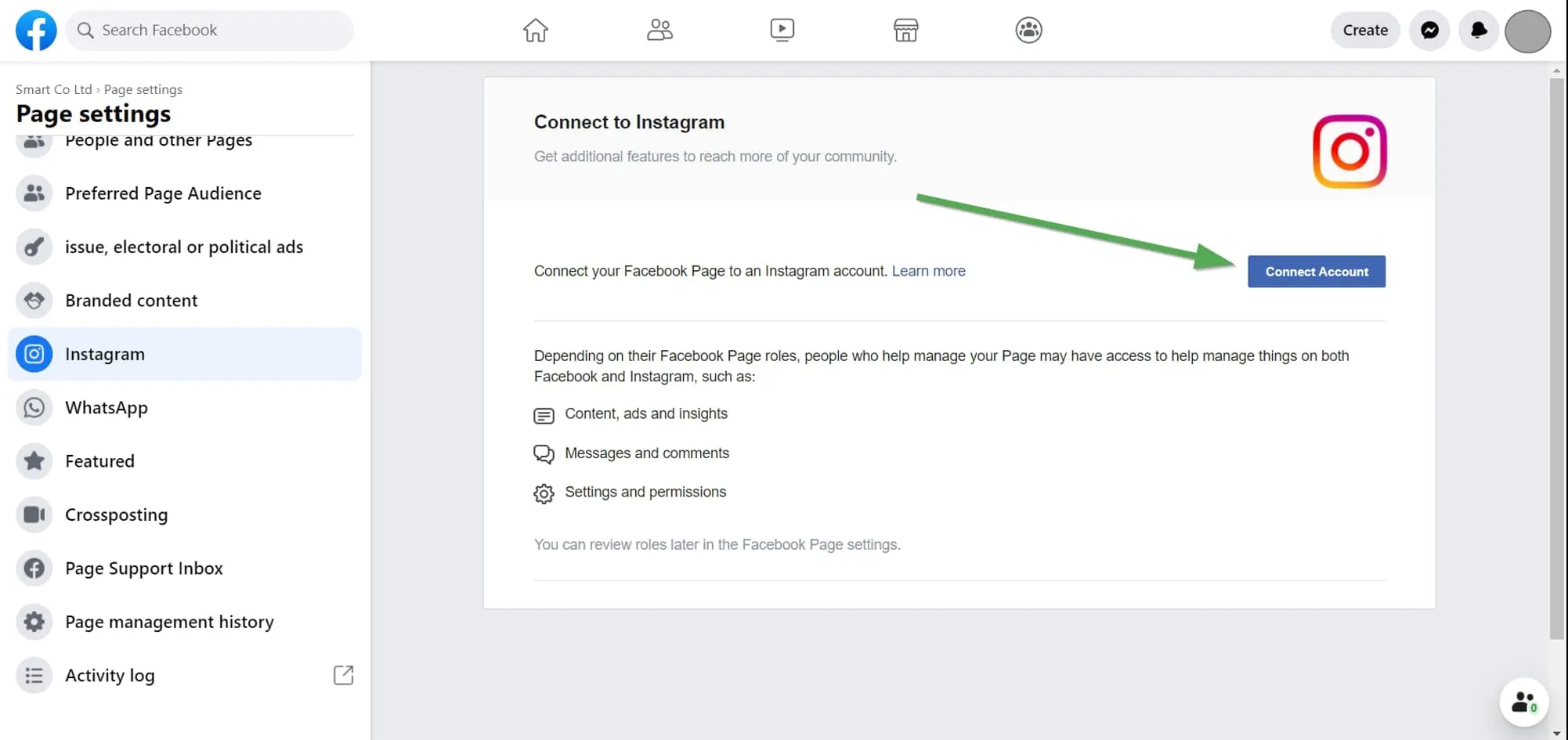 अधिक विवरण के लिए यहाँ देखें:
### 2. अपनी Instagram अनुमतियाँ जाँचें
यदि समस्या बनी रहती है, तो Ayrshare को दी गई अपनी अनुमतियों की जाँच करें।
Facebook में लॉगिन करें और "Setting" -> "Settings & Privacy" -> "Security & Login" -> "Business Integration" पर जाएँ।
डायरेक्ट लिंक के लिए यहाँ क्लिक करें
[Business Integration page](https://www.facebook.com/help/405094243235242/) पर, Ayrshare ऐप पर क्लिक करें।
अधिक विवरण के लिए यहाँ देखें:
### 2. अपनी Instagram अनुमतियाँ जाँचें
यदि समस्या बनी रहती है, तो Ayrshare को दी गई अपनी अनुमतियों की जाँच करें।
Facebook में लॉगिन करें और "Setting" -> "Settings & Privacy" -> "Security & Login" -> "Business Integration" पर जाएँ।
डायरेक्ट लिंक के लिए यहाँ क्लिक करें
[Business Integration page](https://www.facebook.com/help/405094243235242/) पर, Ayrshare ऐप पर क्लिक करें।
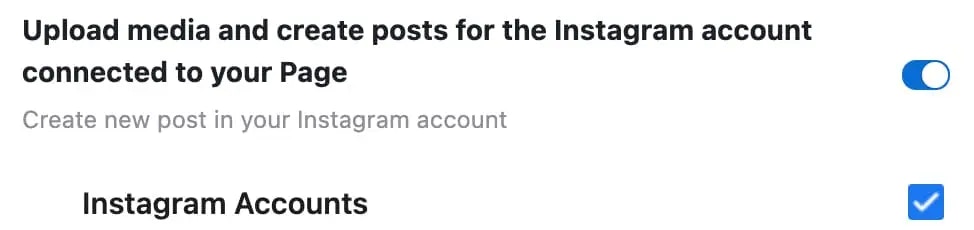
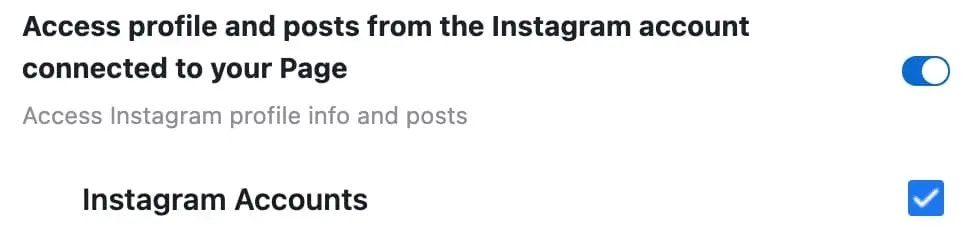
 एक पॉप-अप दिखाई देगा। "Upload media and create post for Instagram" और "Access profile and posts for Instagram" तक स्क्रॉल करें। दोनों "Instagram Accounts" बॉक्स चेक करें:
 "Save" पर क्लिक करें।
Ayrshare डैशबोर्ड पर वापस जाएँ और Instagram को अनलिंक और पुनः लिंक करें। अब आपके पास सही अनुमतियाँ होनी चाहिए।
"Save" पर क्लिक करें।
Ayrshare डैशबोर्ड पर वापस जाएँ और Instagram को अनलिंक और पुनः लिंक करें। अब आपके पास सही अनुमतियाँ होनी चाहिए।