> ## Documentation Index
> Fetch the complete documentation index at: https://www.ayrshare.com/docs/llms.txt
> Use this file to discover all available pages before exploring further.
# Business Plan अवलोकन
> एकाधिक users, clients, या brands का प्रबंधन करने के लिए Ayrshare Business Plan
[Business Plan](https://www.ayrshare.com/business-plan-for-multiple-users/) कंपनियों, agencies, और platforms जैसे संगठनों को एक ही API integration से एकाधिक users, clients, या brands में posting, scheduling, analytics, और comment प्रबंधन सहित social media गतिविधियों का प्रबंधन करने में सक्षम बनाता है।
Ayrshare API-first है। आप अपना खुद का front end बनाते हैं और अपने users की ओर से पोस्ट करने, analytics प्राप्त करने, और comments का प्रबंधन करने के लिए API कॉल करते हैं। आपके ग्राहक अपने खुद के social खातों को एक **white-labeled connect पेज** के माध्यम से कनेक्ट करते हैं जिसे आप [JWT URL](/multiple-users/api-integration-business#single-sign-on-with-jwt-authentication) से खोलते हैं — वे कभी Ayrshare में log in नहीं करते और कभी आपका dashboard नहीं देखते।
**Dashboard केवल आपकी आंतरिक टीम के लिए है।** Launch, Business, और
Enterprise plans पर, [Ayrshare dashboard](/multiple-users/manage-user-profiles#using-the-dashboard)
वह जगह है जहाँ *आपकी टीम* [User Profiles](/multiple-users/manage-user-profiles) बनाती और प्रबंधित करती है,
integrations का परीक्षण करती है, और client की ओर से पोस्ट करती है। आपके ग्राहक हमेशा
[JWT URL connect पेज](/multiple-users/api-integration-business#single-sign-on-with-jwt-authentication) के माध्यम से **onboard** किए जाने चाहिए —
कभी भी clients को dashboard access न दें, क्योंकि यह आपके खाते, billing, और
हर अन्य profile को उजागर करता है। (single-user Premium plan पर, आप स्वयं dashboard का सीधे उपयोग करते हैं।)
क्या आप multi-user social के साथ अभी शुरू कर रहे हैं?
[Launch Plan](/multiple-users/business-launch-overview) समान API surface के साथ
entry-level Business tier है, जो 10 User Profiles पर capped है,
और 28-दिवसीय निःशुल्क trial के साथ आता है।
Business Plan के बारे में अधिक विवरण [हमसे संपर्क करके](https://www.ayrshare.com/business-plan-for-multiple-users/#contactbusiness) प्राप्त करें।
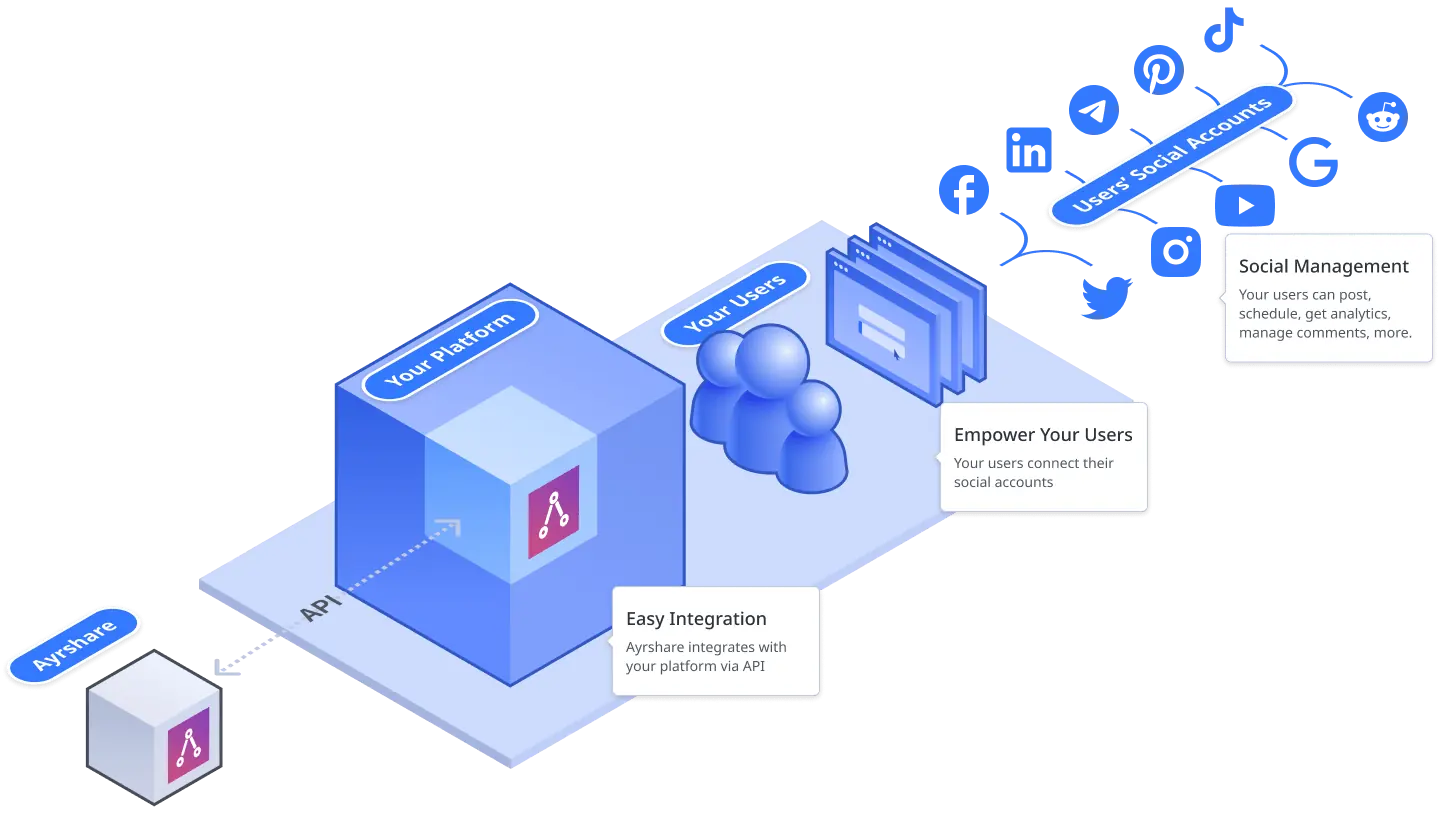 ## अपने Users की ओर से पोस्ट करें, Analytics प्राप्त करें, Comments और DMs प्रबंधित करें, और Facebook Ads बनाएँ
-
अपने users के [social media networks](/apis/post/overview) पर पोस्ट करने के लिए एक ही API कॉल: Bluesky,
Facebook, Google Business Profile (Google My Business), Instagram, LinkedIn, Pinterest,
Reddit, Snapchat, Telegram, Threads, TikTok, X, और YouTube।
-
text, छवियों, और वीडियो के [शेड्यूल किए गए posts भेजें](/apis/post/overview#schedule-posts) या
पूर्व-निर्धारित समय पर पोस्ट करने के लिए [एक auto schedule बनाएँ](/apis/auto-schedule/overview)।
-
अपने user के posts, social profile, और
links पर [विस्तृत analytics](/apis/analytics/overview) प्राप्त करें। जैसे impressions की संख्या, follower demographics, videos का औसत दृश्य समय, और अधिक।
-
किसी user के पोस्ट में [comments जोड़ें](/apis/comments/overview) या अन्य
users द्वारा किए गए सभी comments प्राप्त करें।
- समर्थित प्लेटफ़ॉर्म पर [direct messages का प्रबंधन करें](/apis/messages/overview)।
- मौजूदा posts से [Facebook ads बनाएँ](/apis/ads/overview)।
-
सामग्री के आधार पर स्वचालित रूप से posts में [hashtags जोड़ें](/apis/hashtags/overview), और
स्वचालित रूप से अपने users के [RSS feeds](/apis/feeds/overview) पोस्ट करें।
-
social networks को भेजने से पहले [posts को validate करें](/apis/validate/overview) ताकि आपके users के
social खाते हमेशा सुरक्षित रहें और social networks के साथ मुसीबत में न पड़ें।
-
किसी user का [post इतिहास](/apis/history/overview), [analytics](/apis/analytics/overview),
और [comments](/apis/comments/overview) प्राप्त करें, भले ही posts Ayrshare के बाहर से उत्पन्न हुए हों।
## अपने उत्पाद या Platform के साथ सहजता से Integrate करें
- अपने users, clients, और brand के लिए सरल और पारदर्शी integration।
-
RESTful API कॉल्स करें, या Node.js, Python, Bubble.io, या Airtable [packages and
integrations](/packages-guides/overview) का उपयोग करें।
-
Enterprise ग्रेड सुरक्षा और सुरक्षित social authentication जहाँ आप कभी अपने users के
credentials नहीं पूछते।
- आपके build workflow के लिए staging environment add-on उपलब्ध है।
## Connect Accounts पेज को White-Label करें
Connect accounts पेज एकमात्र Ayrshare इंटरफ़ेस है जिसे आपके ग्राहक कभी देखते हैं, इसलिए इसे अपना बनाएँ। अपना लोगो जोड़ें, कस्टम headers सेट करें, चुनें कि कौन से social networks दिखाई देंगे, भाषा को स्थानीय बनाएँ, और अपने खुद के help links को स्वैप करें — और [Max Pack](/additional/maxpack) के साथ, एक पूर्ण कस्टम CSS फ़ाइल, favicon, पेज शीर्षक, और footer लागू करें। अच्छी तरह से किया गया, connect पेज तीसरे-पक्ष के टूल की तुलना में आपके उत्पाद के एक native भाग की तरह महसूस होता है।
connect पेज के लिए उपलब्ध हर branding और customization विकल्प देखें।
## Max Pack के साथ उपलब्ध अतिरिक्त क्षमताएँ
[Max Pack](/additional/maxpack) आपके ऐप या प्लेटफ़ॉर्म बनाने के लिए अतिरिक्त endpoints और अन्य उपयोगी utilities प्रदान करता है।