> ## Documentation Index
> Fetch the complete documentation index at: https://www.ayrshare.com/docs/llms.txt
> Use this file to discover all available pages before exploring further.
# Documentation MCP
> 將唯讀的 Ayrshare Documentation MCP 伺服器連接到你的 AI 代理程式,以搜尋 Ayrshare 的 API 文件
這是唯讀的 **Documentation MCP**(用於搜尋 Ayrshare 的 API 文件)。若要讓 AI 代理程式 **驅動** Ayrshare API,請參見 [MCP Server](/additional/mcp-action-server)(Action MCP)。
Model Context Protocol (MCP) 是一項開放標準,可讓應用程式與大型語言模型(LLM)共享上下文與工具。
透過將 Ayrshare API 文件 MCP 伺服器連接到 Cursor 或 Claude Desktop 之類的 AI 開發工具,你可以讓 AI 代理程式直接存取 Ayrshare 的文件。
這項整合可讓你的 AI 代理程式:
- 搜尋 Ayrshare 的 API 文件
- 理解可用的端點與參數
- 產生能正確使用 Ayrshare API 的程式碼
- 在處理 Ayrshare 服務時提供符合上下文的準確建議
也就是說,AI 助理可以直接參考文件,而不需要你手動查閱 API 細節,進而更有效率地協助你實作 Ayrshare 相關功能。
## 如何開始
Ayrshare 的 MCP 伺服器位址為 `https://www.ayrshare.com/docs/mcp`。
### Claude Desktop
1. 進入 Claude 設定中的 Connectors(連接器)頁面。
2. 選擇「Add custom connector」(新增自訂連接器)。
3. 將 MCP 伺服器名稱設定為 `Ayrshare MCP`(或任何你偏好的名稱),並將 MCP 伺服器 URL 設定為 `https://www.ayrshare.com/docs/mcp`。
4. 點選「Add」。
5. 使用 Claude 時,點選附件按鈕(加號圖示)。
6. 選擇你的 MCP 伺服器。
### Claude Code
```bash theme={"system"}
claude mcp add --transport http ayrshare https://www.ayrshare.com/docs/mcp
```
### VS Code
[](https://insiders.vscode.dev/redirect?url=vscode:mcp/install?%7B%22type%22%3A%22http%22%2C%22name%22%3A%22Ayrshare-MCP%22%2C%22url%22%3A%22https%3A%2F%2Fwww.ayrshare.com%2Fdocs%2Fmcp%22%7D)
1. 建立 .vscode/mcp.json 檔案。
2. 在 mcp.json 中設定你的伺服器:
```json theme={"system"}
{
"servers": {
"Ayrshare MCP": {
"type": "http",
"url": "https://www.ayrshare.com/docs/mcp"
}
}
}
```
### Cursor
[](cursor://anysphere.cursor-deeplink/mcp/install?name=Ayrshare-MCP\&config=eyJ1cmwiOiJodHRwczovL3d3dy5heXJzaGFyZS5jb20vZG9jcy9tY3AifQ==)
1. 使用 Command + Shift + P(Windows 為 Ctrl + Shift + P)開啟命令面板。
2. 搜尋 "Open MCP settings"。
3. 選擇「Add custom MCP」(新增自訂 MCP)。這會開啟 mcp.json 檔案。
4. 在 mcp.json 中設定你的伺服器:
```json theme={"system"}
{
"mcpServers": {
"Ayrshare MCP": {
"url": "https://www.ayrshare.com/docs/mcp"
}
}
}
```
## 使用 MCP 伺服器連線
重新啟動應用程式以套用變更。
在 Cursor 中,你可以輸入 `How do you publish a post in Ayrshare. Use the MCP server.` 來測試 MCP 連接器。
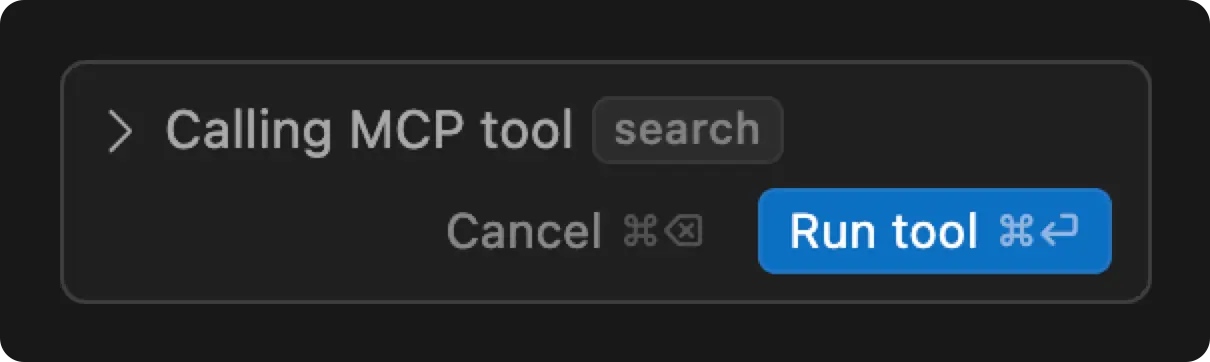 你將看到「Run tool」的請求,Cursor 會透過 MCP 伺服器取得回應。