> ## Documentation Index
> Fetch the complete documentation index at: https://www.ayrshare.com/docs/llms.txt
> Use this file to discover all available pages before exploring further.

# 連結你的社群媒體帳戶｜Ayrshare 儀表板

> 了解如何將 Facebook、Instagram、X、LinkedIn、TikTok 等連結到 Ayrshare 儀表板，即可在幾分鐘內開始排程並發布貼文。

## 透過網頁儀表板進行連結與發布

如何透過 Ayrshare 儀表板連結並發布到你的社群媒體帳戶。
<div class="video-container">
  <iframe width="560" height="315" src="https://www.youtube.com/embed/Aav2Njv-AkY" title="Linking and Posting via the Ayrshare Dashboard" frameborder="0" allow="accelerometer; autoplay; clipboard-write; encrypted-media; gyroscope; picture-in-picture" />
</div>

### 如何連結社群媒體網路

只需點擊幾下即可輕鬆連結你的社群媒體帳戶。

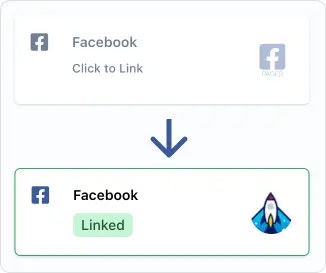
在 Social Account 連結頁面，或用於管理多位使用者的使用者資料 [社群帳戶連結頁面](/multiple-users/user-integration#user-experience)，只要點擊或輕觸你要連結的社群網路。接著會透過彈出視窗或頁面重新導向的方式，提示你授權 Ayrshare 進行存取。

<img src="https://mintcdn.com/ayrshare-docs/BkNwRAXLA9nG0LQA/images/dashboard/link.webp?fit=max&auto=format&n=BkNwRAXLA9nG0LQA&q=85&s=dfb1f4a9936c8a7a174cc5749963ab08" alt="Click to link" width="245" class="center" data-path="images/dashboard/link.webp" />

<Info>
  請在授權過程中授予 Ayrshare 所要求的所有權限。移除權限可能會
  在社群網路或 Ayrshare API 中引發非預期的問題。同時請在你的瀏覽器中
  允許彈出視窗。
</Info>

社群網路授權完成後，你會看到你的帳戶標誌，且會顯示綠色的「Linked」標籤，表示你的連結已啟用。

### 如何取消連結社群網路

只需點擊綠色的「Linked」標籤，就會提示你取消連結該帳戶。

已經發送到該網路的貼文不會受到影響。但未來的排程貼文與新貼文將不會被發送，直到重新建立與該網路的連結為止。

### 其他協助

#### 選擇專頁或品牌

<ul class="custom-bullets">
  <li>
    部分社群網路會要求你選擇帳戶或品牌。例如，若你
    擁有多個 Facebook 專頁，會提供你選擇要連結哪一個專頁。
  </li>
</ul>

### 其他連結指南

<CardGroup cols={2}>
  <Card title="Bluesky 連結" href="/dashboard/connect-social-accounts/bluesky" icon="bluesky" />

  <Card title="Facebook 連結" href="/dashboard/connect-social-accounts/facebook" icon="facebook" />

  <Card title="Instagram 連結" href="/dashboard/connect-social-accounts/instagram" icon="instagram" />

  <Card title="Google Business 連結" href="/dashboard/connect-social-accounts/google-business" icon="google" />

  <Card title="Linkedin 連結" href="/dashboard/connect-social-accounts/linkedin" icon="linkedin" />

  <Card title="Pinterest 連結" href="/dashboard/connect-social-accounts/pinterest" icon="pinterest" />

  <Card title="Reddit 連結" href="/dashboard/connect-social-accounts/reddit" icon="reddit" />

  <Card title="Telegram 連結" href="/dashboard/connect-social-accounts/telegram" icon="telegram" />

  <Card title="Threads 連結" href="/dashboard/connect-social-accounts/threads" icon="threads" />

  <Card title="Snapchat 連結" href="/dashboard/connect-social-accounts/snapchat" icon="snapchat" />

  <Card title="TikTok 連結" href="/dashboard/connect-social-accounts/tiktok" icon="tiktok" />

  <Card title="YouTube 連結" href="/dashboard/connect-social-accounts/youtube" icon="youtube" />

  <Card title="X/Twitter 連結（將於 2026 年 3 月 31 日停用）" href="/dashboard/connect-social-accounts/x-twitter" icon="x" />

  <Card title="設定自有 X API 金鑰" href="/dashboard/connect-social-accounts/x-twitter-byo-keys" icon="x" />
</CardGroup>
