Access
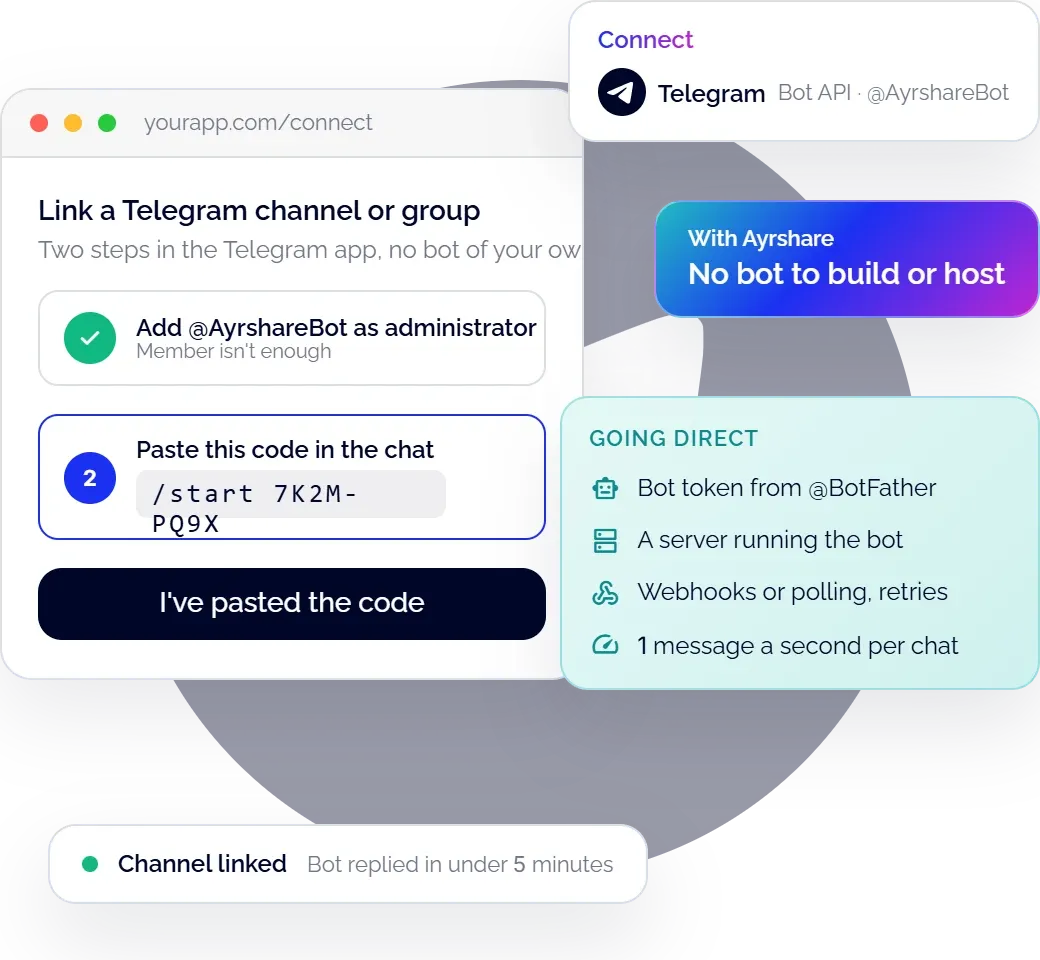
Your users add @AyrshareBot as an administrator and paste a code from Ayrshare into the chat. The channel is linked within minutes, with no bot of your own to register.

Ayrshare's Telegram API lets developers publish text, links, images, videos, and animated GIFs to Telegram channels and groups via a single REST endpoint. It supports scheduled posts, link previews, rich text, mentions, deletion, and history across 14+ social networks through one integration.
Your users add @AyrshareBot as an administrator of their channel or group and paste a code from Ayrshare. You don't build, host, or secure a Telegram bot of your own.
One integration, 14+ networks, 30M+ API calls a day.
>99.99%
API uptime
30M+
API calls per day
14+
Social media networks
AI-Native
Native MCP server for any AI agent
>99.99%
API uptime
30M+
API calls per day
14+
Social media networks
AI-Native
Native MCP server for any AI agent
You need one API key and a user who adds @AyrshareBot as an administrator of their channel or group. Ayrshare runs the bot, so there is no @BotFather token, no server to host, and no webhook handling before your first message. After that, Ayrshare keeps the integration running: bot hosting and security, retries on failed sends, Bot API changes, and new Telegram features as they ship.
Your users add @AyrshareBot as an administrator and paste a code from Ayrshare into the chat. The channel is linked within minutes, with no bot of your own to register.
Telegram updates the Bot API on its own schedule. Ayrshare hosts and secures the bot, handles delivery and retries, and keeps the integration current, so you don't have to.
Telegram channels and groups. Channel posts show the channel's name and logo as the author, so your users' audiences see their brand, not a bot.
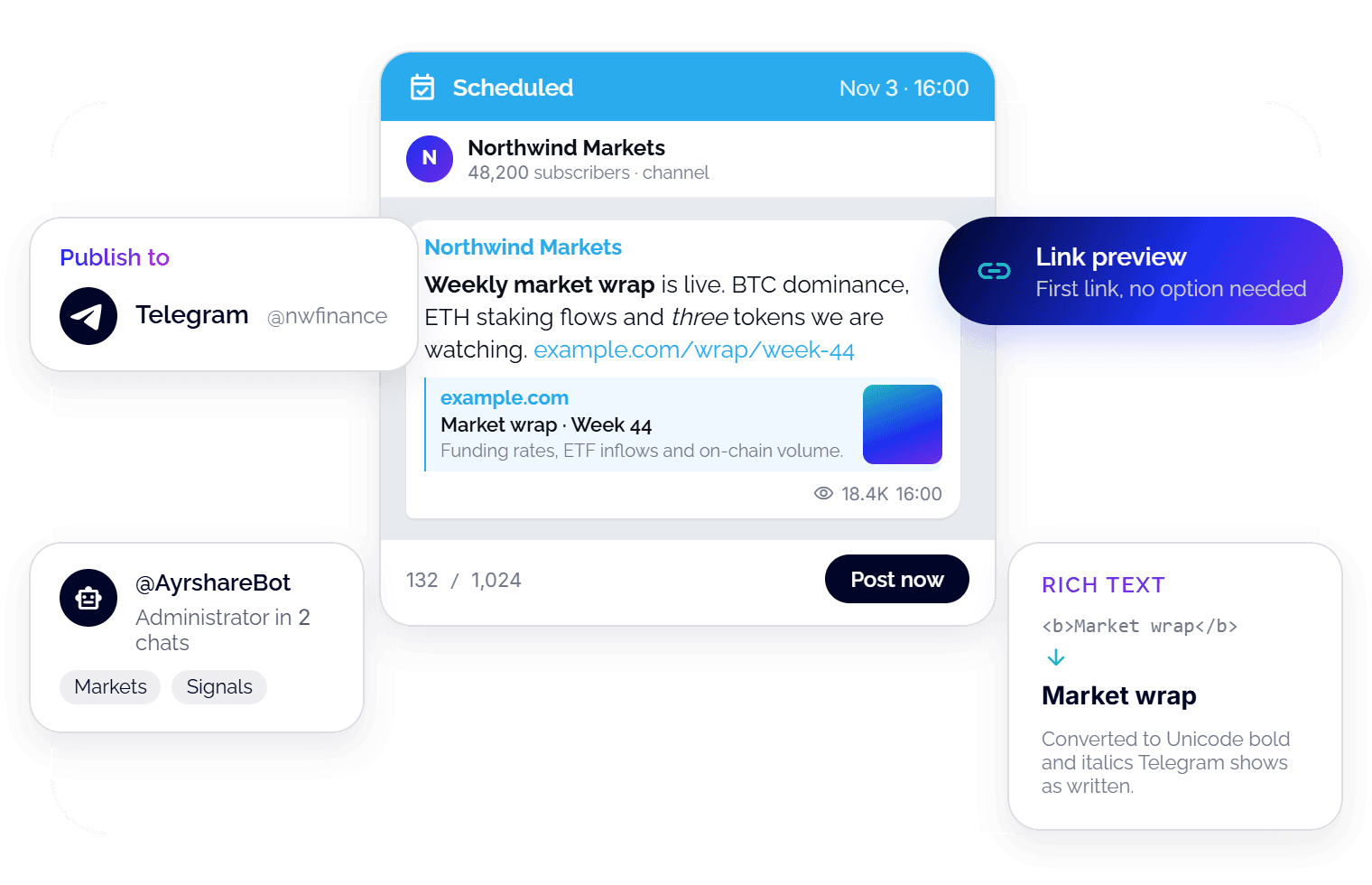
Put a URL in the text and Telegram renders the preview card. Wrap words in HTML tags and Ayrshare converts them to Unicode bold and italics, and @handle mentions another Telegram account.
Each sample publishes a text post with a link now, then schedules an image post for later. Same endpoint, same JSON, in Node.js, Python, PHP, Java, Go, Ruby, C#, or plain cURL. Add a Profile-Key header to post to one of your users' channels.
# 1. Publish now: a text post with a link previewcurl -X POST https://api.ayrshare.com/api/post \  -H "Authorization: Bearer $AYRSHARE_API_KEY" \  -H "Content-Type: application/json" \  -d '{    "post": "We just shipped webhooks for failed deliveries. https://example.com/blog/webhooks",    "platforms": ["telegram"]  }'
# 2. Schedule for later (ISO 8601, UTC)curl -X POST https://api.ayrshare.com/api/post \  -H "Authorization: Bearer $AYRSHARE_API_KEY" \  -H "Content-Type: application/json" \  -d '{    "post": "Office hours start in one hour. Bring your questions.",    "platforms": ["telegram"],    "mediaUrls": ["https://example.com/office-hours.jpg"],    "scheduleDate": "2026-11-06T17:00:00Z"  }'
Telegram's rules in one place. The full list lives in the Telegram media guidelines and the Telegram publishing options.
Text, links, one image, one video, or one animated GIF per post. Post text can be an empty string when the media is the message.
Telegram channels and groups. Channel posts show the channel's name and logo as the author, and group posts show the Ayrshare name and logo.
JPG, PNG, GIF, or WEBP. Width plus height can't exceed 10,000 px, and the aspect ratio can't exceed 20 to 1.
One video per post. If the URL doesn't end in a known video extension such as .mp4, set isVideo to true. The same flag sends a GIF whose URL doesn't end in .gif.
Longer text is truncated rather than rejected. Bold and italics work through HTML tags that Ayrshare converts to Unicode, and @handle mentions another Telegram account.
The user adds @AyrshareBot as an administrator, then pastes a code from the Ayrshare dashboard into the chat. The success reply can take up to 5 minutes.
Telegram previews the first link in the text. Attach an image or video and the media shows instead.
Pass a scheduleDate to publish later. Ayrshare recommends no more than 25 Telegram posts a day per account and allows 300 API calls per 5 minutes per profile.
Send the text with the URL and no media, and Telegram renders the preview card in the channel or group. Add an image to the same request and the image replaces the preview.
{ "post": "How we cut cold-start time by 40%. https://example.com/blog/cold-starts", "platforms": ["telegram"]}
Ayrshare already runs the bot, so your product sends the same /post request it sends to every other network and gets back the message ID and t.me link. Ayrshare handles the linking code, decides whether the link preview or the media shows, converts rich text to Unicode, and keeps each post inside Telegram's limits. Deleting is one request with the same ID. When Telegram changes the Bot API, the fix ships on our side, not in your sprint.
For the case for a Telegram channel, read Why Your Business Should Have a Telegram Strategy.
See the Telegram Publishing OptionsJust send a single POST request with your text, an optional media URL, and the user's Profile-Key. A URL in the text becomes a preview card, and isVideo flags a GIF without a .gif extension. We keep the integration lean so your team can launch faster.
Channel and group linking, hosting and securing @AyrshareBot, rich text conversion, and the 1,024-character cap. None of it reaches your code.
Get the Telegram message number and t.me link right away. Schedule a post for any date, cancel it before it goes out, or delete a published message with the same Ayrshare ID.
The same channel link that publishes also schedules, deletes, lists history, and checks each message before it goes out.
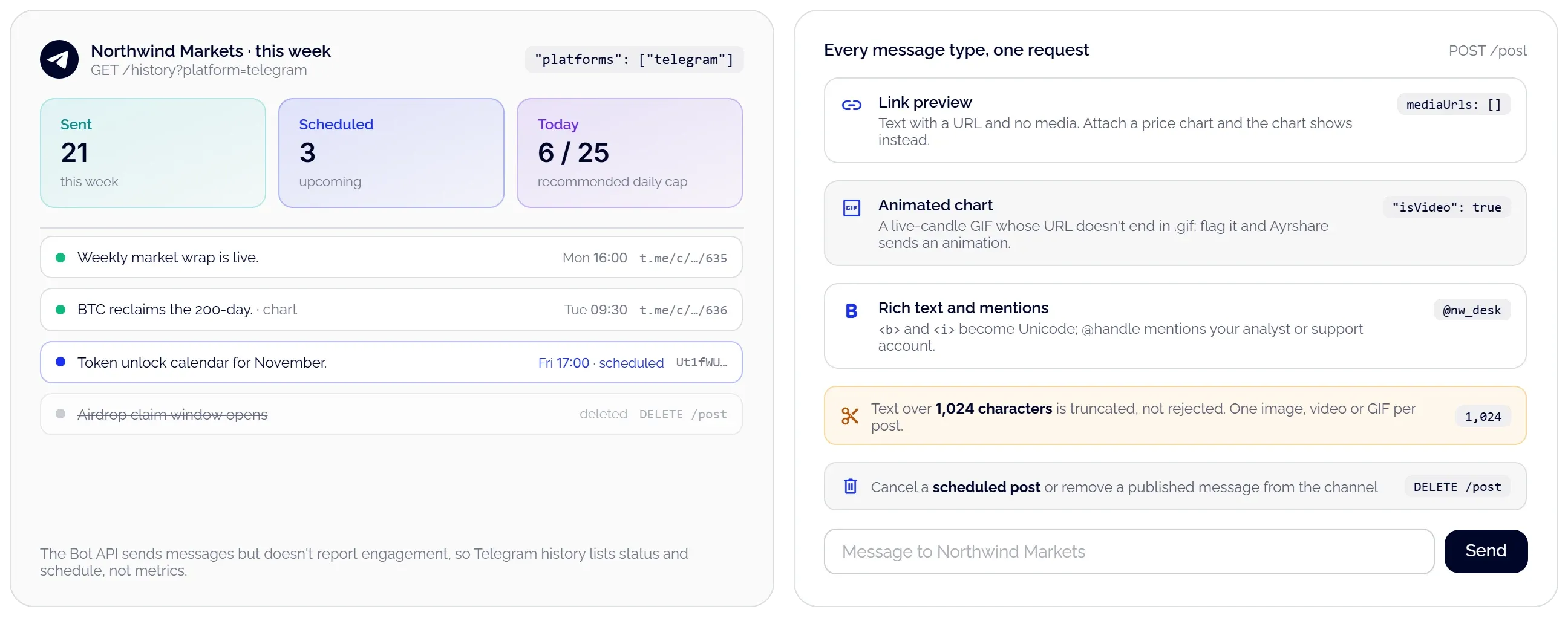
Delete a scheduled Telegram post before it goes out, or a published message after.
Delete post docsList every Telegram post sent through Ayrshare, with its status and schedule, filtered by platform and date.
History APIAyrshare enforces the 1,024-character cap and the one-media limit, and applies the 25-posts-a-day recommendation. Telegram posts skip the duplicate-content filter.
Post verification docsSchedule a message for any date in ISO 8601 UTC and cancel it any time before it sends. Ayrshare recommends up to 25 Telegram posts a day per account.
Post API referenceSee every network you can reach with the same integration on the supported networks page.
Yes, you can post to Telegram through an API. Ayrshare's Telegram API lets developers publish text, links, images, videos, and animated GIFs to Telegram channels and groups via a single REST endpoint. It supports scheduled posts, link previews, rich text, mentions, deletion, and history across 14+ social networks through one integration. Start with the Telegram publishing options.
The Telegram API is free: Telegram charges nothing for the Bot API or for an api_id on the MTProto API. Bots only pay, in Telegram Stars, for broadcasts above about 30 messages per second. The cost of going direct is building, hosting, and securing the bot. Ayrshare's plans include Telegram posting through @AyrshareBot, so there's no bot to run. Compare Ayrshare plans.
To get access to the Telegram API for posting, message @BotFather, create a bot, and copy its token, then add the bot as an administrator of each channel or group. There's no app review. The MTProto API instead needs an api_id and api_hash from my.telegram.org. With Ayrshare, your users add @AyrshareBot, and the Post API reference shows the one request you need.
To post to a Telegram channel with an API, make a bot an administrator of the channel, then send the message through the Bot API. With Ayrshare, your user adds @AyrshareBot as an admin and pastes a code from the dashboard, and your product sends a POST to /post with telegram in platforms. See how to link a Telegram channel or group for the steps.
The difference between the Telegram Bot API and the Telegram API is who you sign in as. The Bot API is HTTP and JSON for a bot account with a token from @BotFather. The Telegram API is MTProto, Telegram's own protocol, signed in as a real user with an api_id. Channel and group posting only needs the Bot API, which Ayrshare runs for you. Read the Telegram docs next.
Yes, you can schedule Telegram posts with an API. Pass a scheduleDate in ISO 8601 UTC and Ayrshare sends the message to the channel or group at that time. A scheduled post can be deleted before it goes out with the same Ayrshare post ID, and Ayrshare recommends staying under 25 Telegram posts a day per account. See the Post API reference for every scheduling option.
Get an API key, link a channel with @AyrshareBot, publish your first message, and turn on the other networks with the same call when you need them.