Access
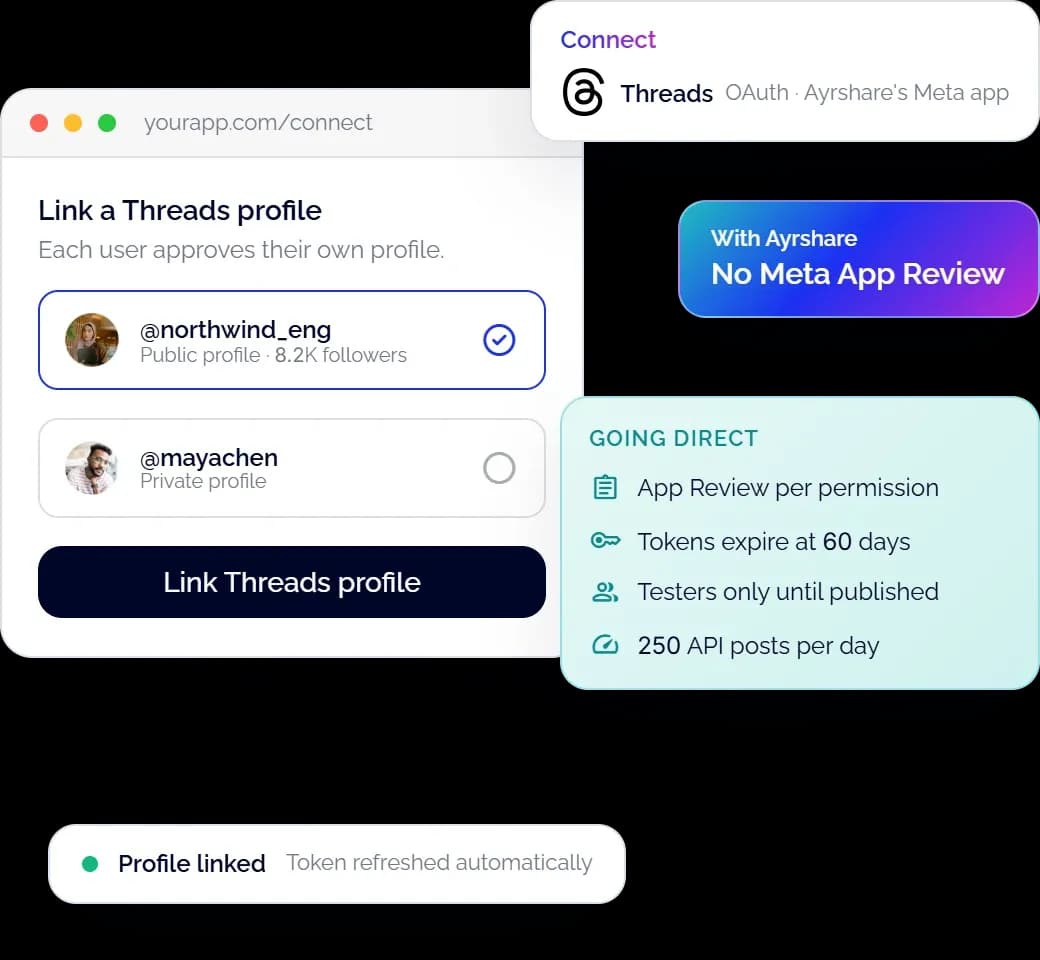
Your users link their Threads profiles on Ayrshare's approved Meta app. You skip App Review for threads_basic, threads_content_publish, and the reply and insights permissions.

Ayrshare's Threads API lets developers publish text posts, images, videos, carousels, and multi-post threads to Threads profiles via a single REST endpoint. It supports scheduled posts, link previews, geo restrictions, comments, history, and analytics across 14+ social networks through one integration.
Your users link their own Threads profiles through an OAuth flow inside your product, on Ayrshare's approved Meta app. You don't need your own App Review, Threads permissions, or token refresh logic.
One integration, 14+ networks, 30M+ API calls a day.
>99.99%
API uptime
30M+
API calls per day
14+
Social media networks
AI-Native
Native MCP server for any AI agent
>99.99%
API uptime
30M+
API calls per day
14+
Social media networks
AI-Native
Native MCP server for any AI agent
You need one API key and a user who links their Threads profile. Ayrshare holds the approved Meta app, so there is no App Review per permission, no Business Verification, and no tester-only phase before your first post. After that, Ayrshare keeps the integration running: long-lived token refresh, Meta's API versions, media re-hosting when Meta can't fetch a file, and new Threads features as Meta ships them.
Your users link their Threads profiles on Ayrshare's approved Meta app. You skip App Review for threads_basic, threads_content_publish, and the reply and insights permissions.
Meta changes the Threads API as it grows. Ayrshare refreshes tokens before they expire, tracks new versions, and adds features like geo restrictions and carousels as they ship, so you don't have to.
Any Threads profile, public or private, linked by the person who owns it.
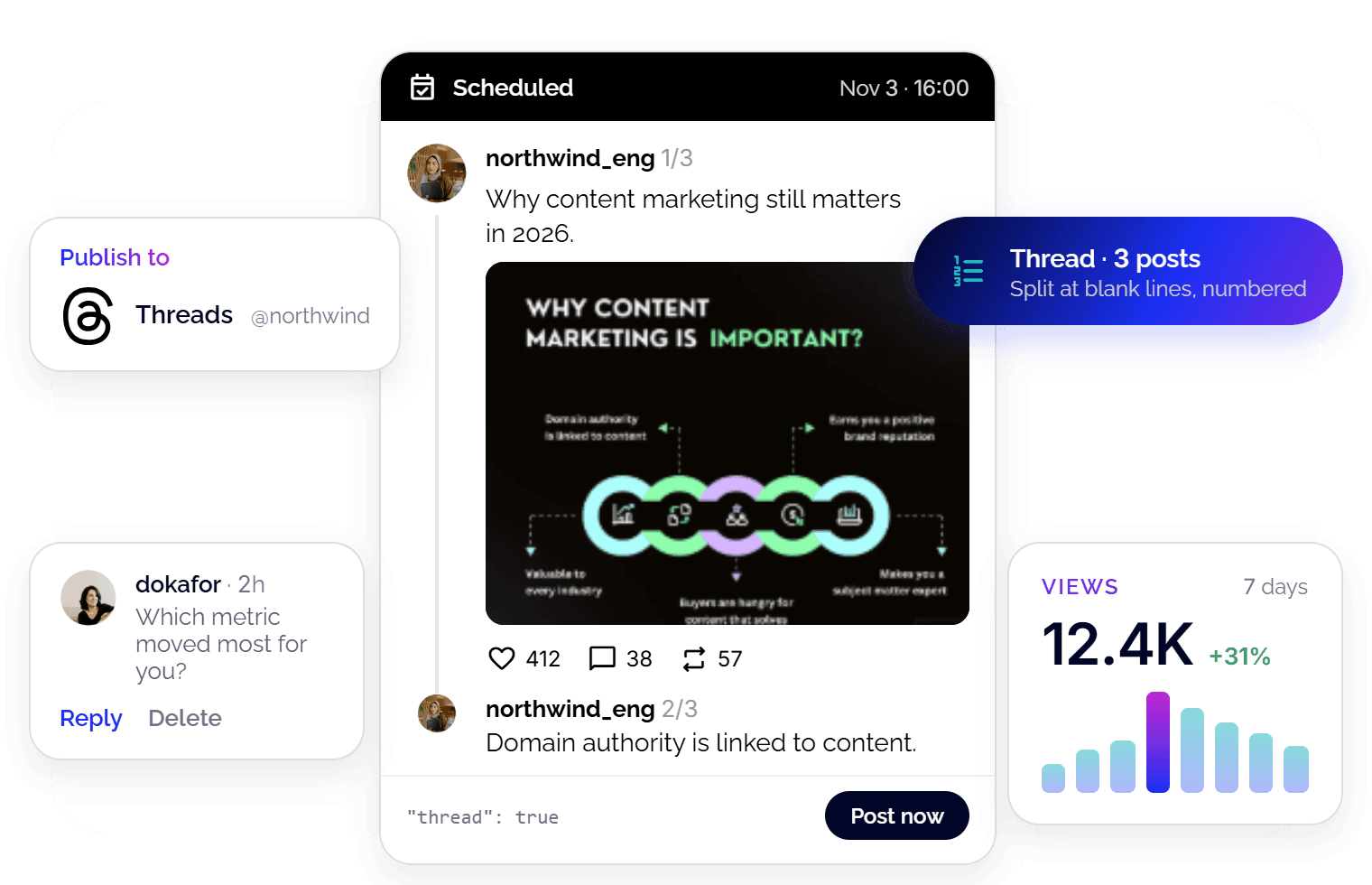
Send text over 500 characters with thread set to true and Ayrshare splits it into a numbered series at your blank lines, with one media item per post. Send up to 20 image and video URLs for a carousel.
Each sample publishes a photo post now, then schedules a video for later. Same endpoint, same JSON, in Node.js, Python, PHP, Java, Go, Ruby, C#, or plain cURL. Add a Profile-Key header to post for one of your users.
# 1. Publish now: a photo post with a mentioncurl -X POST https://api.ayrshare.com/api/post \  -H "Authorization: Bearer $AYRSHARE_API_KEY" \  -H "Content-Type: application/json" \  -d '{    "post": "Our new changelog page is live. Thanks @ayrshare for the API.",    "platforms": ["threads"],    "mediaUrls": ["https://example.com/changelog.jpg"]  }'
# 2. Schedule for later (ISO 8601, UTC)curl -X POST https://api.ayrshare.com/api/post \  -H "Authorization: Bearer $AYRSHARE_API_KEY" \  -H "Content-Type: application/json" \  -d '{    "post": "Friday demo: the full onboarding flow in 60 seconds.",    "platforms": ["threads"],    "mediaUrls": ["https://example.com/onboarding.mp4"],    "scheduleDate": "2026-11-06T17:00:00Z"  }'
Meta's rules for Threads in one place. The full list lives in the Threads media guidelines and the Threads publishing options.
Text, links with an automatic preview, a single image or video, carousels, and multi-post threads. Media can go out with no text at all. Posts go to a Threads profile linked by the person who owns it.
JPEG or PNG, with an aspect ratio of at most 10:1 and a width of 320 to 1440 px. Meta scales anything outside that range. WebP, HEIC, HEIF, and AVIF are converted to JPEG.
MP4 or MOV, H.264 or HEVC with AAC audio, up to 1 GB. 23 to 60 FPS, up to 1920 px wide, 25 Mbps max bitrate. 9:16 is recommended.
Up to 500 characters per post and one hashtag. Each @mention notifies the user.
Up to 20 images and videos in mediaUrls, mixed in any order. Video URLs need a known extension, or set isVideo.
Set thread to true and Ayrshare splits text over 500 characters into a connected series at sentence boundaries, or at the blank lines you place. Add 1/n numbering and one media item per post.
Limit a post or a whole thread to listed countries with allowCountries, on accounts where Meta has turned this on.
Pass a scheduleDate to publish later, for any date. Meta allows 250 API-published posts per profile in any 24 hours. Ayrshare allows 300 API calls per 5 minutes per profile.
Send the full text with thread set to true. Ayrshare splits it at blank lines, numbers each post, and attaches one media item per post in order. Use null to skip media on a post, or an object with several URLs for a carousel inside one post.
{ "post": "How we cut API latency in half.\n\n1. We moved media fetching off the request path.\n\n2. We cached profile lookups for five minutes.\n\n3. We stopped retrying the wrong errors.", "platforms": ["threads"], "threadsOptions": { "thread": true, "threadNumber": true, "mediaUrls": [ "https://example.com/latency-before.png", null, { "a": "https://example.com/cache-hit.png", "b": "https://example.com/cache-miss.png" }, "https://example.com/latency-after.png" ] }}
Ayrshare runs the Meta app, so your product sends one request and gets back the Threads post ID and URL. Meta fetches media from your server when you publish, so a robots.txt rule or a bot filter on your host can fail the post. Ayrshare retries media Meta can't fetch and re-hosts it on Ayrshare's CDN when needed. It also runs the linking flow, builds carousels from a list of URLs, and cuts long text into a thread of posts under 500 characters. When Meta changes the Threads API, the fix ships on our side, not in your sprint.
For a step-by-step walkthrough, read How to Post to Threads with an API.
See the Threads Publishing OptionsJust send a single POST request with your text, media URLs, and the user's Profile-Key. Add thread, allowCountries, or a carousel in the same request. We keep the integration lean so your team can launch faster.
Profile linking, token refresh, media fetching and re-hosting, carousel containers, and thread splitting. None of it reaches your code.
Get the Threads post ID and URL right away. The same ID returns views, likes, replies, reposts, quotes, and shares per post, plus profile followers and views, in the same JSON format as every other network.
The same Threads connection that publishes also reads comments, pulls history for posts made in the app, and returns analytics.
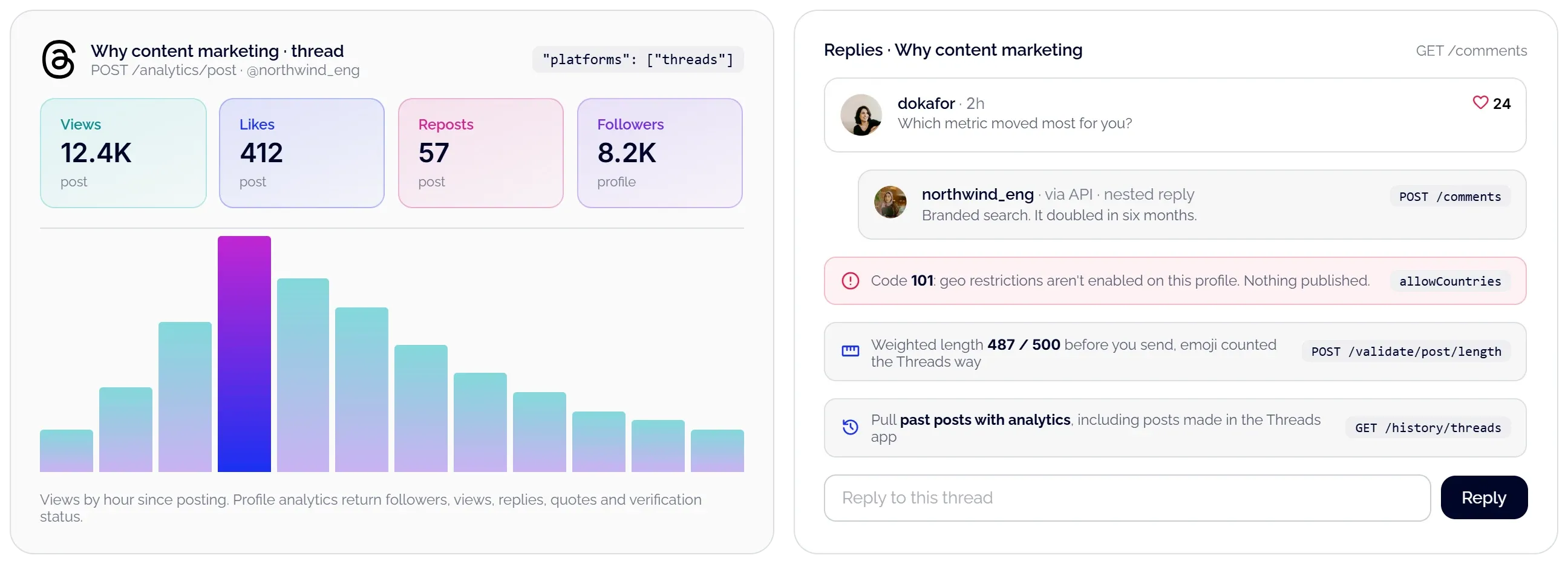
Per post: views, likes, replies, reposts, shares, and quotes. Per profile: followers, views, likes, replies, reposts, quotes, and verification status, in the same JSON shape as every other network.
Analytics APIRead the replies on a Threads post, including nested replies and quote posts, and delete comments by Ayrshare ID or Threads comment ID.
Engagement APIPull a profile's past posts with analytics, including posts published in the Threads app, and look up any one post by its Threads ID.
History APICheck a post's weighted character count against the 500 limit before sending it, with emoji and accented characters counted the way Threads counts them.
Post length endpointSchedule a post, carousel, or whole thread for any date. Ayrshare builds the media containers and publishes each post of the thread in order at that time.
Post API referenceEvery option above is in the Threads API docs. See every network you can reach with the same integration on the supported networks page.
Yes, you can post to Threads through an API. Ayrshare's Threads API lets developers publish text posts, images, videos, carousels, and multi-post threads to Threads profiles via a single REST endpoint. It supports scheduled posts, link previews, geo restrictions, comments, history, and analytics across 14+ social networks through one integration. Start with the Threads publishing options.
The Threads API is free to call, since Meta publishes no fee or paid tier for it. Going direct costs you setup and upkeep instead: App Review for each permission, 60-day token refreshes, and Meta's limit of 250 API-published posts per profile a day. Ayrshare's plans include Threads posting on Ayrshare's approved Meta app, so you can start posting without waiting on review. Compare Ayrshare plans.
To get access to the Threads API, create a Meta app with the Threads use case, request threads_basic and threads_content_publish, and pass App Review for each permission before publishing the app. Until then, only invited testers can use it. With Ayrshare, your users link their Threads profiles through Ayrshare's approved app, and the Post API reference shows the one request you need.
To publish to Threads with an API through Ayrshare, get an API key, have your user link their Threads profile, then send the post text and any media URLs to the /post endpoint with platforms set to threads. Add thread to split long text into a series. The tutorial How to Post to Threads with an API walks through each step.
The analytics available through the Threads API cover each post and the whole profile. Meta's insights return likes, replies, reposts, quotes, views, and shares per post, and followers, views, link clicks, and follower demographics per profile, with demographics needing 100 followers. Insights need the threads_manage_insights permission. Ayrshare returns post and profile metrics in one JSON shape through the Analytics API.
The Threads API rate limits cap each profile at 250 API-published posts, 1,000 replies, and 100 deletions in any 24 hours, and a carousel counts as one post. General calls scale with the profile's impressions. Ayrshare adds its own limit of 300 API calls per 5 minutes per profile, across every network on its social media publishing API, so plan bulk scheduling around both.
Get an API key, publish your first Threads post, and turn on the other networks with the same call when you need them.