

1
建立貼文
在 Ayrshare 儀表板 中,前往左側導覽的「Posts」。
透過選擇你想要的社群網路、貼文文字與媒體來建立新貼文。
2
找到 JSON 選項
點擊位於貼文建立表單底部的「</> View JSON」按鈕。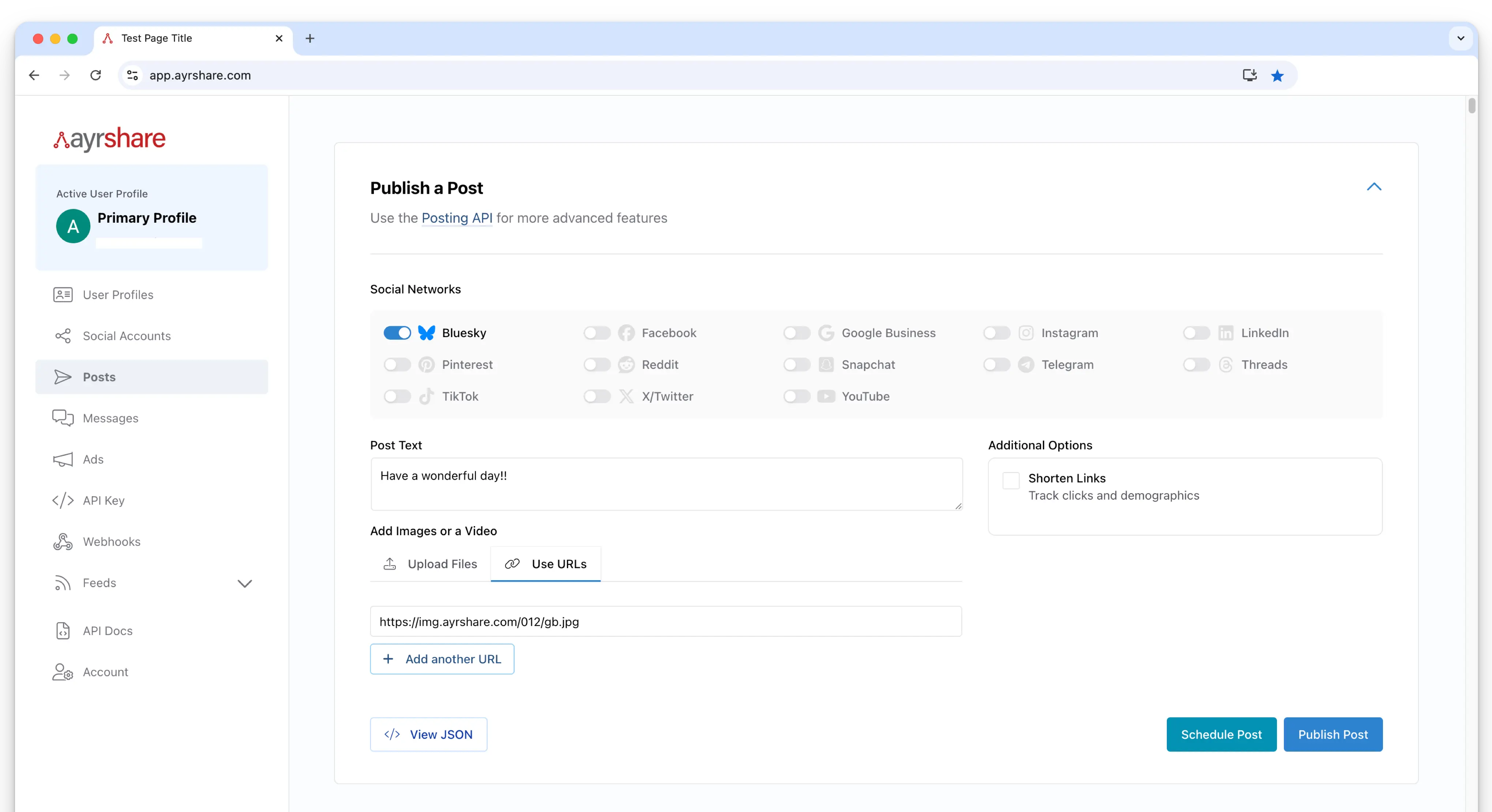
3
檢閱 JSON 內容
JSON 內容會顯示在對話框中,呈現所有將用於你貼文的參數與資料。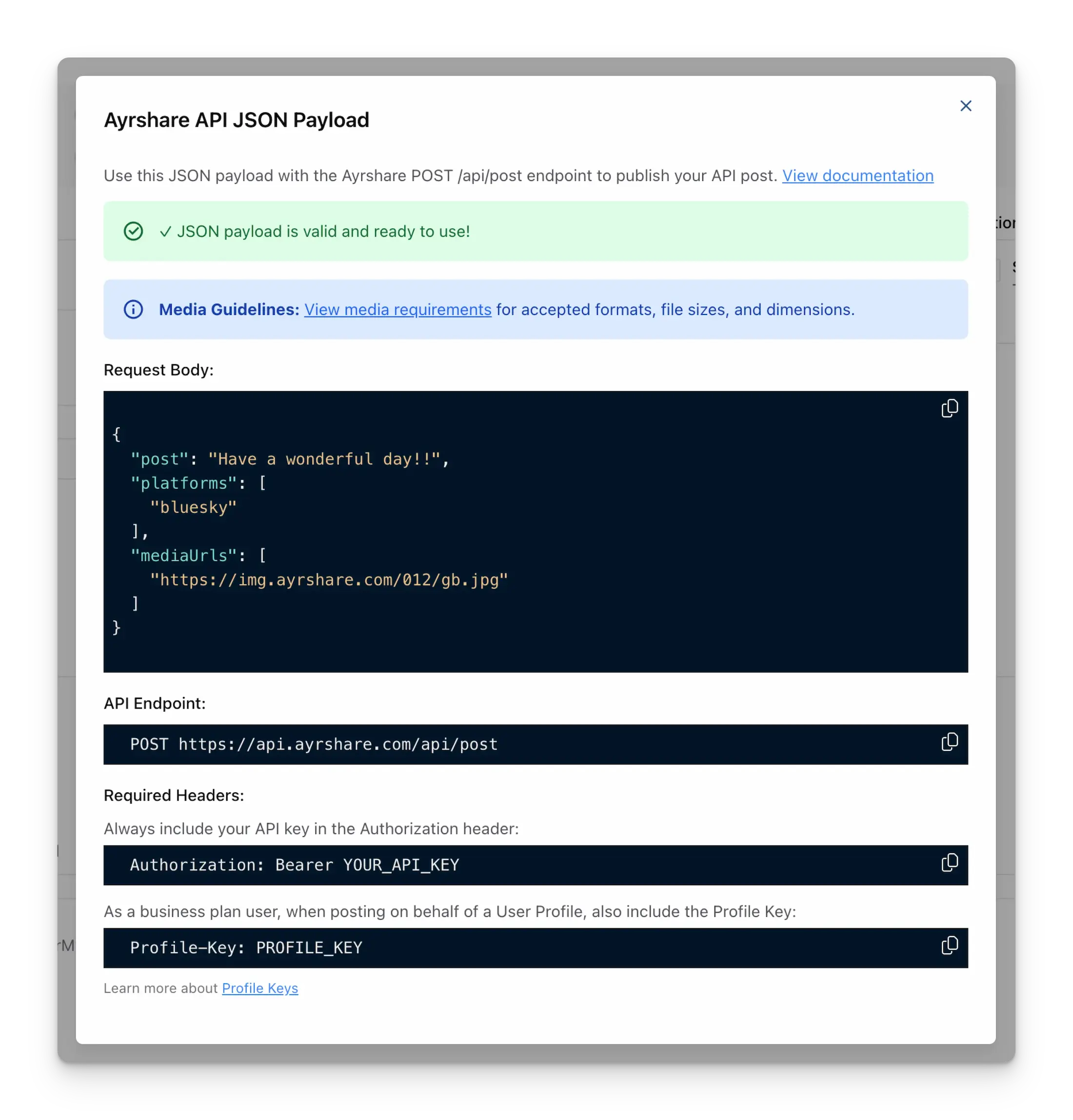
4
複製或使用 JSON
你可以複製 JSON 內容直接用於 Ayrshare API,或僅檢閱以了解你貼文資料的結構。
如何檢視 JSON 內容
建立貼文
找到 JSON 選項
檢閱 JSON 內容
複製或使用 JSON