- Unsupported post request. Object with ID [id number] does not exist, cannot be loaded due to missing permissions, or does not support this operation. Please read the Graph API documentation
- There is an issue with your Instagram account type or permissions.
1. InstagramビジネスアカウントがまだFacebookページに接続されているか確認する
Facebookページの連携を使用していた場合、Instagramがビジネスアカウントであり、Facebookページに接続されていることを確認してください。- Facebookにログインし、Facebookページに移動します。画面左のメニューから「Settings」をクリックします。
- 「Instagram」を選択し、Instagramアカウントが連携されていることを確認するか、「Connect Account」をクリックします。
- Ayrshareダッシュボードの「Social Accounts」でInstagramアカウントの連携を解除し、再連携します。
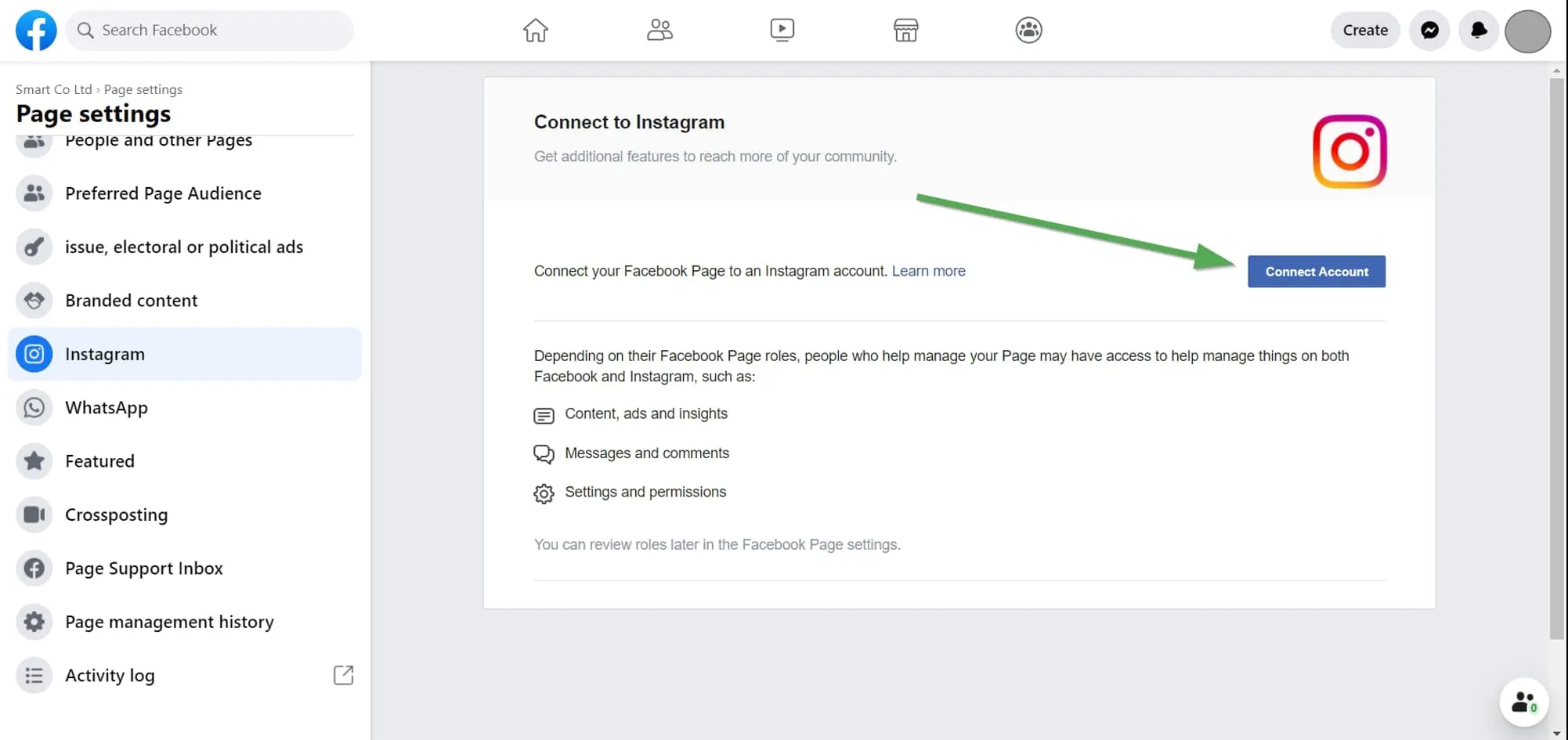
Instagramの連携
2. Instagramの権限を確認する
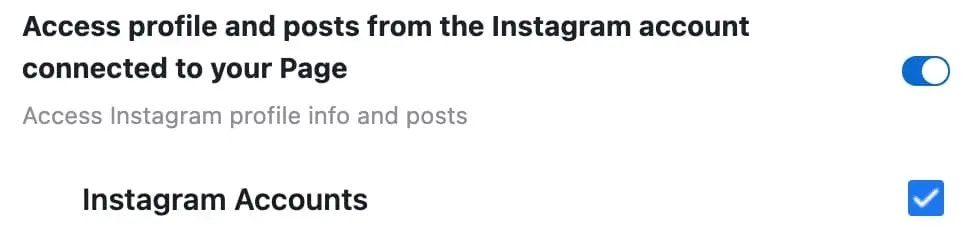
問題が解決しない場合は、Ayrshareに付与された権限を確認してください。 Facebookにログインし、「Setting」-> 「Settings & Privacy」-> 「Security & Login」-> 「Business Integration」に移動します。Facebook設定への直接リンク
直接リンクはこちらをクリック