If you manage the social credentials of your users, brands, or clients - i.e have access to the usernames and password at the social networks - the Premium Plus might be the right plan for you. Often agencies fit this model.If you have many users and they manage their own social credentials, then the Launch Plan or Business Plan might be the right choice.
Premium Plus does not allow Single Sign-On to the Social Accounts Linkage page. Your user profiles will not be able to link their own social networks. You must do it for them via the Dashboard. Please see the Launch Plan or Business Plan.
With the Premium Plus plan, you’ll create a “user profile” for each of your users, brands, or clients. Every user profile has one set of social accounts associated with it.For example, you can create a user profile for your client “Hometown Shoes” and connect this user profile to Hometown Shoes’ Facebook Page, Twitter, Instagram, LinkedIn, Reddit, Google My Business, and Telegram accounts. You can then schedule posts, get analytics, etc for Hometown Shoes via the Dashboard or API, using the Profile Key - see below.
The plan charges per user profile per month with a minimum of three user profiles at a reduced rate. You can create as many user profiles as you need. If you delete a user profile, you will not be charged for that user profile in your next billing cycle.Please chat with us about upgrading to the Premium Plus plan.
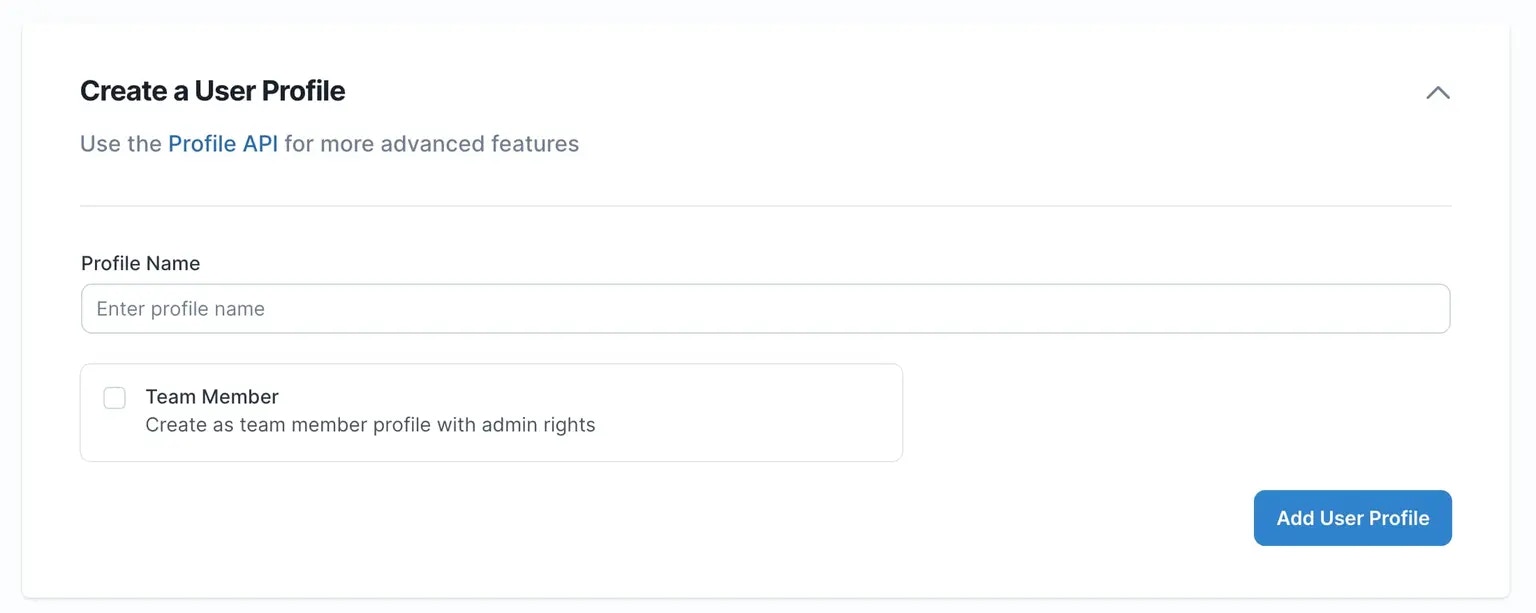
In the User Profiles section, add a new user profile by entering a title and clicking “Add User Profile”.You will then see your listed user profile. Clicking on the Delete button will delete the user profile.
Now click “switch to this profile” to switch into the new user profile. You’ll see the title of that user profile in the upper right corner. You can then go to Social Accounts to link social networks for that user profile.If you ever want to switch back to your primary profile, go back to the User Profiles page and click (switch to this profile) next to Primary Profile.
Next, go to the “Social Accounts” page to link the social networks for this user.
Please be sure to first log out the social network in a different browser tab before trying to link. This will ensure the right client credentials are used.
For example, if you want to link Facebook, go to Facebook.com and log out of the current session and then in the Ayrshare Dashboard in Social Accounts click the Facebook Pages button.
Each user profile has its own Profile Key that is associated with its set of connected social platforms. This is used in the header of the REST calls in place of the API_KEY.A user profile’s Profile Key can be found in the Profile Key page in the Dashboard.See the Authorization section for more information:
API Overview
You can then use this Profile Key for all of the API calls.
Assistant
Responses are generated using AI and may contain mistakes.