

generateJWT is no longer the only way to create a linking URL. It still works and this
page still describes it, but for new integrations use
Create a Link Session — it needs no private key, and it lets you
check whether a link has been opened or
revoke it before it expires.Both endpoints run the same validator, so everything on this page about expiresIn,
allowedSocial, instagramLinkMethod, redirect, logout and the Connect Accounts email
applies to either one. generateJWT keeps three small tolerances the newer endpoint rejects:
an unrecognised allowedSocial network, a lone X credential, and a non-string redirect.Sending the Linking URL
Switching Profiles
To switch between different profile sessions (for example, when testing with multiple profiles), you’ll need to log out the current profile first. See Automatic Logout of a Profile Session for instructions on how to properly handle profile switching.Profile Key
TheprofileKey identifies which User Profile the linking URL is for. Find it in the Ayrshare developer dashboard by switching to that profile.
The Private Key is no longer used. Linking URLs are not signed, so there is nothing to read from a file or paste into your code.
privateKey is still accepted and ignored, so existing integrations keep working, and the private.key file in your Integration Package can be left unused.Generate a Linking URL
1 minute video showing how to create a linking URL. It was recorded before link sessions, so it still shows a Private Key being sent; that step is no longer needed.expiresIn for additional options.
Opening the Linking URL
Open the linking URL in a new browser tab, browser window, or View Controller on iOS. You may control the closing or redirecting of the new window or tab.The social networks do not allow opening the URL in an iFrame or obfuscating the approved partner
origin domain profile.ayrshare.com.
Verifying the URL
verify: true is no longer used. It is accepted and ignored.
There is no signed token to verify: the returned token is checked by the linking page when your user opens the URL. This option used to re-parse the JWT with your Private Key, to catch a corrupt key before you sent the URL out. With no key in the flow, that failure mode is gone.
Testing in Postman
It is recommended to first test the linking URL creation in Postman. Included in the Integration Package, found in the Primary Profile API Key page of the dashboard, is a sample Postman config JSON file. Just import the config file into Postman, fill in your Profile Key (found in the Ayrshare developer dashboard by switching to the profile you want to test) in theprofileKey body field, and click the blue Send button.
The sample config still pre-fills privateKey and domain. privateKey is ignored, and you can clear domain unless your account has more than one linking domain.
You can also generate the code from Postman.
Instagram Link Method
Instagram accounts can be linked in two ways: directly with Instagram Login, or via a connected Facebook Page. Which flow starts when a user clicks the Instagram button on the social linking page is normally controlled by the account-wide Instagram Login setting in the dashboard. TheinstagramLinkMethod body parameter of the generateJWT endpoint lets you override that setting for a single linking URL:
For example, if your account default is Facebook Page linking, the following forces direct Instagram Login for just this linking session:
Instagram Link Method
- The override only applies to the linking page opened from the returned URL. It does not change your account-wide Instagram Login setting or affect other linking sessions.
- If
instagramLinkMethodis omitted, the linking page uses your account-wide setting, exactly as before. - If an invalid value is sent, a
400error is returned listing the valid values (instagram,facebook). - Review the feature differences between the two flows before choosing an override — some Instagram features, such as hashtag search and collaborations, are only available with Facebook Page authentication.
JWT Expires In
If you want a longer link timeout than the default 5 minutes, include theexpiresIn field.
For example, send the following JSON to set the linking URL valid for 30 minutes:
JWT Expires In
Integrations
Bubble.io
If you are a Bubble user, please see Generate a Linking URL in Bubble in the Bubble.io section for instructions:Bubble linking URL
Mobile JWT
The following Swift, Flutter, and React Native mobile code examples show how to launch the social linking page on an iOS device. Replace thejwtURL String variable with the return from the /generateJWT endpoint.
Swift (iOS)
In Swift, use aUIViewController and SFSafariViewControllerDelegate.
We don’t recommend using a WebView since some social networks such as Facebook and Google block authentication.
Flutter (Dart)
In Flutter (Dart), there is no direct equivalent to aUIViewController or the SFSafariViewController.
However, you can achieve a similar functionality by using the url_launcher package to open web URLs.
React Native
React Native also doesn’t have a direct equivalent toSFSafariViewController, but you can achieve a similar result with the WebBrowser API provided by expo-web-browser, which opens a URL in a modal browser window that shares cookies with the system browser. Otherwise, you can use the built-in React Native Linking function to open Safari: await Linking.canOpenURL(jwtURL);
Mobile Code Examples
Connect Accounts Email
In conjunction with the longer expire time option, you can also automatically have Ayrshare email your users a link to the social linkage page.Connect Accounts JSON
For example the following JSON will send an email tojohn@user.com with the company name ACME, contact email support@mycompany.com, and links to the terms and privacy policy:
Example Contact Email Request
Example Contact Email Response
Connect Accounts Email Example
Here is an example of an email with the Connect Account link that opens social linkage page: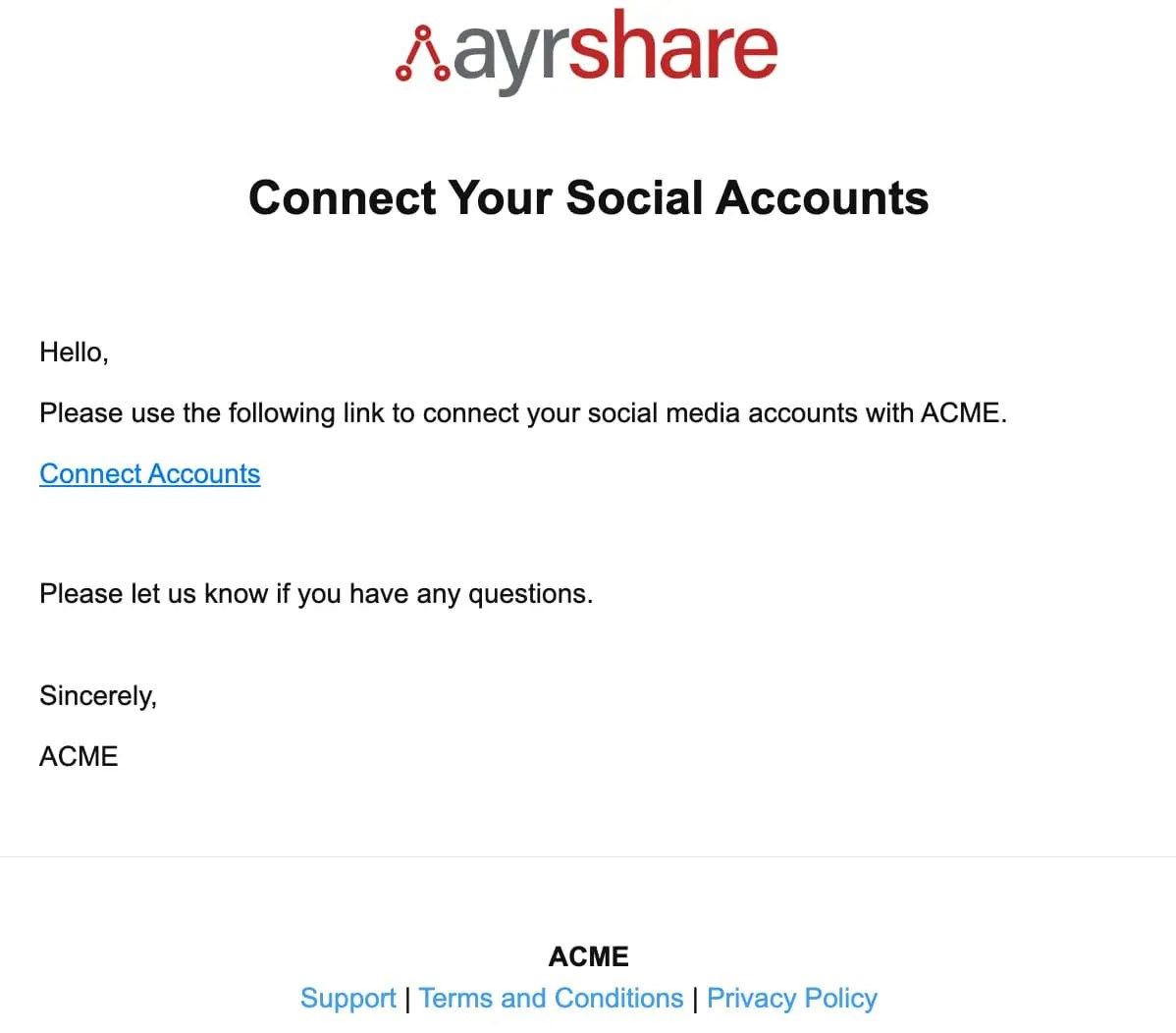
Social Connect Hub <connect@socialconnecthub.com>