
Is Your Social Media API Compliant with X’s Developer Policies?
On March 31, 2026, X changed how every third-party social media API is allowed to operate.
The previous model, where a provider held a single set of X Developer credentials and used them on behalf of all their customers, became non-compliant. The current requirement is “Bring Your Own App”: each customer registers their own X Developer account, generates their own credentials, and connects them to whatever API they’re using.
Understanding why X forced this change and what it means for how you evaluate any social media API is important. The same logic that drove X’s mandate also tells you which providers thought carefully about compliance and which were caught flat-footed.
This post walks through the clause in X’s developer agreement that sits underneath the new model, what BYO X App actually looks like in practice, and the questions still worth asking any provider (us included) about how they handle the change.
The X Developer Clause That Decides Everything: “Service Bureau”
X’s developer agreement contains a sentence that determines whether any social media API can exist legally on top of X at all. The agreement prohibits providing use of the X API “on a service bureau, rental or managed services basis.”
Put plainly, you can’t get a single set of X API credentials and rent them out to your customers. One app, many tenants: that pattern is forbidden.
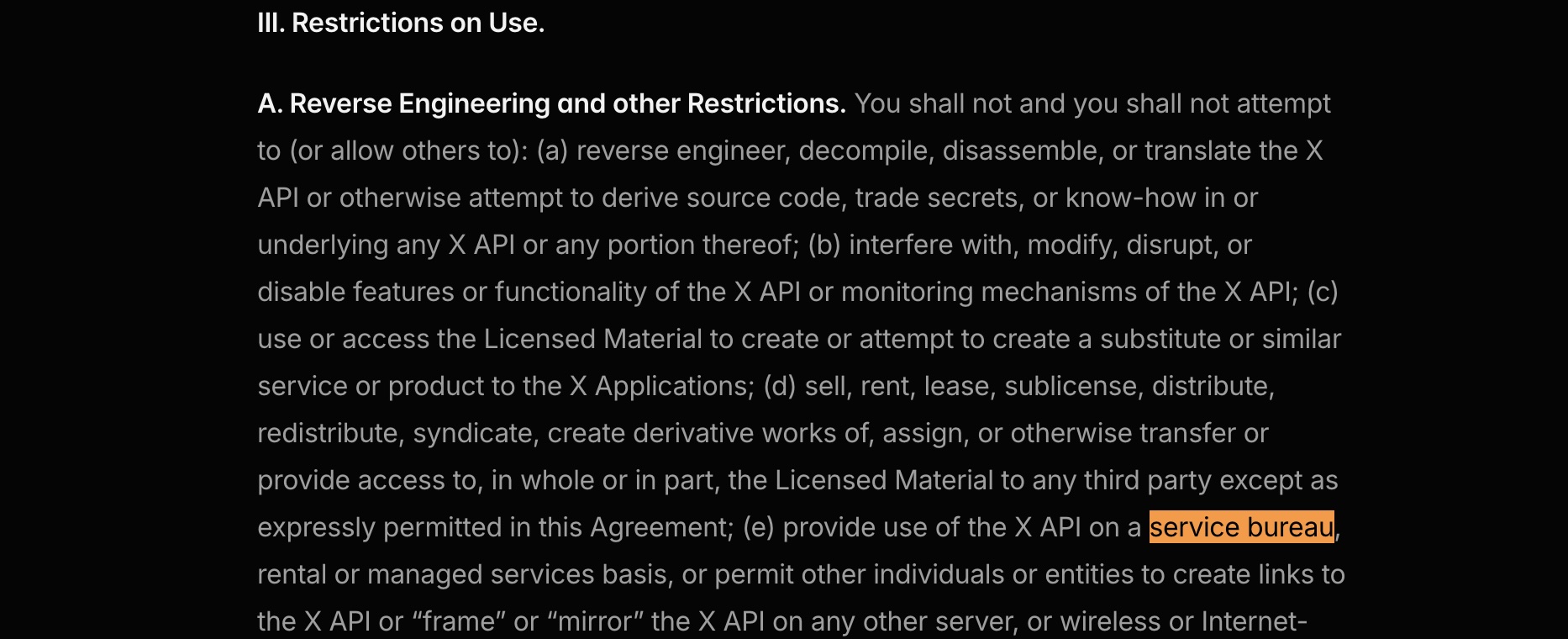
This is the single most important thing to understand about X API compliance. If a provider’s architecture is “we have an X app, you pay us, we post on your behalf using our credentials,” they’re operating in violation of X’s developer agreement, whether they realize it or not. The developer agreement explicitly states that violations may result in a temporary suspension or permanent blocking of access, and X reserves the right to monitor compliance.
The legitimate X API compliance pattern looks different.
The BYO X App Pattern
The compliant model (now the only model) is “Bring Your Own App.” Each customer creates their own X Developer account, registers their own X application, generates their own credentials (an API Key and API Secret), and connects them to the social media API they’re using.
X Pay-Per-Use Billing
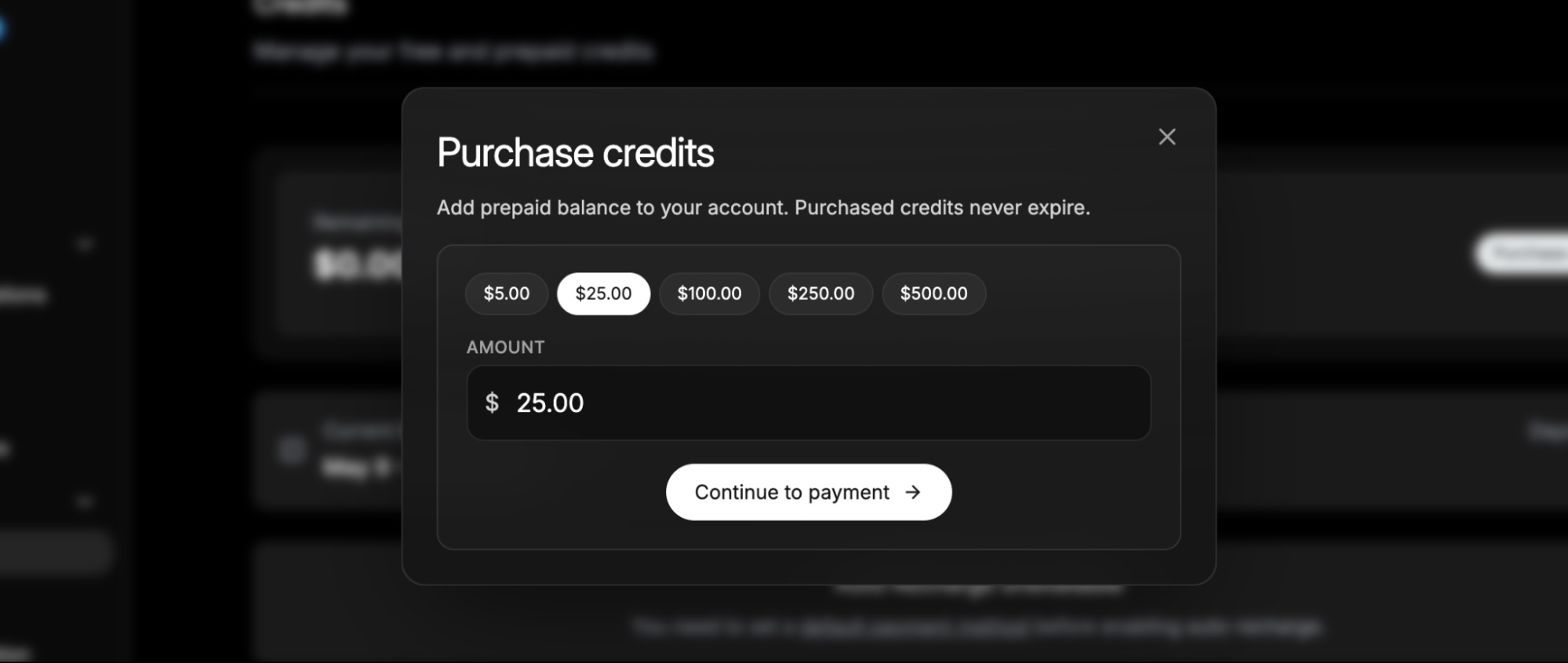
X’s billing moved with the change. The old subscription pricing model is gone, replaced by pay-per-use credits purchased directly through the X Developer Console.
A text post costs around $0.01, reading a post costs around $0.005, and there’s a $5 minimum credit purchase. For most use cases, say, posting 100 times a month, the direct X cost lands around $5–$10.
What the BYO X App Pattern Changed
1. The customer has a direct relationship with X:
Their use case is their use case, declared by them. Their rate limits are theirs, and if X has questions, X talks to them—not to a provider sitting between them and the platform.
2. The API is a technical integration layer, not a license-holder:
This translates a clean interface (“schedule this post,” “fetch these analytics”) into the specific X API calls required, handles the OAuth flow, manages retries and errors, and so on. What it does not do is mediate a license that the customer doesn’t have.
3. The OAuth screen shows the customer’s brand, not the API provider’s:
When end users authorize an X connection, they see the customer’s app name, not a generic “Acme Social API” badge. For agencies and SaaS companies, this matters.
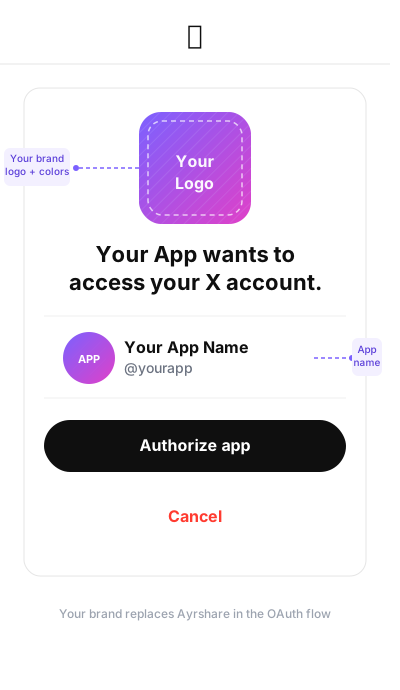
This sounds like a small architectural difference. It’s actually the difference between an API that survives X policy enforcement and one that doesn’t—which is why X eventually made it mandatory.
How to Evaluate Any Social Media API Provider—Even Now
Since X mandated BYO, you might assume every social media API is now compliant by default. They’re not: they’re just forced to support BYO if they want to keep working. The quality of the implementation varies, and that’s where the evaluation questions live.
If you take nothing else from this post, ask this:
“Walk me through what happens to my X credentials in your system.”
A social media API provider who’s thought about this can answer in two sentences. One who hasn’t will improvise. The improvising is the tell.
A few things to listen for:
- Are credentials stored at rest, or only used per request? Some implementations cache nothing; you send the keys with each API call, and they’re never persisted. That’s the cleanest answer from a security perspective.
- If credentials are stored, how? Encrypted at rest? Who has access? If they’re stored, that’s not necessarily wrong, but it should be intentional and auditable.
- What happens during OAuth, whose app name appears on the consent screen? According to X’s policies, it should be yours.
- If I leave, do I keep my X application and credentials? Yes, they’re yours, registered to your X Developer account, and your users can keep the same Oauth tokens.
- How does the provider handle existing users who linked X under the old shared-app model? There should be a clean re-link path. Customers who connected before the mandate need to re-authorize so their access tokens get reissued under the new app.
The last question is especially worth pressing on. The migration from a shared X app to a customer’s own X app is non-trivial: old access tokens don’t carry over, and every previously-linked X account needs to re-authenticate.
A social media API provider that built a smooth migration flow shows they took the change seriously.
The Other X Compliance Dimensions
BYO X App handles the structural question. Another dimension is worth knowing about because it affects features, not architecture.
The Single-Use Case Rule
X’s Developer Policy states that you may not register multiple applications for a single use case, or for substantially similar or overlapping use cases, and explicitly says that white-label versions of a tool or service are not permissible without separate approval from X.
This matters for agencies and SaaS companies that assumed they could spin up an X app per client. They can’t, at least not without explicit X approval. The compliant approach is one app per actual end customer, with that customer as the registered owner.
What X Compliance Actually Means for Social Media APIs
A social media API can honestly claim X compliance if:
- Each customer brings their own X Developer App and credentials.
- The provider never operates X access “as a service” using its own credentials.
- The provider’s features don’t push customers into violating the Automation Rules (no mass duplicate posting, no inauthentic engagement patterns) or the Display Requirements (proper attribution when X content is rendered).
That’s the checklist. It’s short, but it filters out a meaningful slice of the social media API market.
How Ayrshare Implements BYO X App
We support BYO X App as the only model for X, and we built our implementation to make the transition as clean as possible.
1. Ayrshare Doesn’t Store Your X API Key or Secret
Your X API and Secret are sent in request headers (X-Twitter-OAuth1-Api-Key and X-Twitter-OAuth1-Api-Secret) and not retained on our side. The keys live in your X Developer account and your own configuration; we pass them through on each call.
2. We Use Both OAuth 1.0a and OAuth 2.0, Depending on the Feature
We use OAuth 1.0a for BYO and OAuth 2.0 elsewhere on the platform. For BYO specifically, OAuth 1.0a is the right choice. OAuth 2.0 access tokens on X expire every two hours, and X’s refresh tokens are single-use, which makes it effectively impossible to support a stateless BYO model, especially for scheduled posts that fire long after the user authorized. OAuth 1.0a tokens don’t expire, work with all X features, and require zero token management.
3. Switching Providers? Existing X Connections Need to Re-Authenticate
OAuth access tokens are bound to the app that issued them, so any X accounts linked under a previous provider’s shared app can’t carry over. Our generateJWT flow accepts your consumer keys directly, and we offer programmatic unlink, forced re-login, and platform filtering options to make the re-link experience as smooth as possible for your end users.
4. RSS Auto-Posting to X is Not Supported Under BYO
RSS feeds run on a schedule and can’t authenticate when each post fires, because BYO requires credentials with every request. RSS auto-posting to every other platform is unchanged. If you relied on RSS for X, scheduled posts or direct API calls with credentials in the headers are the replacement.
If you’re evaluating us against another provider, ask both of us the same questions about how credentials are handled and what features have changed. The right answers should look similar, and the differences will tell you who actually thought it through.
Choosing the Right Social Media API for X: What to Ask
“Is your API compliant with X’s developer policies?” used to be a question that filtered out genuinely shady providers. Now it filters out the ones that didn’t survive, and the better question is: “How well did your provider implement the BYO model X mandated, and what did they have to give up?”
A provider who can answer fluently—explaining how credentials are handled, naming what features changed and why—treated the mandate as an architecture problem worth solving. One who waves it off with “yep, BYO supported” may have rough edges that surface later.
Your product will depend on this infrastructure. Spend a few minutes asking the right questions first.
Our integration docs are always up to date, and you’re welcome to contact our team directly if you’d like to walk through your specific architecture before committing.