

Validate
Validate JSON
Send JSON to validate if correctly formatted
POST
Send JSON to validate if correctly formatted.
You can validate your JSON by using either an online linter, such as https://jsonlint.com/ or using Postman.
If you use a no-code tool such as Bubble or Make or receive a 500 “Bad Request” response, this endpoint is useful to debug the JSON request.
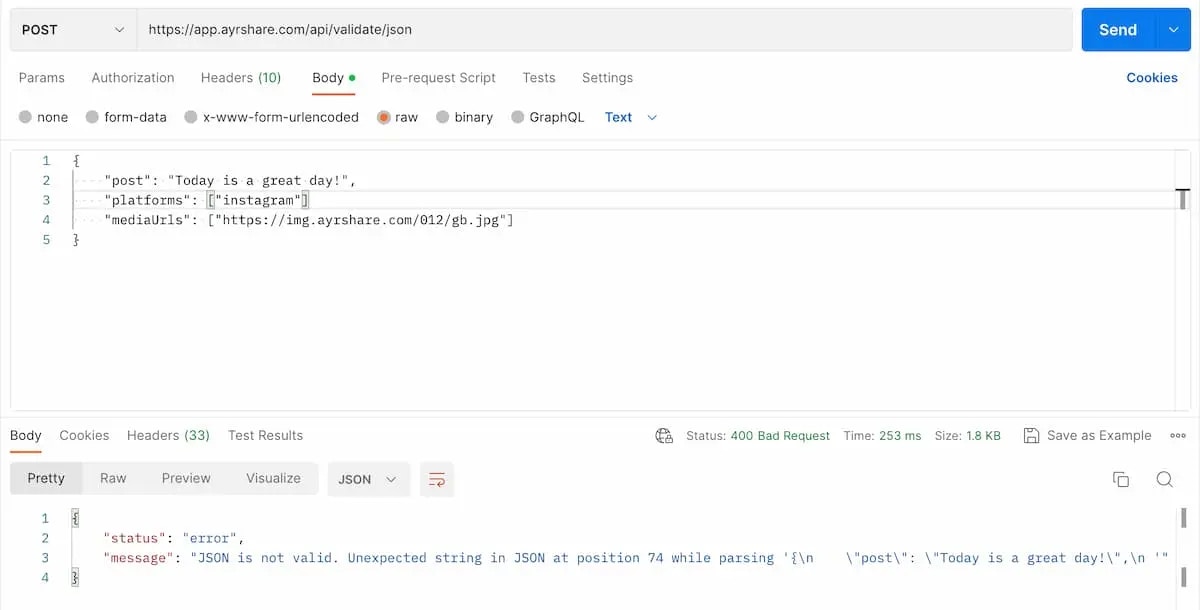
Header Parameters
- Send data as text. If using Postman, please be sure to select “Text” as the type.
- Set the
"Content-Type": "text/plain".
Request Examples
Send any json to this endpoint to validate it. Below is an example of invalid JSON using Postman. Can you spot it? A missing comma at the end on the second parameterplatforms.
Be sure to set the Content-Type in the header as text/plain and select “Text” when sending.